Since 2025, 39% of online shoppers have said extra costs are a reason they abandon checkout, and 80% are willing to hit a minimum threshold to avoid shipping fees.
That is the blind spot for most Shopify brands: you keep chasing more traffic while leaving easy revenue sitting in existing carts.
The problem is not usually demand. It is that your store is built to win the first item, not expand the order.
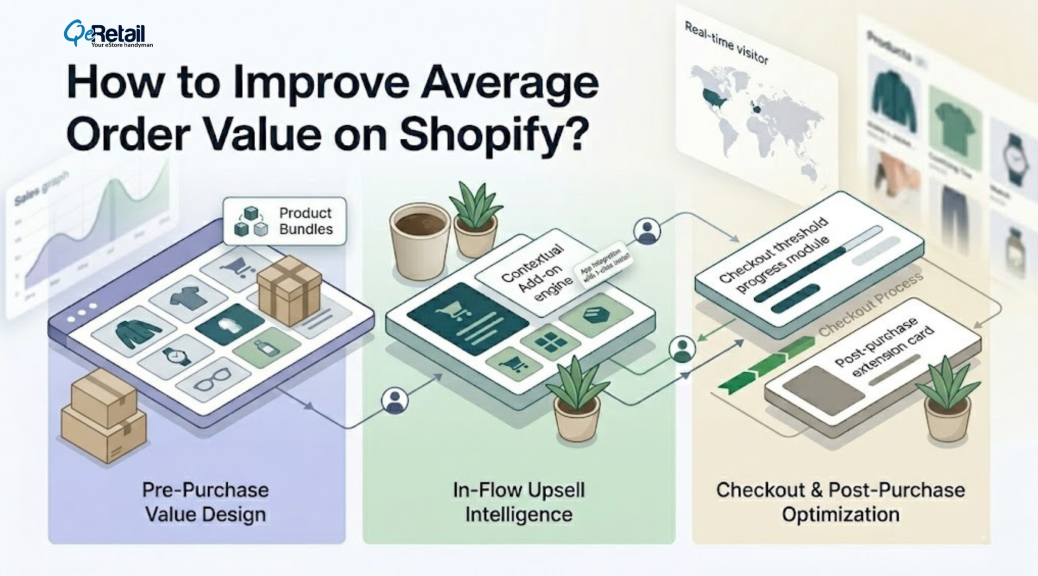
This article shows how to increase AOV on Shopify with three connected levers: bundles, cart upsells, and cart architecture.
- Why AOV is a profit lever?
- How do bundles raise basket size?
- Where do upsells belong in the buying flow?
- How does cart architecture change spending behavior?
- What to prioritize at each growth stage?
Key Action Points:
- Build bundles around products that customers already buy together
- Add one cart upsell instead of cluttering the cart with five offers
- Set a free shipping threshold above your current AOV
- Use post-purchase offers where they add revenue without checkout friction
- Match your AOV strategy to your current order volume and margins
Quick Wins: Do These Before Anything Else
These moves take under 30 minutes and show results in the next billing cycle.
No app sprawl. No strategy doc. Just open Shopify and execute.
1. Set a free shipping threshold today for immediate AOV lift with zero ad spend.
Open Shopify Admin → Shipping → add a rate condition above your current AOV.If AOV is $60, set the threshold at $75. Shoppers will add products instead
of paying shipping.
2. Create a bundle from your top two sellers to drive an immediate AOV lift with zero ad spend.
Use Shopify’s native product bundle feature or the Shopify Bundles app.Price it at a 10–12% combined discount. Name it plainly:
“The [Use Case] Kit.”
3. Kill your sitewide discount to recover margin from buyers already ready to purchase.
If you run a permanent 10–20% off banner, pause it for 14 days.Track if conversion drops. It usually does not.
4. Add one “Frequently Bought Together” suggestion for passive upsell without changing the cart UX.
Use a product recommendation block or an app like Frequently Bought Together. Tie it to your bestseller for higher attach rates and increased Shopify AOV.

What is AOV Architecture?
AOV is the average amount a customer spends per order. In Shopify Analytics , it is calculated based on sales and discounts across your orders.
If your store gets 200 orders a month, every extra $10 in AOV adds
$24,000 a year.
You do not need more sessions to create that lift. You need a store
that makes higher-spend behavior feel obvious.
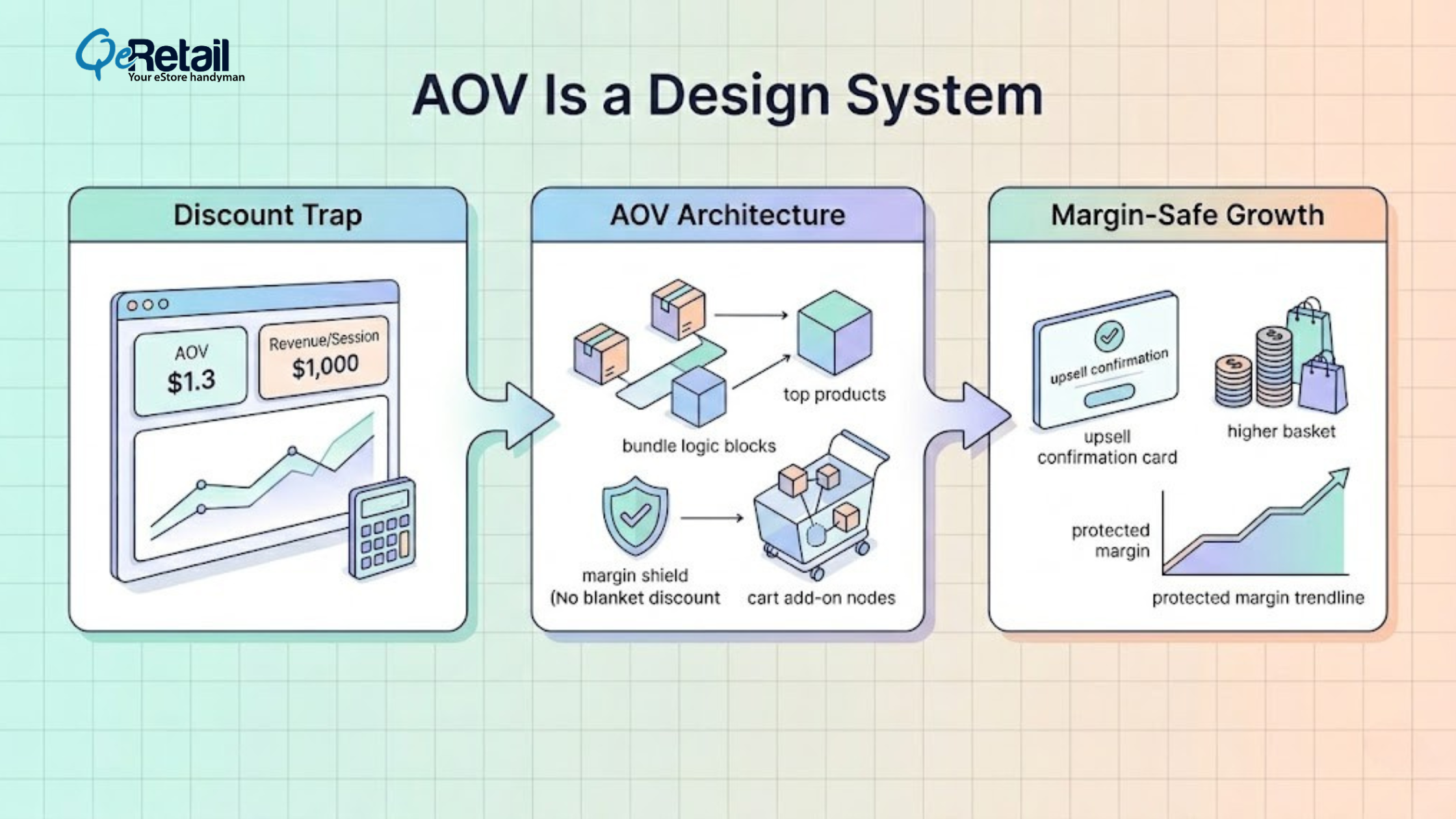
Expert Take: Most stores treat AOV like a reporting metric. It is not. It is a design problem. If your cart, bundle logic, and post-purchase flow do not work together, you are asking customers to spend more without giving them a reason.
What Shopify Owners Need to Do?
- Calculate your current AOV and revenue per session first
- Identify your top 10 products by volume and attachment rate
- Remove any always-on discount that lowers margin without lifting basket size
The 3-Part AOV Framework for Shopify
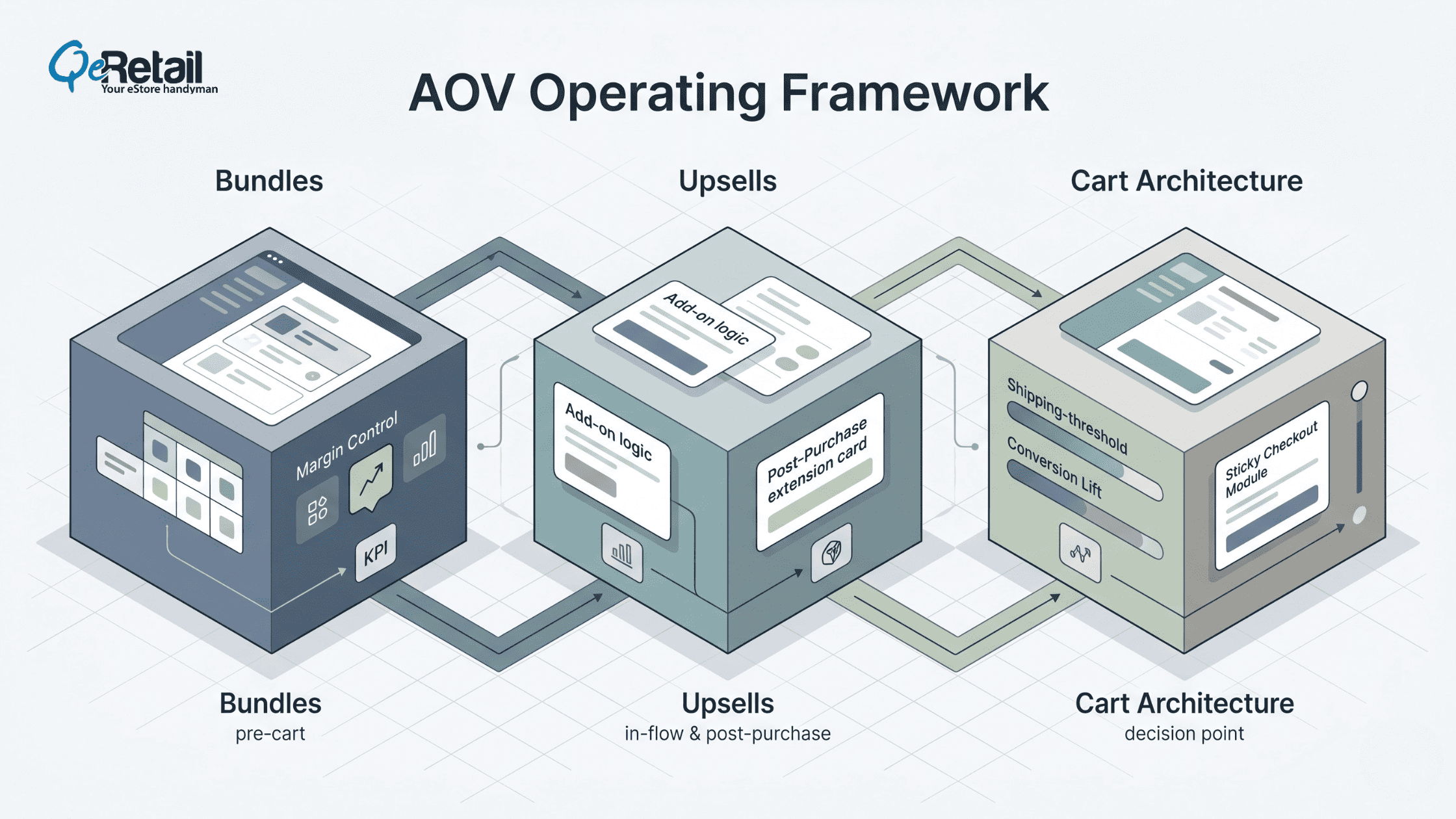
1. Use bundles to increase pre-purchase cart value
Shopify’s own product bundle documentation lists higher average order value
as a core benefit of bundling. Fixed bundles work best when the products
naturally complete a job.
Mix-and-match bundles work when your catalog has options customers want
to personalize. Quantity bundles work when shoppers already buy repeatable
products like skincare, supplements, or pet items.
Here are some key steps to follow:
1. Create one starter bundle around your best-selling product
2. Show the individual item total beside the bundle price
3. Test quantity breaks only on products with repeat purchase behavior
Expert Take: Weak bundles are just discounted leftovers. Strong bundles remove decision fatigue. If the shopper has to think harder, your bundle is not helping.
Quick Win: Open the Shopify Bundles app right now.
- Pick your #1 SKU by volume.
- Bundle it with the #2 product bought alongside it in your analytics.
- Set a 10% combined discount. Publish. Takes 20 minutes.
Result: Your highest-traffic product page will now close at a higher basket value by tomorrow.
2. Add upsells where buyer intent is highest
Cart upsells and post-purchase offers are not the same job. Cart upsells
help increase order size before checkout. Post-purchase offers capture
extra revenue after payment is confirmed.
Shopify’s post-purchase extension framework is built for this exact moment
between order confirmation and the order status page.
If you want a fast win, keep the cart offer narrow: one relevant add-on,
one protection offer, or one upgrade. If you want a second layer, add a
post-purchase offer for an accessory or replenishable item.
Another crucial aspect is reducing Shopify CAC which can help you become more profitable.
Here are some key steps to follow:
1. Add one cart-drawer upsell tied to the item already in the cart.
2. Use post-purchase offers for accessories, refills, or protection.
3. Exclude low-margin products from aggressive upsell logic.
Expert Take: More offers do not create more money. They usually create more hesitation. One precise upsell beats a crowded cart every time.
Quick Win: Install one cart-drawer upsell app (Aftersell, ReConvert, or Shopify’s native post-purchase).
- Set one rule: if the cart contains your bestseller, suggest one logical complement priced under $25.
- Do not A/B test yet.
- Launch first.
Result: Upsell revenue visible within the first 48 hours of live orders.
- Set one rule: if the cart contains your bestseller, suggest one logical complement priced under $25.
- Do not A/B test yet.
- Launch first.
Result: Upsell revenue visible within the first 48 hours of live orders.
3. Turn the cart into a conversion zone
Free shipping thresholds work because shoppers would rather add a product than pay for shipping. Shopify notes that a threshold can lift AOV, especially when the gap feels achievable.
If your AOV is $65 ,a threshold around $80 to $85 usually creates the right nudge without feeling fake.
Pair that with a clean cart drawer, visible savings, and a sticky checkout button.
If your store still sends shoppers to a clunky cart page with no progress feedback, you are missing the final leverage point.
This is also where Shopify checkout optimization matters most: reduce friction, clarify value, and maintain momentum.
Here are some key steps to follow:
- Set your free shipping goal above the current AOV, not below it.
- Keep the cart drawer focused on one message and one next step.
- Surface savings, thresholds, and checkout CTA without forcing extra clicks.
Expert Take: The cart is not a summary page. It is the last selling environment you control before payment. Treat it like dead space, and your AOV will stay flat.
Quick Win: Surface savings, thresholds, and checkout CTA without forcing extra clicks.
- Go to your live cart drawer right now.
- Count how many offers, messages, and CTAs are visible.
- If more than two, remove the lowest-priority one today.
- Then confirm your free shipping bar is visible above the fold in the drawer.
- It takes 10 minutes.
Result: Cleaner cart = less hesitation = faster checkout completion.

How to Prioritize by Store Stage?
The Growth Starter ($0-$100K): Focus on Simple Lifts
Start with a free shipping threshold, one fixed bundle, and one
frequently bought together suggestion. You do not need app sprawl
at this stage. You need clarity.
The Scaling Operator ($100K-$400K): Create a Layered System
Add a cart drawer, test mix-and-match or quantity bundles, and
launch one post-purchase offer. Roll these out one at a time so
you can see what actually moves AOV.
The Mature Brand ($400K+): Protect Margin While Expanding Basket Size
Audit margin by SKU before adding more discount logic. If you are
on Shopify Plus, review your checkout customization setup carefully
because legacy checkout.liquid and script-based thank-you
page customizations were already affected after August 28, 2025,
with automatic upgrades beginning in January 2026.
Stop Chasing More Traffic. Start Growing Each Order.
Most Shopify stores do not have a traffic problem first. They have
an order design problem. Bundles increase what goes into the cart,
upsells increase what gets added to the order, and cart architecture
keeps the buyer moving without friction.
FAQs
What Is a Good AOV for a Shopify Store?
A good AOV depends on your category, price point, and repeat purchase
behavior. The better benchmark is whether your AOV is rising while
margins stay healthy and conversion does not slip.
Do Bundles Really Increase Average Order Value?
Yes. Shopify explicitly lists a higher average order value as one of
the main benefits of product bundles. The key is to bundle complementary
products, not random inventory.
Where Should I Place Upsells on Shopify?
Start with one upsell in the cart and one post-purchase offer after
payment. Shopify supports post-purchase experiences directly in checkout
for eligible setups, which makes that moment useful for low-friction
add-ons.
How Do I Choose a Free Shipping Threshold?
Set it above your current AOV so the shopper needs to add one more
reasonable item to qualify. Shopify’s example shows how thresholds
can raise order size by turning shipping avoidance into a spending trigger.
Table of Contents