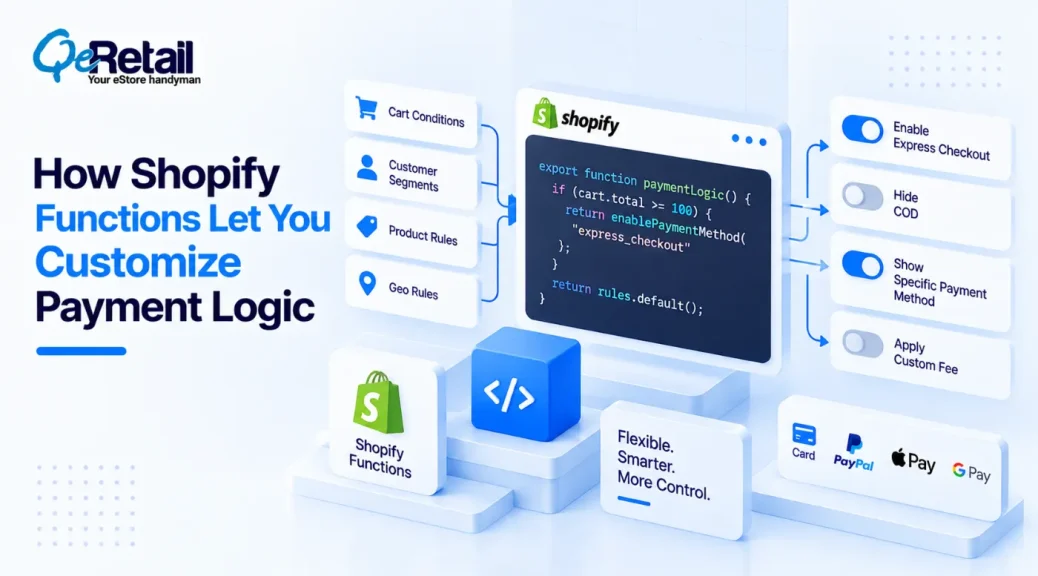
Payment logic becomes more complicated as a Shopify store moves beyond a straightforward “customer selects a payment method and pays” journey.
Growing stores may need to control which payment methods appear for particular orders, markets, customer segments, cart conditions, or business rules. They may also want to change how payment options are presented without rebuilding the entire checkout experience.
This complexity is already reflected in merchant payment strategies. A 2025 ACI Worldwide survey found that 97% of global retailers were already working with multiple payment acquirers, while 96% of retailers using two or more acquirers reported increased revenue.
This is where Shopify Functions can become useful.
Instead of modifying Shopify’s core platform, Functions allow developers to introduce custom backend logic into specific parts of the Shopify commerce stack.
For payment-related requirements, that distinction matters. Not every payment customization requires a completely custom checkout, and not every business rule can be implemented through Shopify Functions.
The real opportunity is understanding where Shopify’s supported extension points end and where custom development or external payment infrastructure becomes necessary.

Key Action Points Summary
- Understand which payment decisions Shopify Functions can actually control
- Use payment customization logic for specific business rules rather than broad checkout changes
- Evaluate payment methods according to cart, customer, market, and order conditions
- Keep payment logic separate from payment processing itself
- Review Shopify’s available Function APIs before building custom infrastructure
- Consider Shopify Markets when payment behaviour differs by region
- Test payment logic against mixed carts and edge-case order conditions
- Avoid relying on multiple apps for rules that can be consolidated through custom logic
- Plan permissions, fallbacks, and failure handling before deploying payment customizations
- Use custom Shopify development when requirements extend beyond Functions’ supported capabilities
What Are Shopify Functions?
Shopify Functions are developer-focused extensions that allow merchants and developers to customize specific parts of Shopify’s backend commerce logic.
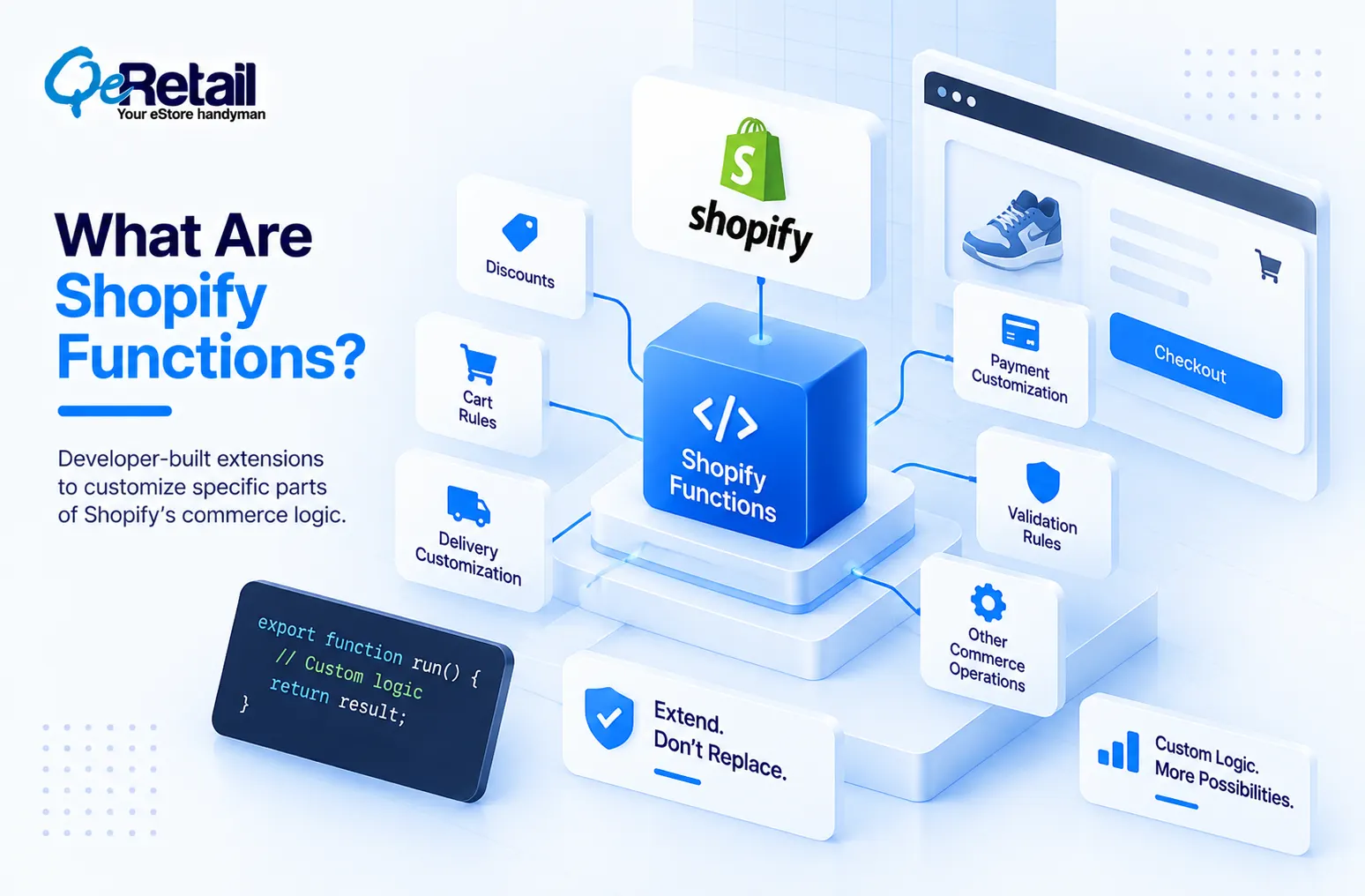
Rather than changing Shopify’s core platform code, a Function runs within a Shopify-defined extension point and returns the result Shopify expects.
This makes Functions particularly useful when a store needs custom business logic without taking ownership of the entire commerce platform.
Depending on the available API and Shopify plan or configuration, Functions can support areas such as discounts, cart transformations, delivery customization, validation, payment customization, and other commerce operations.
The important distinction is that a Function does not provide unlimited access to Shopify’s checkout or payment infrastructure.
It provides a controlled way to extend specific capabilities that Shopify exposes through its APIs.
What is Shopify Payment Customization?
Shopify payment customization allows developers to influence how supported payment methods are presented or handled based on defined business conditions.
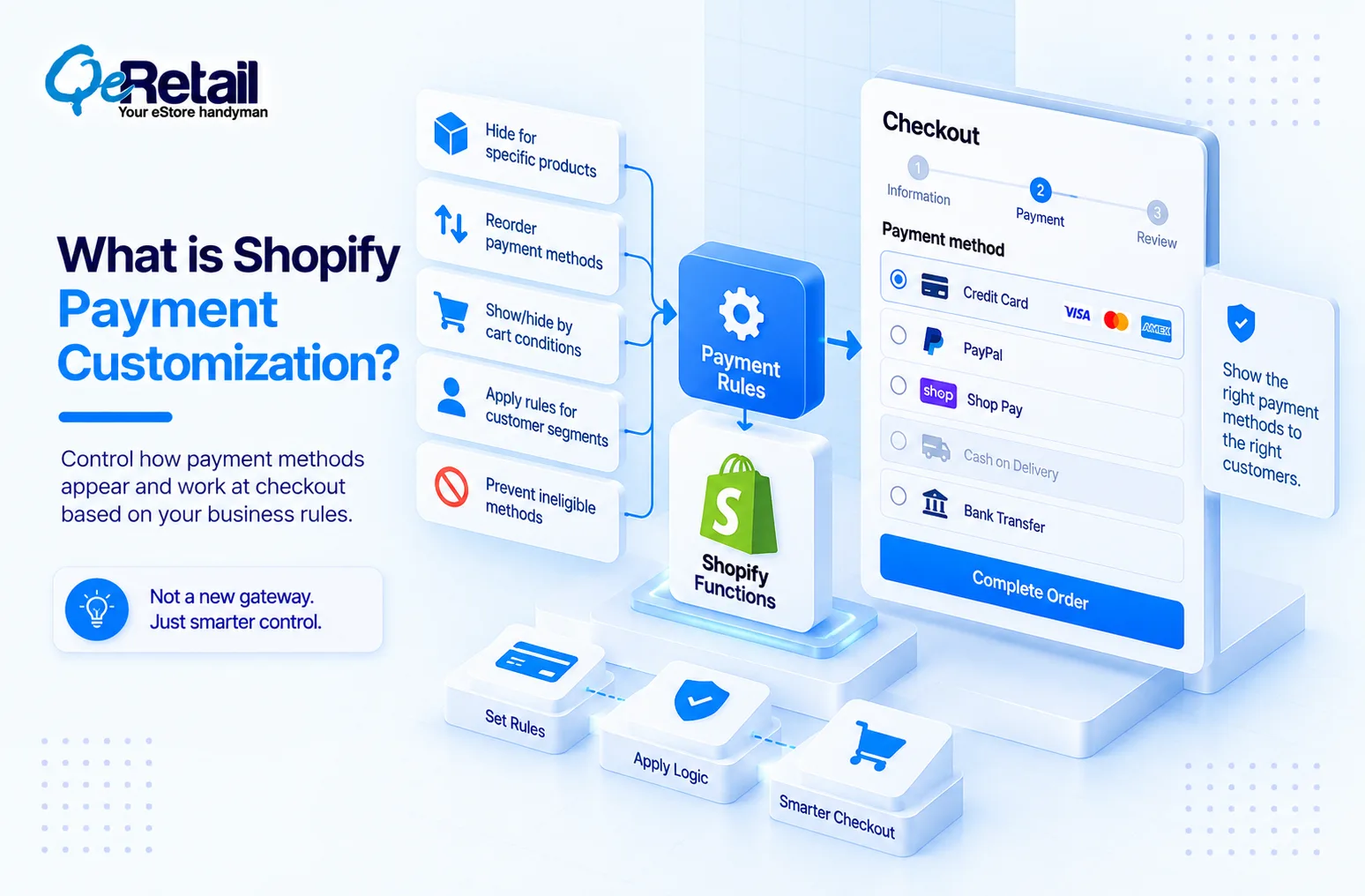
For example, a store might want to:
- Hide a payment method for specific products
- Rename or reorder eligible payment methods
- Show or hide methods based on cart conditions
- Apply payment-method rules for particular customer scenarios
- Prevent certain payment methods from appearing when business requirements are not met
The exact capabilities depend on Shopify’s current Payment Customization Function API and the merchant’s Shopify plan and payment setup.
This makes payment customization different from building a payment gateway.
A Function can apply decision logic around supported payment methods, but it does not turn Shopify into an unrestricted payment-processing platform.
5 Payment Logic Use Cases Shopify Stores Can Consider
Payment customization becomes valuable when payment rules are connected to actual business operations rather than treated as isolated checkout settings.
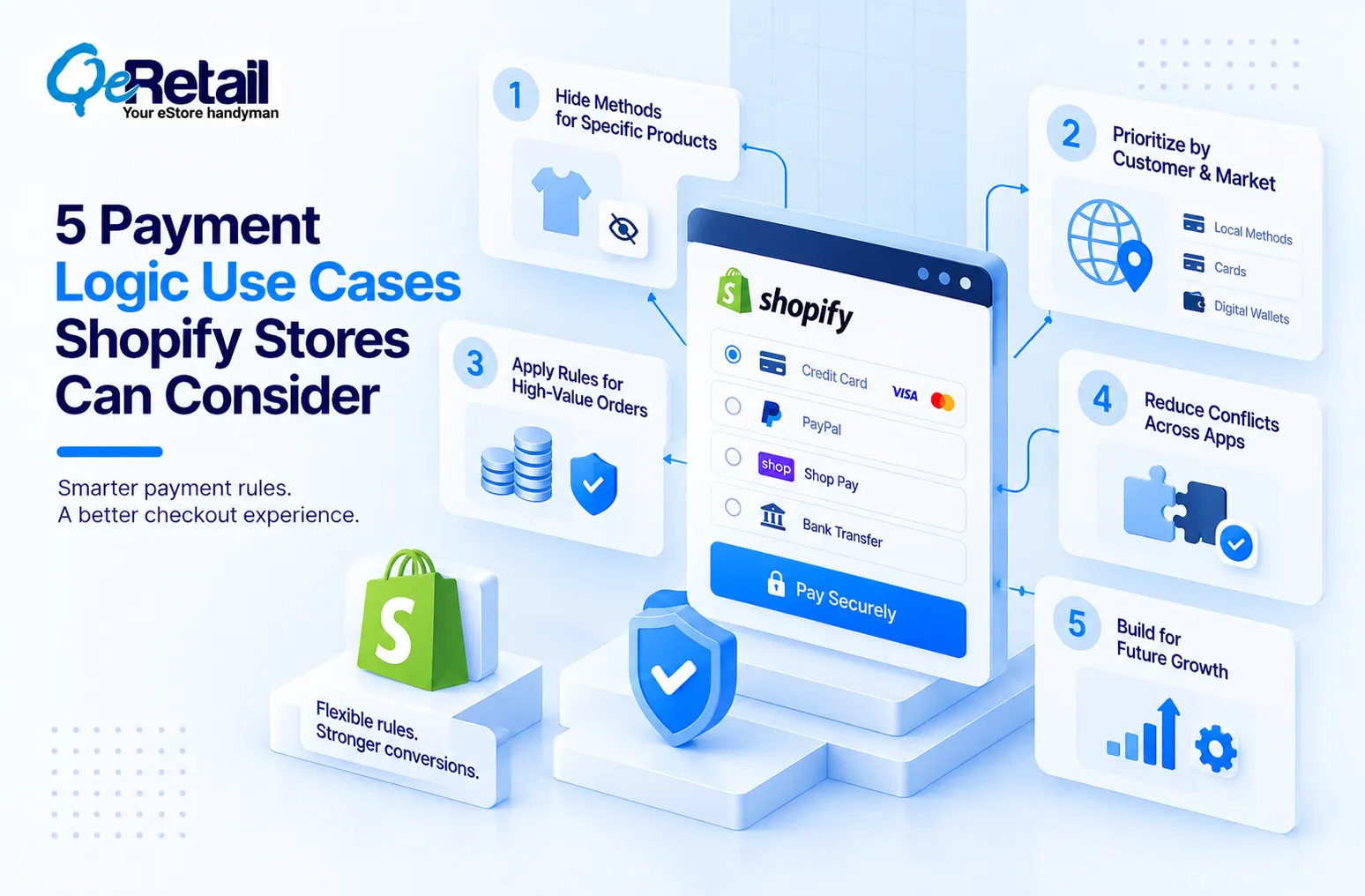
1. Hide Payment Methods For Specific Products Or Cart Conditions
Some products may require different payment treatment because of their price, fulfillment model, contractual requirements, or operational constraints.
A store could potentially use payment customization logic to prevent unsupported methods from appearing when those conditions apply.
What Should Shopify Stores Do To Improve?
- Identify products requiring payment restrictions
- Define clear cart-level conditions
- Separate product rules from payment-provider rules
- Test mixed-product carts
- Document fallback payment behaviour
Quick Win:
Create five representative carts containing your most complex product combinations and document which payment methods should appear for each. Use these scenarios as the test cases for your payment logic.
2. Prioritize Payment Methods According To Customer And Market Context
A growing Shopify business may operate across several markets where customers have different payment preferences.
Visa’s 2025 research, based on 6,500 global consumers, found that 77% of respondents use multiple methods for cross-border payments, while 66% are actively seeking a preferred provider that offers greater simplicity and information.
Displaying every available option in the same order can create unnecessary complexity.
Where supported, payment customization can help stores create a more context-aware payment experience.
What Should Shopify Stores Do To Improve?
- Review payment preferences across important markets
- Identify region-specific payment requirements
- Define preferred payment-method ordering
- Avoid exposing irrelevant payment methods
- Test payment presentation by market
Quick Win:
Compare the payment methods displayed for your three most important markets and identify options that are technically available but commercially irrelevant to customers in each region.
3. Apply Payment Rules To High-Value Or Specialized Orders
High-value orders can introduce different operational requirements from ordinary purchases.
A store may want certain payment options to remain available only under defined conditions or may need to prevent unsuitable methods from appearing for particular order values.
The important part is creating a rule that reflects the actual business requirement rather than simply adding another checkout application.
What Should Shopify Stores Do To Improve?
- Define payment rules around meaningful order conditions
- Review high-value order workflows
- Consider fraud and operational requirements separately
- Create fallback methods for restricted scenarios
- Test threshold boundaries carefully
Quick Win:
Test carts immediately below, at, and above your important order-value thresholds. Confirm that payment behaviour changes exactly where your business rule requires it.
4. Reduce Conflicting Payment Rules Across Apps And Integrations
As stores grow, payment logic can become fragmented across Shopify settings, payment apps, checkout extensions, custom code, and external systems.
This can create situations where one rule attempts to display a payment method while another attempts to hide it.
Consolidating business rules into a clearer architecture can make the payment experience easier to maintain and troubleshoot.
What Should Shopify Stores Do To Improve?
- Inventory payment-related apps and extensions
- Document where each payment rule is implemented
- Identify overlapping business conditions
- Remove redundant payment logic
- Define a single source of truth where possible
Quick Win:
Create a simple map of every app, Function, extension, and external integration that can influence your payment experience. Mark duplicate rules and conflicting conditions before changing the implementation.
5. Build Payment Logic That Can Evolve With The Business
Payment requirements rarely remain static.
New markets, payment providers, customer segments, product categories, and commercial models can introduce additional conditions over time.
A payment customization should therefore be designed as maintainable business logic rather than a collection of hard-coded exceptions.
What Should Shopify Stores Do To Improve?
- Define reusable payment conditions
- Separate business rules from presentation logic
- Keep market-specific requirements configurable
- Establish testing scenarios for future changes
- Monitor payment behaviour after deployment
Quick Win:
Review your current payment rules and identify every hard-coded product, market, or customer exception. If adding the next rule requires changing several unrelated components, your payment architecture may need restructuring.
How To Plan Shopify Payment Logic Before Development
A technically sound implementation should begin with the business rules rather than the Function code.
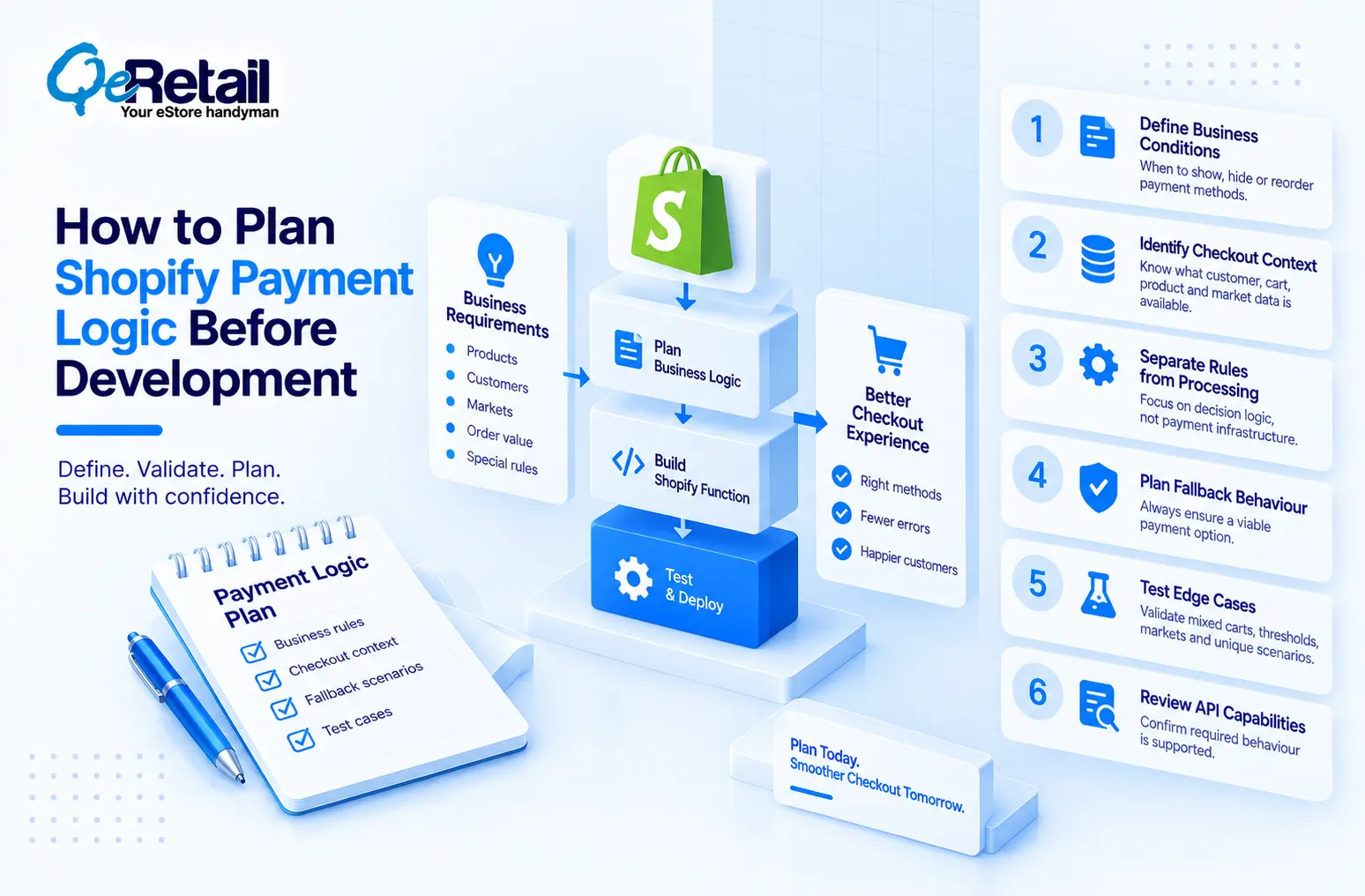
Define The Business Conditions
Document exactly when a payment method should be shown, hidden, reordered, or otherwise customized.
Identify Available Checkout Context
Determine which customer, cart, product, market, and payment information Shopify exposes to the relevant Function.
Separate Rules From Payment Processing
Keep business decision logic separate from the underlying authorization and payment-processing infrastructure.
Plan Fallback Behaviour
Every restrictive payment rule should have a defined fallback so customers are not left without a viable payment option.
Test Edge Cases
Test mixed carts, threshold boundaries, different markets, discounts, unusual products, and other scenarios that may change the expected payment behaviour.
Review Shopify’s Current API Capabilities
Shopify’s available Function APIs and capabilities can evolve. Confirm that the required behaviour is supported before committing to a specific architecture.
How QeRetail Helps Build Custom Shopify Payment Experiences
QeRetail helps Shopify businesses design and implement custom commerce logic when standard Shopify settings and applications cannot adequately support their operational requirements.
- Shopify Functions Development: We can design and implement Shopify Functions for supported business logic, including payment customization and other commerce-related extension points.
- Custom Shopify Checkout Development: Our team can build supported checkout extensions and custom experiences where businesses need more control over how relevant information and interactions are presented.
- Payment Gateway and Third-Party Integration: We integrate Shopify with payment providers, business systems, APIs, and other platforms where the required payment workflow extends beyond standard Shopify capabilities.
- Shopify API and Architecture Consulting: We evaluate whether Shopify Functions, APIs, apps, checkout extensions, or external services are the appropriate solution before development begins.
- Testing And Payment Workflow Optimization: We test custom payment logic against real-world scenarios, edge cases, and different storefront conditions to identify failures before they affect customers.

Conclusion
Payment customization becomes increasingly important when a Shopify store starts operating with more products, markets, customer types, and commercial rules. But adding custom logic does not mean every payment requirement should be solved through a Function.
The stronger approach is to identify the exact business decision that needs to change and select the appropriate Shopify extension point, API, integration, or external service around it.
QeRetail helps Shopify businesses make these architectural decisions and implement custom payment experiences through Shopify Functions, checkout development, API integrations, and technical store optimization.
Contact us to explore how custom Shopify payment logic can support your growing store.
Frequently Asked Questions
What Are Shopify Functions Used For?
Can Shopify Functions Change Payment Methods?
Can Shopify Functions Create A Custom Payment Gateway?
When Should A Shopify Store Use Payment Customization?
Do Shopify Functions Require Custom Shopify Development?
Table of Contents