Over BFCM 2025, Shopify merchants sold a record $14.6 billion, with sales peaking at $5.1 million per minute on Black Friday. More than 94,900 merchants had their highest-selling day ever.
That’s the number everyone celebrates. Nobody celebrates what sits behind it.
A BFCM order arrives. Someone checks inventory, reviews the order, applies a tag, decides whether fulfillment needs special handling, checks risk, and maybe pings another team. One order isn’t the problem. Thousands of the same decisions are.
BFCM doesn’t just increase order volume. It increases the repetitive work around that volume.
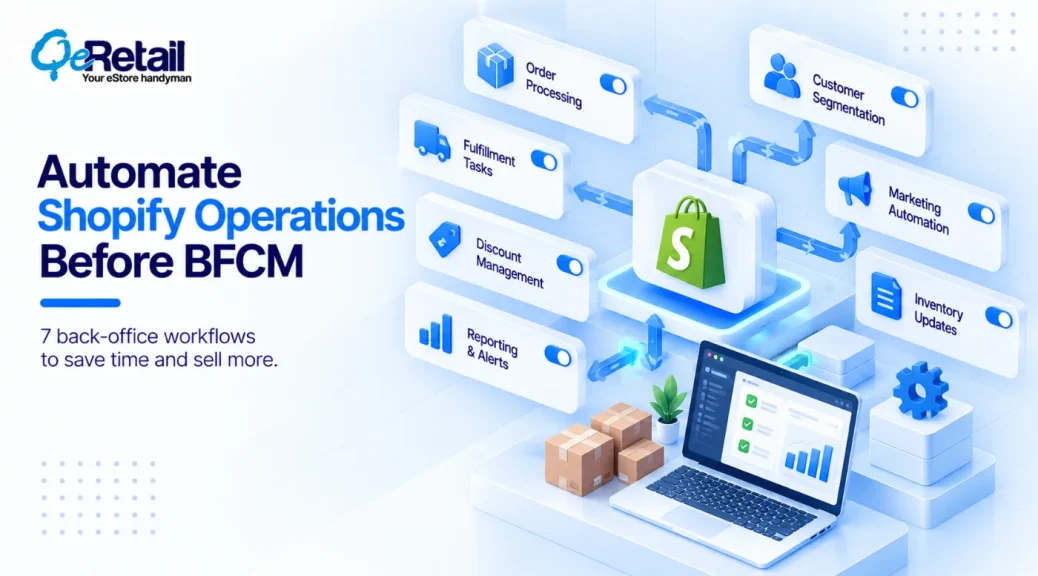
The goal isn’t to automate every decision. It’s to automate the work of finding, classifying, routing, and flagging what needs attention, using Shopify Flow, Shopify’s free automation app. And to build it before Black Friday on November 27, not during it.
Key Action Points:
- Build and test every workflow before BFCM, not during peak volume.
- Write each workflow as trigger, condition, action, and exception.
- Use the Order risk analyzed trigger, not Order created, for risk workflows.
- Assign an owner to every exception a workflow surfaces.
- Start with your highest-frequency, most repetitive bottleneck.

What Makes a BFCM Workflow Worth Automating?
Shopify Flow runs on triggers, conditions, and actions. For peak season, add a fourth part,
- Trigger – the event that starts the workflow.
- Condition – what makes the event operationally important.
- Action – what happens automatically: a tag, a hold, an internal email.
- Exception – where a person takes over.
7 Shopify Flow Automations to Reduce BFCM Bottlenecks
Each uses documented Flow triggers and actions, and follows the same path: BFCM pressure, manual bottleneck, Flow logic, human role, operational benefit.
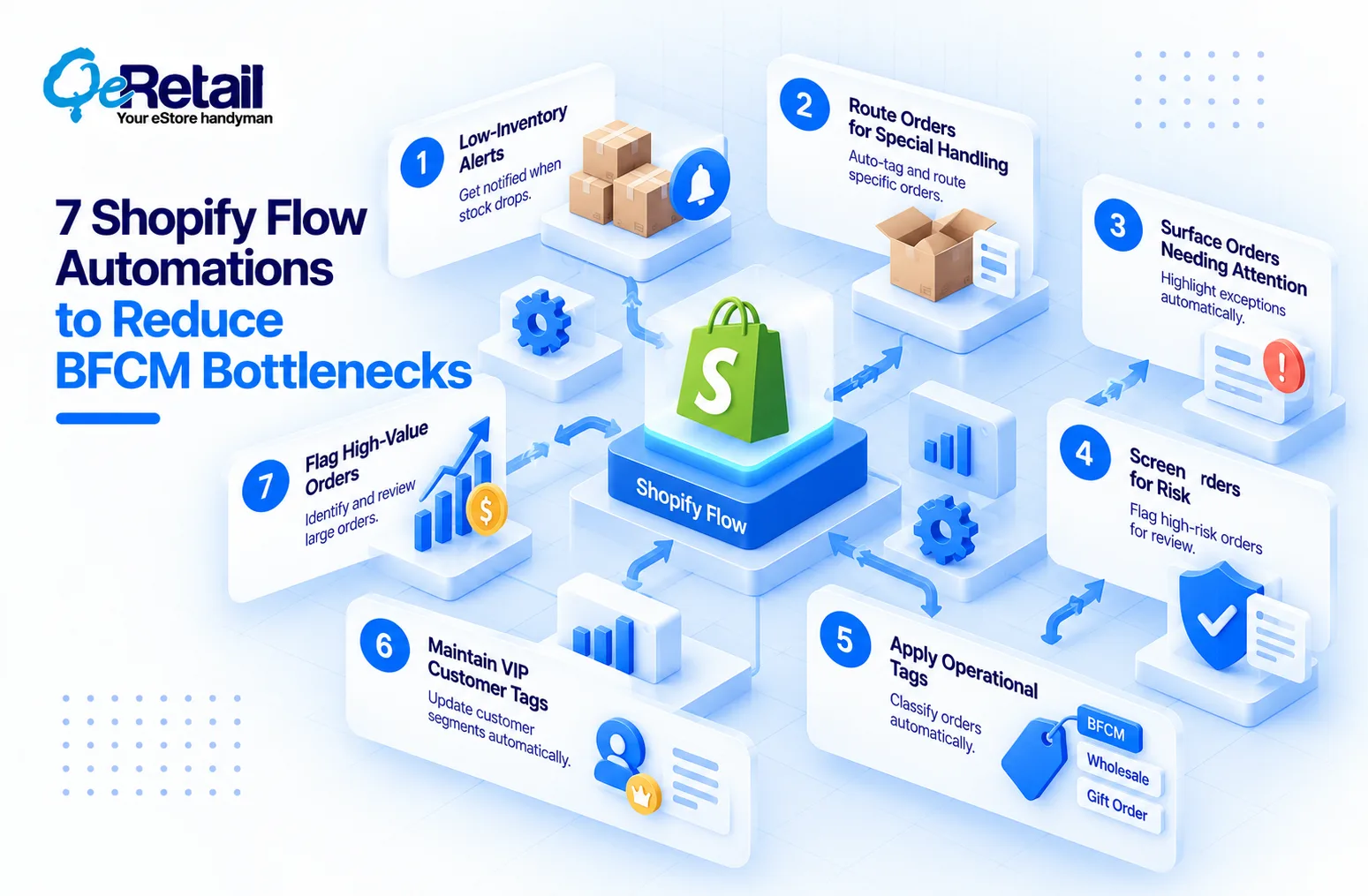
1. Automate Low-Inventory Alerts
- BFCM pressure: Promotions can concentrate demand on a handful of products.
- Manual bottleneck: Someone keeps rechecking inventory for variants that crossed a threshold.
- Flow logic: Product variant inventory quantity changed → quantity below your threshold → Send internal email.
- Human role: Deciding whether to replenish, adjust purchasing, or change merchandising.
- Operational benefit: The team responds to a defined condition instead of watching inventory all weekend.
Flow won’t prevent a stockout. It tells you one is getting closer. The trigger also provides the variant’s previous quantity, so compare against it and the alert fires once on the crossing, not on every sale during a spike.
2. Route Orders That Need Special Fulfillment
- BFCM pressure: More orders can mean more orders needing different handling.
- Manual bottleneck: Operations reviews orders to find the ones that need special treatment.
- Flow logic: Order created → shipping method, product, or customer condition → Add order tags, Hold fulfillment order, or Move fulfillment order.
- Human role: Handling orders that don’t fit the rule.
- Operational benefit: Less repetitive inspection and manual routing.
If the fulfillment rule is predictable, the order shouldn’t need to be classified by hand every time. Start with tags and holds, though. Shopify notes an automatic move fails if the items are already assigned at the destination.
3. Surface Orders That Need Human Intervention
- BFCM pressure: Scanning the queue for exceptions gets heavier as volume rises.
- Manual bottleneck: Someone searches for orders stuck in an exception state.
- Flow logic: Fulfillment order placed on hold, or a Scheduled time trigger with Get order data → exception condition → Add order tags or Send internal email.
- Human role: Investigating and resolving the exception.
- Operational benefit: The team works the exceptions, not the whole queue.
Normal orders should stay invisible. Exceptions should become visible. On Black Friday, scrolling the order list is the bottleneck. If you add seasonal staff and point them at the order list, you didn’t prepare for BFCM. You just staffed up the scrolling.
4. Screen Orders Against Defined Risk Conditions
- BFCM pressure: More orders can mean more first-pass reviews against known risk signals.
- Manual bottleneck: Someone screens each order against the same conditions.
- Flow logic: Order risk analyzed → defined risk criteria → Add order tags, Hold fulfillment order, or Send internal email → human review.
- Human role: Making the actual risk decision.
- Operational benefit: First-pass screening runs automatically, without pretending to replace judgment.
Flow doesn’t detect fraud. It can surface defined risk conditions from Shopify’s own analysis. Shopify’s high-risk order guidance recommends Order risk analyzed over Order created, because fraud analysis takes time to complete. That trigger also covers only Shopify’s assessments, not third-party ones.
5. Automatically Apply Operational Tags
- BFCM pressure: Peak volume multiplies the records staff would otherwise classify by hand.
- Manual bottleneck: Employees tag orders by sales channel, shipping method, payment gateway, customer segment, or product conditions.
- Flow logic: Order created → defined condition → add order tags. Shopify documents tagging by shipping method, gift card payment, and B2B status.
- Human role: Maintaining the tagging logic and handling exceptions.
- Operational benefit: Orders enter downstream processes already classified.
Lock your tag names before BFCM. Renaming tags mid-peak breaks every filter and report that reads them.
6. Maintain VIP and Customer Classification Automatically
- BFCM pressure: Customer activity rises while your team is at its busiest.
- Manual bottleneck: Staff updates customer classifications by hand as customers meet defined criteria.
- Flow logic: Order created → lifetime spend crosses a tier → add customer tags, a pattern Shopify documents as organizing customers by lifetime spend tiers.
- Human role: Defining the criteria and what the classification should trigger.
- Operational benefit: Less classification work during the busiest weeks.
A VIP tag nothing reads is just admin work done faster. Decide what consumes it first.
7. Flag High-Value Orders for Review
- BFCM pressure: High-value orders are harder to spot inside a much larger order stream.
- Manual bottleneck: Someone monitors incoming orders for purchases above a value threshold.
- Flow logic: Order created → order total above your threshold → add order tags or send internal email.
- Human role: Reviewing the order and deciding whether it needs more attention.
- Operational benefit: Nobody has to search the whole stream for qualifying orders.

Which BFCM Tasks Should You Not Automate?
Peak season is not a reason to automate everything. Keep human judgment when,
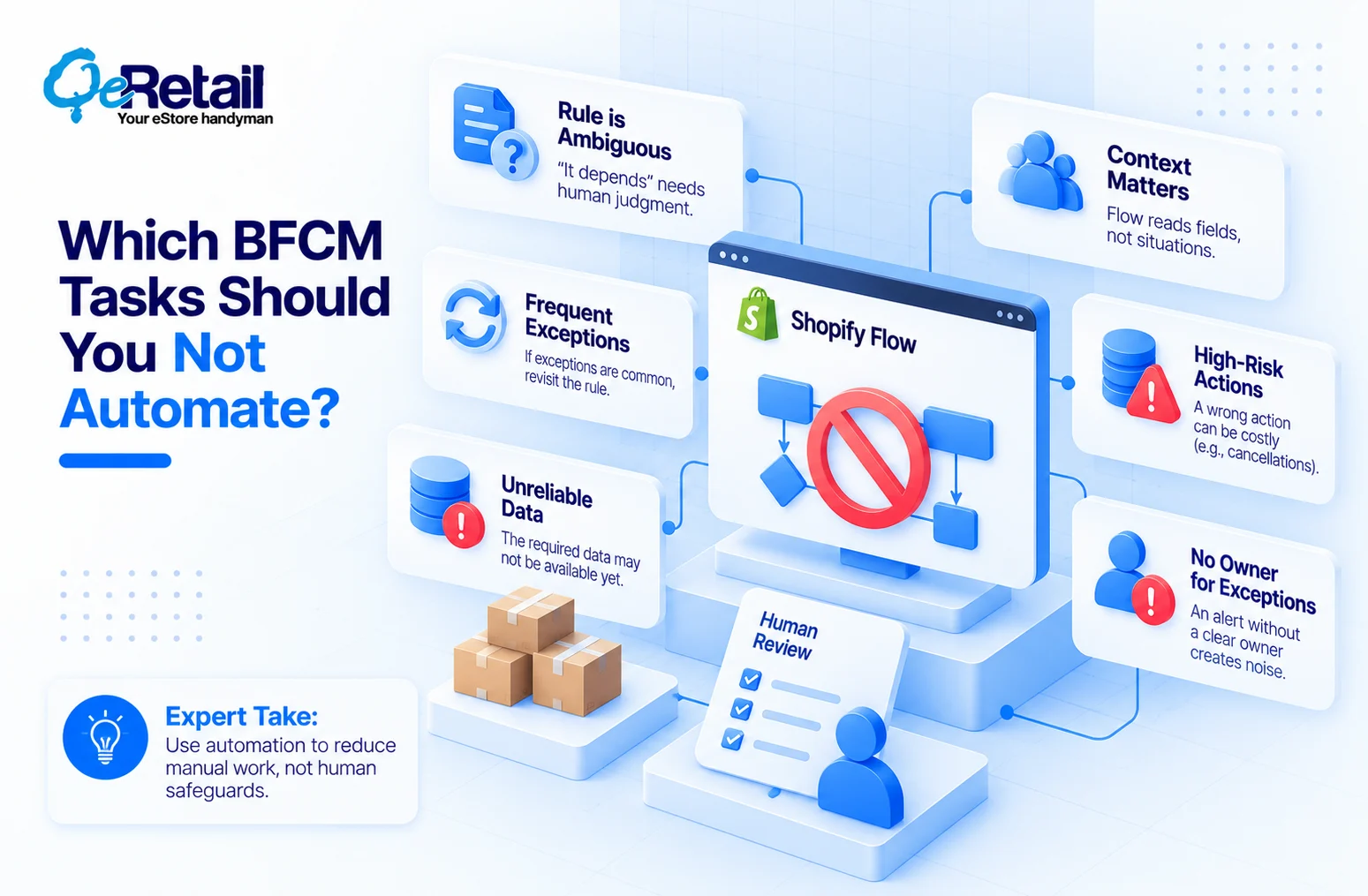
- The rule is ambiguous – “it depends” is the human part.
- Context matters more than conditions – Flow reads fields, not situations.
- Exceptions are frequent – then the rule is the problem.
- A wrong action is costly – a cancellation reaches the customer. A tag doesn’t.
- The data isn’t reliably available – at the moment the workflow starts.
- Nobody owns the exception – an alert without an owner is noise.
BFCM is when you want fewer manual steps, not fewer safeguards.
Test Your Flows Before BFCM
A workflow you switch on Black Friday morning is a live experiment on your busiest day. Before activating each one,
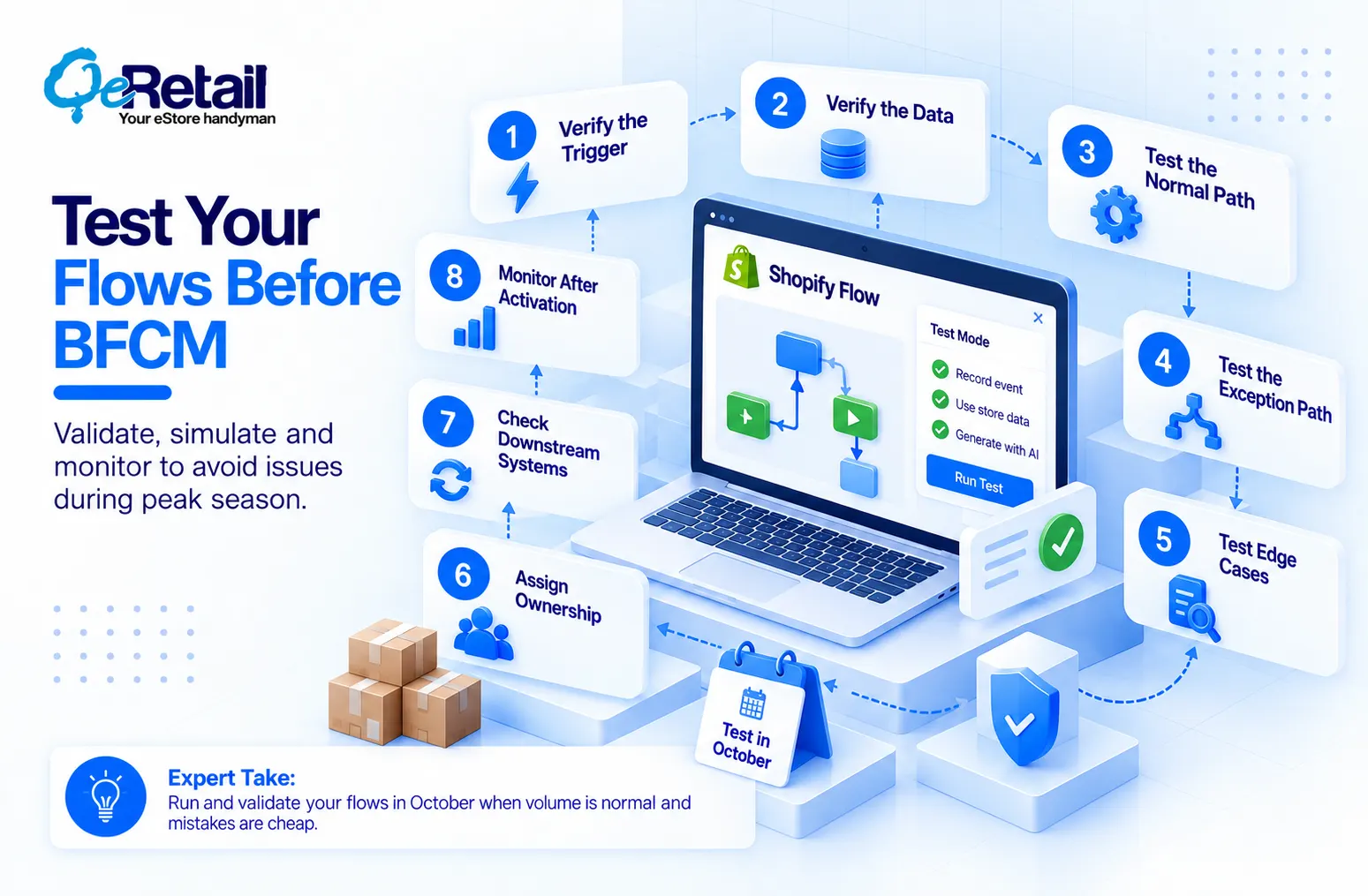
- Verify the trigger. (Risk data arrives after the order is created, which is why Order risk analysis exists.)
- Verify the data. (If an action lacks the data it needs, the workflow doesn’t run and shows an error.)
- Test the normal path.
- Test the exception path.
- Test edge cases. (Unusual orders, missing data, odd combinations.)
- Assign ownership. (Who receives the exception, and who resolves it?)
- Check downstream systems. (Another app may overwrite your tags.)
- Monitor after activation. (One passing test isn’t proof.)
Flow’s test mode lets you record live events, create events from existing store data, or have Sidekick generate one passing and one failing event. Test runs stop at the first action that would change your store, so they prove your logic, not your outcome.
Expert Take:
Record live events in October, when volume is normal, and mistakes are cheap. A workflow that has already handled a few weeks of real orders is one you can trust on Black Friday.
How to Prioritize Your BFCM Automations
Don’t automate all seven. Prioritize workflows with high frequency, high manual effort, a clear rule, and a meaningful consequence.
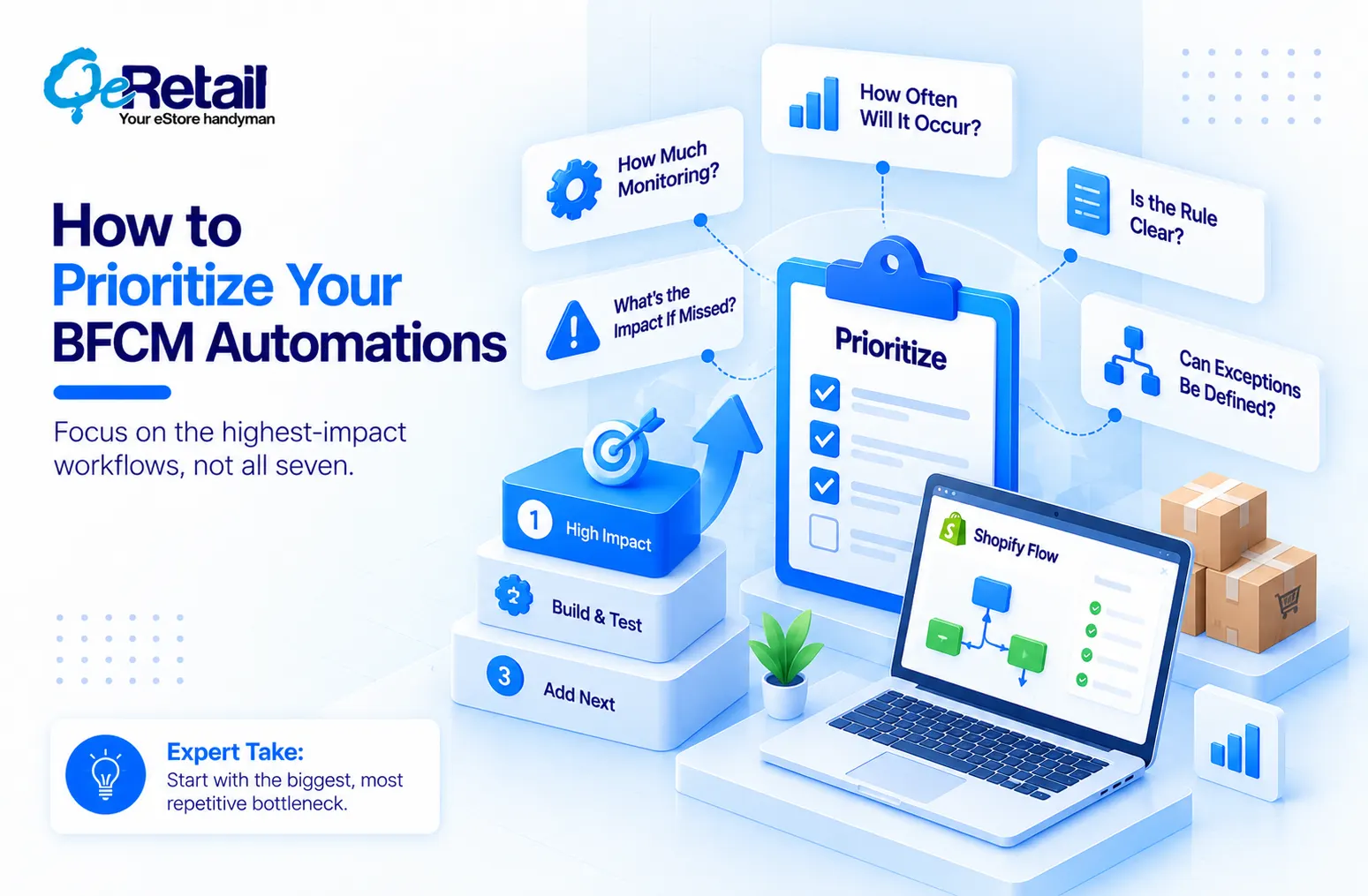
Ask,
- How often will this occur during BFCM?
- How much monitoring does it require?
- Is the rule unambiguous?
- What happens if nobody catches it?
- Can the exception path be clearly defined?
Start with the highest-frequency, most repetitive bottleneck. Build it, test it, then add the next. Two proven workflows beat seven untested ones on Black Friday.
Stop Scaling Manual Monitoring. Start Scaling Judgment.
BFCM is not the time to discover your operations depend on people watching dashboards, scanning orders, applying tags, and remembering handoffs.
The goal isn’t to remove people. It’s to remove the repetitive work around predictable events.
Let Flow identify. Let Flow classify. Let Flow route. Let Flow alert. Let your team handle judgment and exceptions.
That frees your prep window for revenue work too, like tightening your checkout before traffic peaks.
Preparing your Shopify store for BFCM? QeRetail can help identify repetitive back-office workflows suited to Shopify Flow, define the conditions and exception paths, and implement and test them before peak volume arrives.
Prepare your Shopify operations for BFCM, and we will map which checks Flow should own this season.
Frequently Asked Questions
When Should I Set Up Shopify Flow Workflows For BFCM?
Is Shopify Flow Available On My Shopify Plan?
Can Shopify Flow Detect Fraud During BFCM?
Can Shopify Flow Prevent Stockouts?
Table of Contents