
Agentic AI has sped up the marketing campaign creation. A projection by McKinsey indicates that this speed is 15 times that of conventional marketing automation approaches. So your storefront will come under massive pressure, as it was not built for agentic AI systems.
How does this happen?
A holiday season collection product page would index last year’s sale banner. At the same time, a product template gets a badge coded in a hurry, and three months later, during the holiday season, your store has the following issues,
- Four button styles
- Two shades of your brand color
- A home page that looks different from other pages
Loyalty now depends on experiences that show up the same way every time. Accenture’s 2026 Consumer Pulse research found that 37% of behaviorally loyal shoppers would let an AI agent move them to another brand.
This guide gives you the fix. Here’s how to build a Shopify design system that keeps 100+ pages consistent without slowing your team down
Key Action Points:
- Audit every color, font, and button style live on your store before building anything new
- Move brand colors and typography into theme settings so no page hardcodes them
- Build a locked section library your marketing team assembles pages from
- Store page-specific content in metafields and metaobjects, not inside templates
- Assign one owner who approves every new section before it ships
- Check every new page against a short mobile-first visual QA list before publishing

What Does a Design System Actually Mean for Your Store?
A design system is what happens when a store built one page at a time meets a holiday that needs many pages at once. In plain words, it is three things: a short list of style rules (colors, fonts, spacing), a short list of approved page parts, and one person who says yes or no.
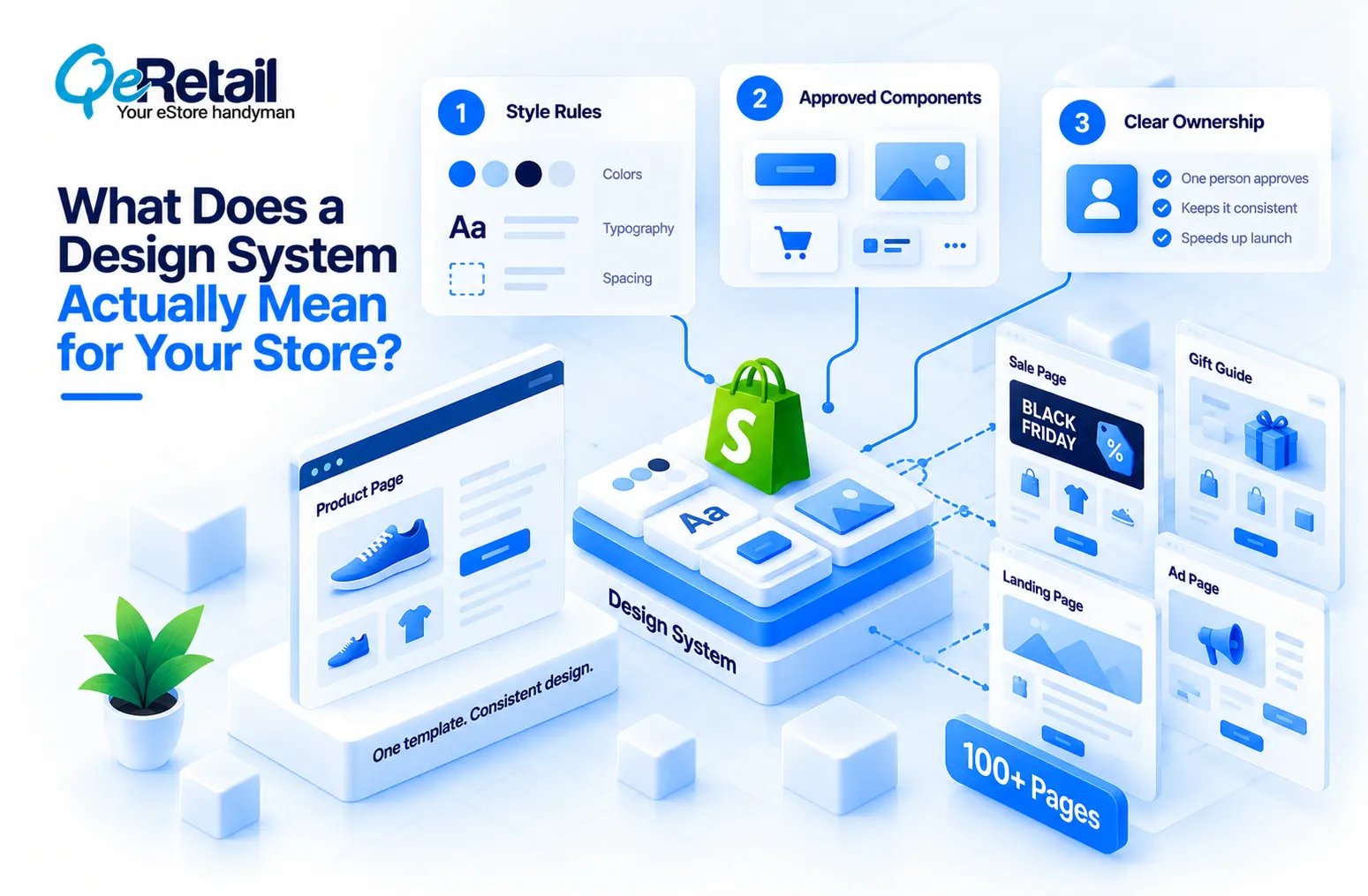
Your product pages rarely break those rules. The reason behind such a scenario is simple- they all come from one template. The trouble lives in the extras: sale pages, gift guides, and landing pages for ads and emails. That is where your 100+ pages come from, and where the rules slip.
And most owners argue about the wrong thing. The debate is “which theme should we buy?” or “which page-builder app should we add?” and not “who is allowed to change a page, and from which parts?” The second question decides how fast you launch, how much of your store looks like one brand, and how much risk is left after launch.
Why Do Pages Drift Apart Right Before Black Friday?
Because the season is bigger than your habits, Deloitte found that 82% of shoppers planned to shop Black Friday and Cyber Monday. So more customers will visit more of your pages.
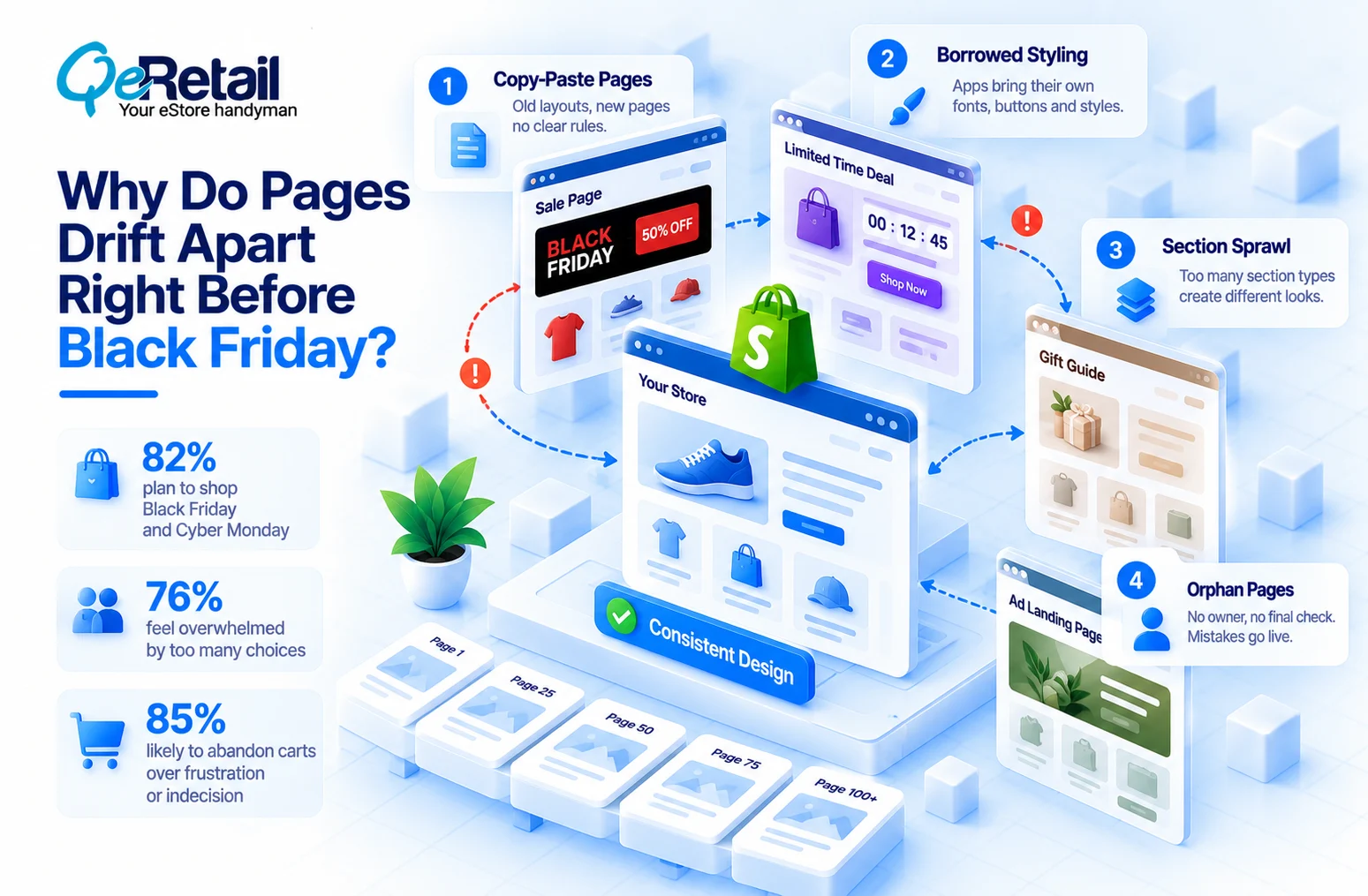
What this means is if the page looks like a different store, it can give an unsure shopper one more reason to leave. In fact, Accenture found 76% of holiday shoppers feel overwhelmed by too many choices, and 85% are likely to abandon carts over frustration or indecision.
Pages slowly stop matching. Call it “drift.” It comes from four places.
#1. Copy-Paste Pages
Copying a page copies last year’s guesses, not a rulebook. The reason behind such a scenario is a deadline with no time for rules. So small differences stack up, someone fixes them by hand, and the hours come out of launch week.
#2. Borrowed Styling
Shopping apps bring their own fonts and buttons. They do not know your brand and will not learn it. The trigger is installing an app that “just works.” So a pop-up on page 40 looks like it belongs to another store, right when shoppers are deciding whether to trust you.
#3. Section Sprawl
Shopify builds pages from “sections,” which are building blocks like a banner or a product row. Every new type of section is a new way to drift, because each builder picks a different one. Shopify’s own design guidance says to build variations of one component rather than two that do the same job. Rebuilding pages by hand also works against lowering what it costs you to win a customer.
#4. Orphan Pages
So who owns page 112? The trigger is a freelancer who finishes and leaves. No owner means no final check, and the mistakes go live on your busiest days.

What Are the Four Fixes That Keep 100+ Pages Matching?
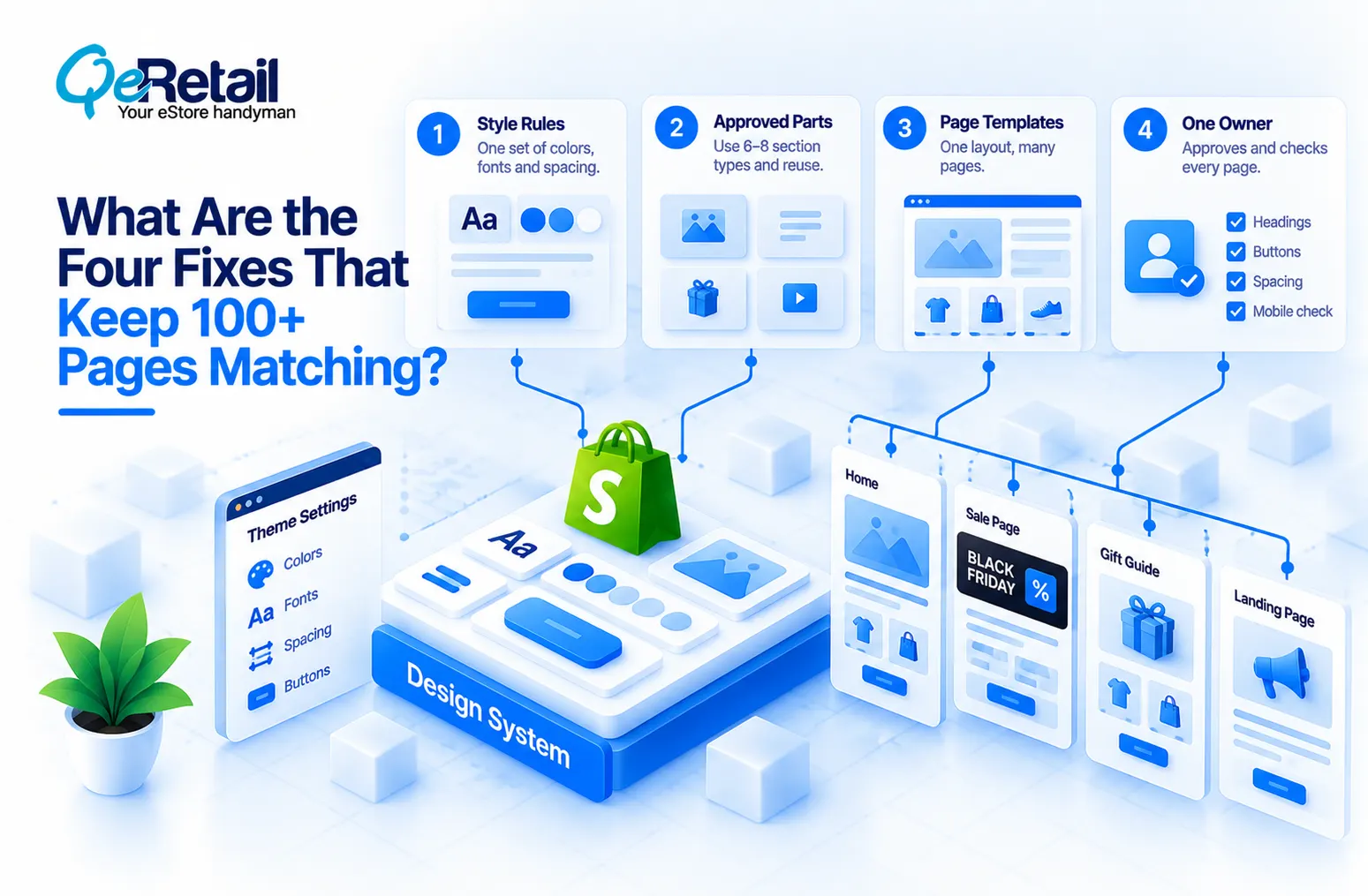
The issue at hand is not talent or taste. It is a missing rulebook. Fix them in this order.
#1. Style Rules
Set colors, fonts, and spacing once in Shopify’s theme settings. They apply across your whole store. Tie every heading to one font and every button to one style. Then screenshot your 10 busiest pages. Put them side by side and compare buttons, headings, and spacing.
Expert Take:
Buttons first. They appear on every page, so one wrong button style spreads further than one wrong banner.
Quick Wins:
- Write your one button color and one heading font on a sticky note
- Check that your theme settings match it. It takes 15 minutes.
#2. Approved Parts
Stick to 6 to 8 section types and reuse them. Shopify’s theme blocks can be reused across sections. Horizon, Shopify’s newer theme, ships 30+ content blocks and ten ready-made designs. Not every theme supports them, though. Your developer can check by looking for a “blocks” folder in your theme code.
Expert Take:
Rename every approved section after its job in the theme editor (“Sale Banner” or “Gift Guide Row,” say). Then every builder picks the same one.
Quick Wins:
- List the section types your last five campaign pages used
- Keep one from each group that does the same job.
#3. Approved Parts
Keep 6 to 8 section types and reuse them. Shopify’s theme blocks can be reused across sections, and Horizon, Shopify’s newer theme, ships 30+ content blocks and ten ready-made designs. Then again, not every theme supports theme blocks. Ask your developer to look for a “blocks” folder in your theme code.
Expert Take:
Rename each approved section by its job in the theme editor, such as “Sale Banner” or “Gift Guide Row,” so every builder picks the same one.
Quick Wins:
- List the section types your last five campaign pages used
- Keep one from each group that does the same job.
#4. Page Templates
Build one layout and fill it with different content, so a gift guide becomes new content, not a new build. Shopify calls these metaobject templates.
Expert Take:
Add a short rule sheet to each template covering headline length, image shape, and button wording. The template fixes the layout; the rule sheet fixes what goes into it.
Quick Wins:
- Pick last year’s strongest Black Friday page
- Make its layout the single starting point for every new sale page.
#5. One Owner
Name one person who approves every new type of page part and checks each page on a real phone before launch: headings, buttons, spacing, and readable text.
Locking your theme is not ownership. Shopify’s Horizon AI block builder makes pages faster, and without an owner, faster just means drifting faster. This is where a one-page checklist saves launch week.
Expert Take:
Give the owner the right to say no, not just the job of checking. An owner who can only report problems after launch is a reviewer, not an owner.
Quick Wins:
- Email your freelancer and agency today, naming the owner
- State that no new page goes live without that person’s yes.
Which Fixes Does Your Store Size Need?
You do not need all four on day one. Match the fixes to how many hands touch your pages.
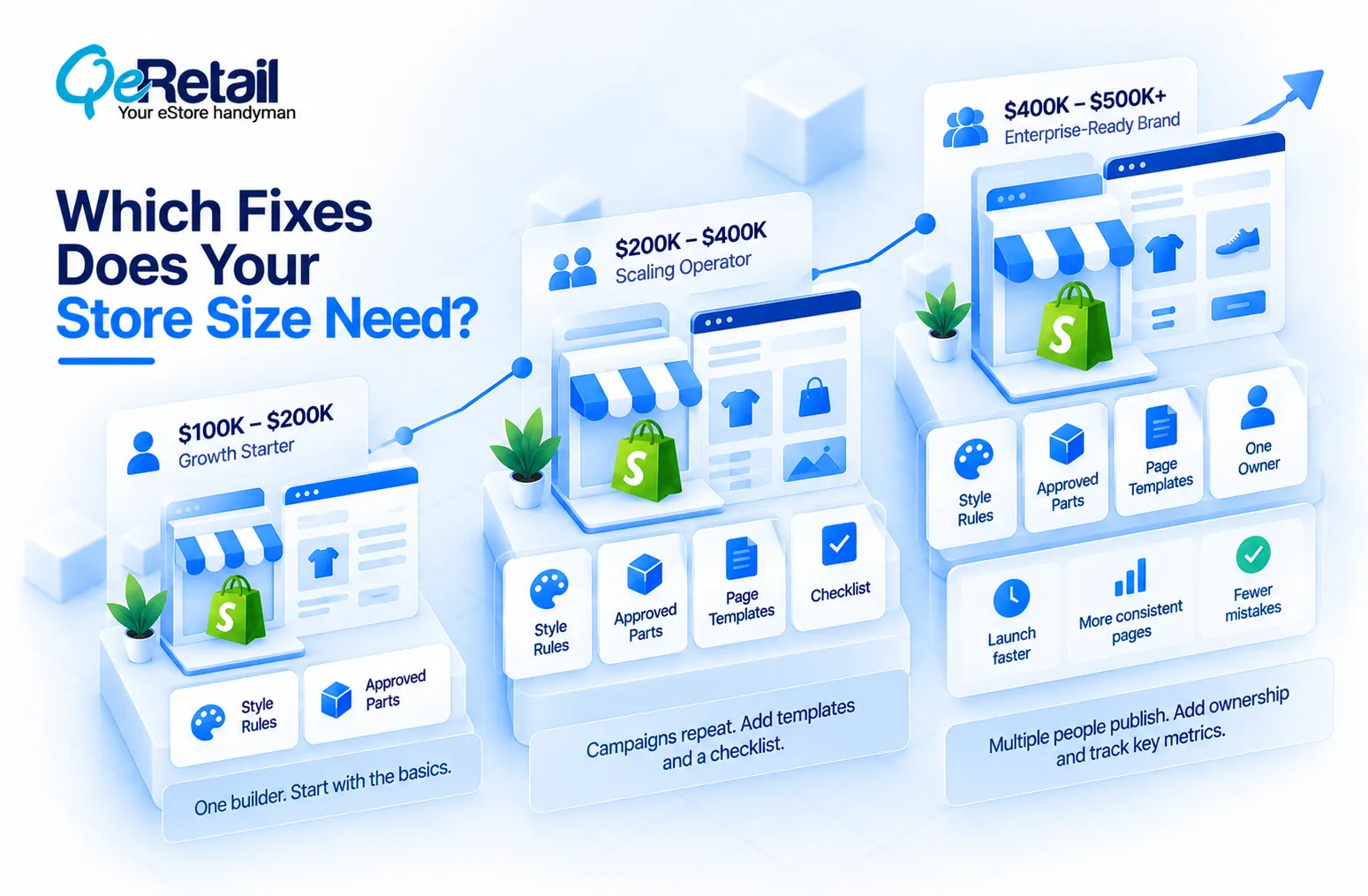
The Growth Starter ($100K to $200K)
You have one builder, so rules beat process. Do Style Rules and Approved Parts.
The Scaling Operator ($200K to $400K)
Campaigns repeat, so templates earn their keep fast. Add Page Templates and a one-page checklist, then tie those pages to a mid-funnel plan so they feed your email list and not only your ads.
The Enterprise-Ready Brand ($400K to $500K+)
Several people publish pages, so ownership is what holds you back. Add One Owner. Then track three numbers. Start with hours to launch a campaign page; after that, watch the share of pages built from approved parts, plus how many mistakes get caught on each page.
Then again, a system isn’t always the answer. Rebuild first if your theme can’t use sections and theme blocks, or if app code causes most of the drift.
Final Thoughts
Your store already has rules. Whoever built the last page wrote them, and nobody agreed to them. If you picked a new theme but your team still copies pages, you didn’t build a system. You just redecorated.
Whether to have rules isn’t the decision. That one’s made. What’s left is whether you write them before November 27 or after.
Want a partner to check your pages for drift before Black Friday? Book a free consultation, and our team will go through your 10 busiest pages, then tell you which fix to start with.
Frequently Asked Questions
How Many Sections Can a Shopify Page Have?
Do I Need a Design System on a $100K Store?
Can my Marketing Person Build BFCM Pages Without a Developer?
How Long Does Setup Take?
What Does Inconsistent Design Cost?
Table of Contents