Your Shopify store may look polished on the surface.
Products load. Campaigns run. Traffic arrives. Orders come in.
But underneath that storefront experience, invisible technical debt may already be slowing growth.
Many mid-sized Shopify stores begin facing declining conversion rates, inconsistent performance, slower storefront speed, and rising acquisition costs without realizing that the real issue is not always traffic quality or product demand. It is often accumulated code debt inside the store architecture itself.
Over time, Shopify stores evolve quickly. Apps get installed and removed. Themes are heavily customized. Temporary fixes become permanent workarounds. Multiple developers touch the storefront without a long-term technical structure in place.
The result is a Shopify environment filled with hidden inefficiencies that quietly affect speed, checkout continuity, mobile responsiveness, SEO performance, and customer experience.
These problems rarely appear as obvious platform failures. They usually surface gradually through slower rendering, unstable integrations, script conflicts, inconsistent UX behavior, and conversion leakage across the purchase journey.

Key Action Points:
Before diving into the deeper technical issues, here are some practical areas Shopify store owners should review to reduce hidden performance debt.
- Audit unused apps and leftover scripts
- Remove duplicate tracking and third-party tags
- Review theme customizations after every major update
- Optimize JavaScript execution across storefront pages
- Reduce dependency on overlapping Shopify apps
- Monitor Core Web Vitals regularly
- Test checkout performance across real mobile devices
- Clean unused Liquid snippets and template files
- Validate script conflicts after installing new apps
Quick Wins: Do These Before Anything Else
These actions take less than an hour and can immediately reduce hidden performance overhead inside your Shopify store.
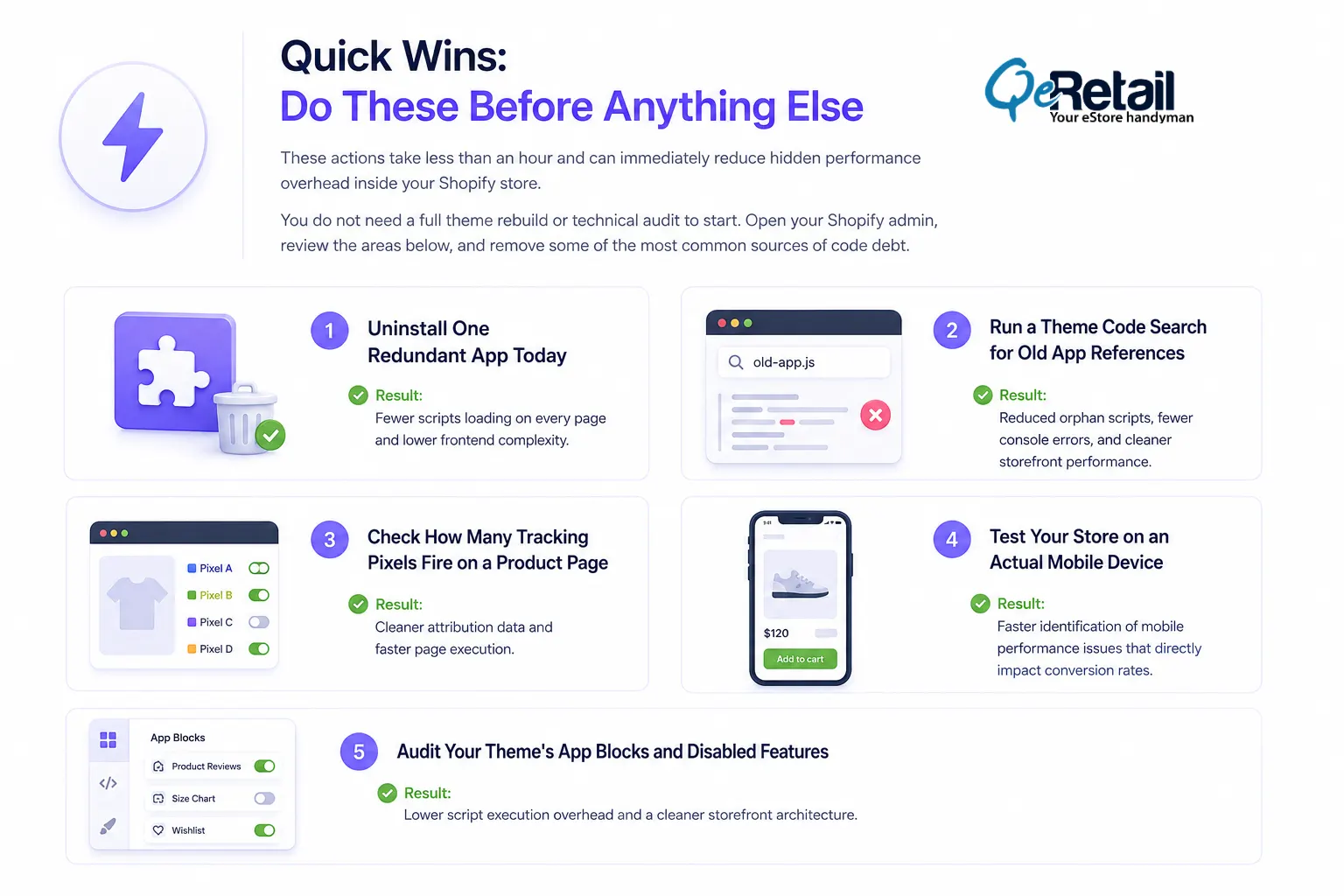
You do not need a full theme rebuild or technical audit to start. Open your Shopify admin, review the areas below, and remove some of the most common sources of code debt.
1. Uninstall One Redundant App Today
Many stores have multiple apps performing similar functions such as upsells, reviews, popups, or analytics.
Review your installed apps and identify one tool whose functionality already exists elsewhere.
Result: Fewer scripts loading on every page and lower frontend complexity.
2. Run a Theme Code Search for Old App References
Open your theme files and search for the names of apps that have already been removed from the store.
Look inside:
- theme.liquid
- snippets
- sections
- custom JavaScript files
Delete any leftover references after validation.
Result: Reduced orphan scripts, fewer console errors, and cleaner storefront performance.
3. Check How Many Tracking Pixels Fire on a Product Page
Open your product page using Google Tag Assistant, Meta Pixel Helper, or browser developer tools.
Many Shopify stores discover duplicate events firing from:
- Google Tag Manager
- Shopify integrations
- Third-party marketing apps
Result: Cleaner attribution data and faster page execution.
4. Test Your Store on an Actual Mobile Device
Do not rely only on desktop preview tools.
Open your storefront on a real smartphone and test:
- Homepage load speed
- Product page responsiveness
- Add-to-cart behavior
- Checkout progression
Result: Faster identification of mobile performance issues that directly impact conversion rates.
5. Audit Your Theme’s App Blocks and Disabled Features
Many stores disable app features but leave their blocks, assets, or scripts active inside the theme.
Review:
- App embeds
- Theme app extensions
- Unused sections
- Disabled widgets
Remove anything no longer contributing to the customer experience.
Result: Lower script execution overhead and a cleaner storefront architecture.
What Is Invisible Code Debt in Shopify Stores?
Invisible code debt refers to the accumulated technical inefficiencies inside a Shopify store that slowly reduce operational performance over time.
Unlike visible bugs, code debt often grows silently.
The storefront may still function normally while performance quality gradually weakens underneath.
In Shopify environments, technical debt usually develops when rapid growth, frequent app installations, theme edits, custom integrations, and short-term fixes begin stacking on top of each other without long-term architectural planning.
Many growing stores unknowingly carry years of legacy scripts, duplicated functionalities, outdated integrations, and inefficient frontend logic.
Eventually, the store becomes harder to optimize, slower to load, and more difficult to scale safely.
7 Hidden Shopify Code Debt Problems That Quietly Hurt Conversion Rates
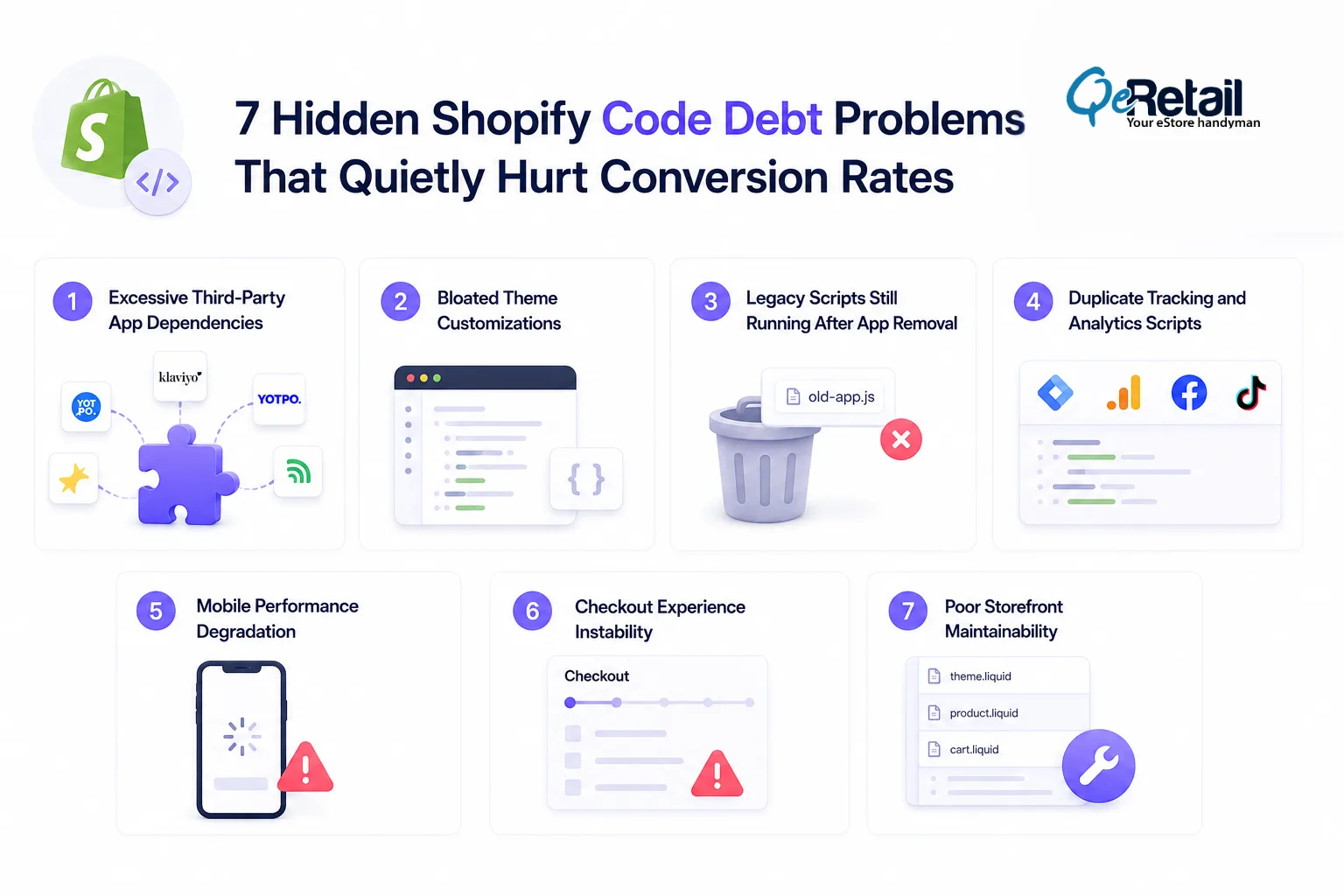
1. Excessive Third-Party App Dependencies
Many Shopify stores solve operational problems by continuously adding new apps.
Over time, multiple apps begin loading overlapping scripts, duplicate functionalities, tracking pixels, popups, and frontend resources simultaneously.
The storefront becomes heavier with every installation.
What problems does this create?
- Slower storefront rendering
- Increased JavaScript execution time
- Higher mobile abandonment
- Checkout lag during peak traffic
- Script conflicts affecting UI behavior
Quick Actionable Move
Audit all installed apps quarterly. Remove redundant tools and consolidate overlapping functionality wherever possible.
2. Bloated Theme Customizations
Many Shopify themes gradually become overloaded after years of edits, developer patches, and feature additions.
Instead of clean architecture, stores often inherit fragmented Liquid files, duplicated code blocks, and outdated template logic.
This creates long-term scalability problems.
Diagnostic Signals That Reveal Technical Debt:
- Slower page transitions
- Inconsistent layout behavior
- Increased CLS and LCP issues
- Difficulty implementing new features safely
Quick Actionable Move
Refactor heavily modified theme sections regularly instead of continuously stacking quick fixes on top of older code.
3. Legacy Scripts Still Running After App Removal
One of the most overlooked Shopify performance issues is orphaned code left behind after apps are removed.
Many apps inject scripts directly into theme files, checkout extensions, or tracking layers.
Even after uninstalling the app, those scripts often continue loading silently.
Why does this matter?
- Unused scripts still consume browser resources, trigger unnecessary requests, and slow critical rendering paths.
- They also increase debugging complexity during future optimization work.
Quick Actionable Move
Perform regular codebase reviews to identify and remove leftover assets, snippets, and tracking calls from deprecated apps.
4. Duplicate Tracking and Analytics Scripts
As marketing stacks grow, Shopify stores often accumulate multiple tracking implementations across Google Tag Manager, Meta Pixel, analytics tools, retargeting systems, and conversion apps.
Poor coordination creates duplicate event firing and bloated script execution.
What operational risks does this create?
- Distorted attribution reporting
- Slower page speed
- Inflated analytics data
- Inconsistent conversion tracking
Quick Actionable Move
Centralize tracking governance and review event duplication across all marketing and analytics integrations.
5. Mobile Performance Degradation
Desktop performance may still appear acceptable while mobile performance quietly deteriorates.
Heavy animations, oversized assets, inefficient lazy loading, and excessive frontend scripts create serious mobile rendering delays.
This directly impacts conversion performance because mobile traffic dominates most Shopify stores today.
Common mobile performance symptoms:
- Delayed interaction readiness
- Layout shifting during scroll
- Slow add-to-cart responsiveness
- Increased bounce rate from paid traffic
Quick Actionable Move
Prioritize mobile-first performance audits using real-device testing instead of relying only on desktop simulations.
6. Checkout Experience Instability
Invisible technical debt often affects the checkout experience indirectly through script conflicts, asynchronous loading issues, and broken interaction layers.
Customers may experience lag, payment delays, or inconsistent cart behavior without obvious errors appearing in analytics.
Why is this dangerous?
- Checkout instability damages customer confidence at the highest-intent stage of the purchase journey.
- Even small interruptions can reduce completion rates significantly.
Quick Actionable Move
Continuously monitor checkout behavior after theme updates, app installations, and payment configuration changes.
7. Poor Storefront Maintainability
As technical debt grows, Shopify stores become increasingly difficult to maintain efficiently.
Simple updates begin taking longer. New features introduce unexpected bugs. Developers spend more time fixing legacy problems than improving growth infrastructure.
This operational slowdown eventually affects business agility.
Long-term business impact:
- Slower campaign launches
- Delayed feature rollouts
- Higher development costs
- Increased operational risk during scaling
Quick Actionable Move
Establish structured development governance, documentation standards, and regular technical health reviews.

How QeRetail Helps Shopify Stores Reduce Technical Debt?
Most Shopify stores do not fail because of one major technical problem.
Performance degradation usually happens gradually through hundreds of smaller architectural inefficiencies accumulating over time.
QeRetail helps Shopify stores identify, prioritize, and resolve hidden technical debt before it begins affecting scalability, conversion stability, and operational efficiency.
Shopify Performance Diagnostics
We analyze how storefront architecture, scripts, apps, and frontend behavior affect overall performance quality.
What do we evaluate?
- Core Web Vitals performance
- Script execution bottlenecks
- Theme rendering efficiency
- Mobile interaction responsiveness
Shopify Theme Architecture Review
Our team evaluates theme structure, Liquid logic, reusable components, and frontend maintainability.
What do we review?
- Redundant template logic
- Duplicate code sections
- Rendering inefficiencies
- Legacy customization impact
App and Integration Optimization
Many Shopify stores carry unnecessary operational overhead from poorly managed app ecosystems.
What do we optimize?
- Third-party app dependencies
- Script conflicts
- Tracking duplication
- Integration performance impact
Conversion-Focused Technical Optimization
Performance work should support revenue outcomes, not only technical scores.
We prioritize improvements that directly affect conversion continuity and customer experience.
Areas we focus on:
- Mobile speed optimization
- Checkout performance stability
- Cart responsiveness
- Critical rendering path improvements
Conclusion
Technical debt rarely becomes visible all at once. It usually builds quietly beneath everyday Shopify operations until storefront performance, customer experience, and conversion efficiency begin slowing growth.
The challenge is not only fixing isolated issues. It is understanding how storefront architecture, app dependencies, frontend behavior, and operational workflows interact over time.
QeRetail approaches Shopify optimization with a balance of technical depth and commercial understanding. As a digital solutions company, we help Shopify brands reduce hidden performance inefficiencies, improve storefront stability, and build scalable eCommerce infrastructure that supports long-term growth.
If your Shopify store feels slower, harder to scale, or increasingly difficult to optimize, contact us.
Frequently Asked Questions
What Is Technical Debt in a Shopify Store?
Technical debt refers to accumulated code inefficiencies, outdated integrations, redundant scripts, and short-term development fixes that gradually reduce storefront performance, maintainability, and scalability over time.
Can Shopify Apps Slow Down Store Performance?
Yes. Excessive apps often inject additional JavaScript, tracking scripts, and frontend assets that increase load times and create rendering conflicts, especially on mobile devices.
How Do I Know If My Shopify Store Has Hidden Performance Issues?
Common signs include slower page speed, declining conversion rates, inconsistent checkout behavior, mobile lag, rising bounce rates, and difficulty implementing new features safely.
How Often Should Shopify Stores Perform Technical Audits?
Growing Shopify stores should ideally review technical performance quarterly, especially after major theme updates, app installations, seasonal campaigns, or frontend redesigns.
Why Does Technical Debt Affect Conversion Rates?
Technical debt increases friction across the buying journey through slower rendering, unstable interactions, checkout interruptions, and poor mobile usability, all of which reduce customer confidence and purchase completion.
Table of Contents