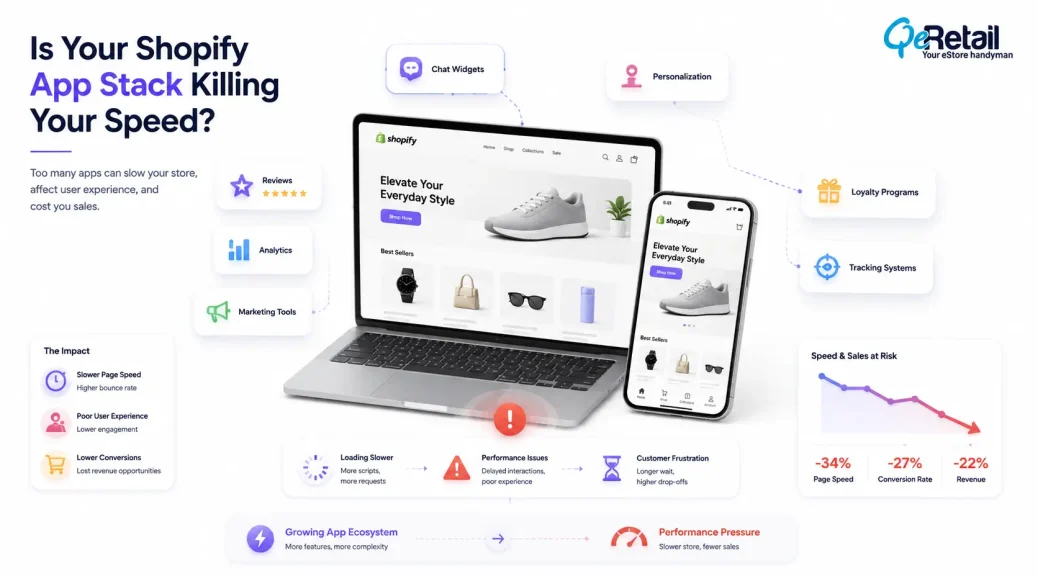
Your Shopify store can have the right products, strong marketing campaigns, and a steady flow of visitors, yet performance issues can quietly reduce the value of every customer interaction.
In many growing Shopify stores, the problem is not the platform itself. It is the increasing number of third-party applications added over time to improve different areas of the business.
The challenge appears when these applications begin operating together without proper technical governance. Every app can introduce additional scripts, assets, tracking requests, API connections, and frontend dependencies that influence how efficiently your storefront performs.
Over time, merchants may notice slower pages, delayed interactions, inconsistent analytics, or unexpected conversion drops without realizing that their app ecosystem has become a performance bottleneck.
According to HTTP Archive’s Web Almanac research, third-party resources continue to contribute significantly to website complexity, affecting page weight and execution behavior across modern websites.
For Shopify stores scaling beyond the early growth stage, app management becomes more than a technical concern. It becomes part of maintaining a reliable customer experience and protecting conversion performance.

Key Action Points Summary
Before reviewing your Shopify app ecosystem, focus on these areas:
- Identify unused apps and leftover assets
- Remove overlapping app functionality
- Review frontend scripts added by apps
- Check the app’s impact on mobile performance
- Audit duplicate tracking systems
- Monitor checkout-related integrations
- Review app performance after updates
- Measure the app’s contribution to revenue
- Maintain quarterly app reviews
- Reduce unnecessary technical dependencies
Quick Wins: Audit Your Shopify Apps Before Making Bigger Changes
Before making major technical changes, start with these simple checks.
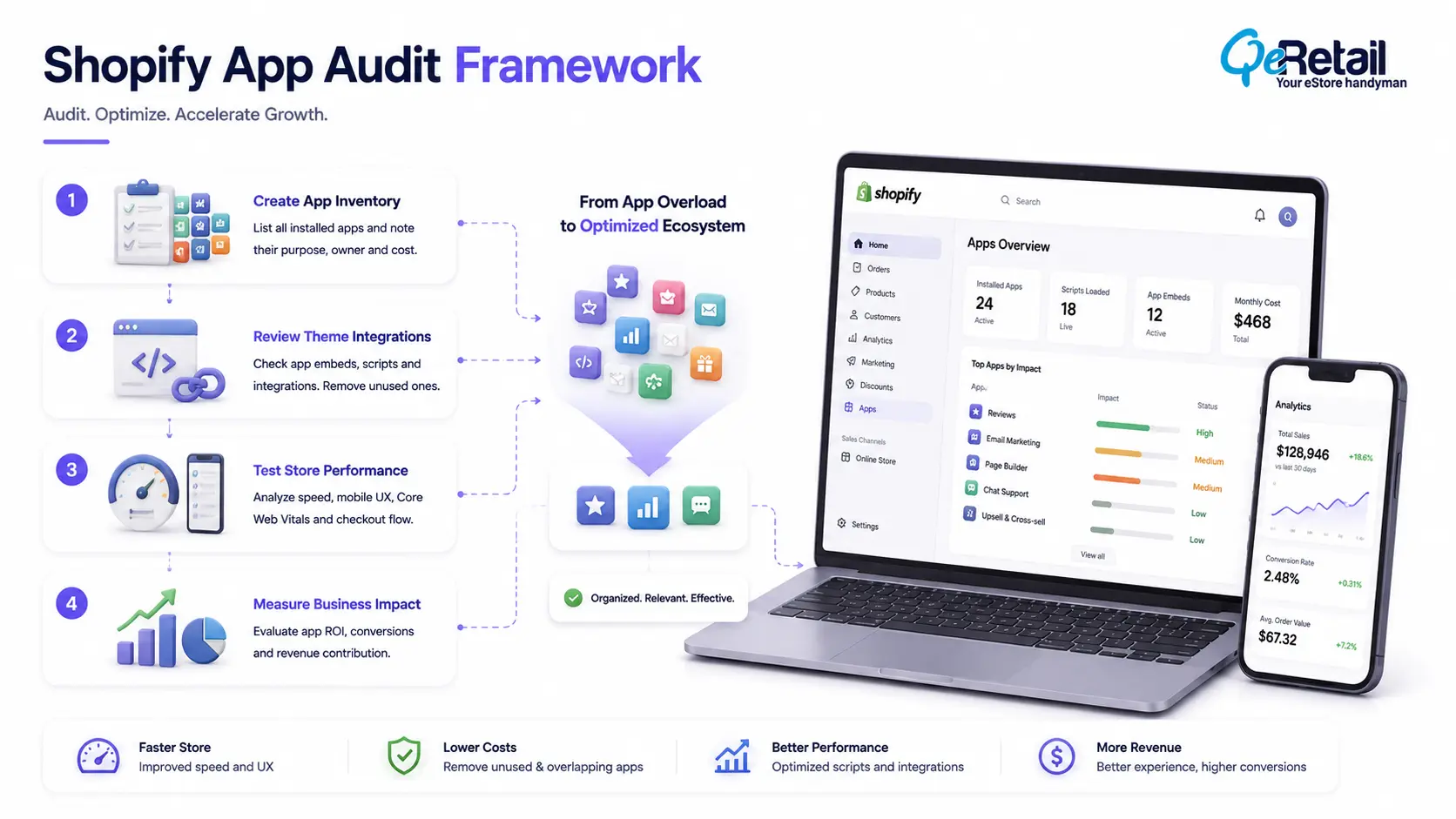
1. Create an App Inventory
Review every installed Shopify application and document:
- Why the app exists
- Which business problem does it solve
- Whether it impacts revenue or customer experience
It helps with quickly identifying tools that have remained active with or without purpose.
2. Review App Embeds and Theme Integrations
Many apps continue influencing storefront behavior through embedded components and scripts.
Navigate to:
- Shopify Admin → Online Store → Themes → Customize → App Embeds
Disable unused integrations and monitor storefront changes.
3. Test Your Store After Every New App Installation
Do not evaluate apps only by features.
Check:
- Page loading behavior
- Mobile responsiveness
- Add-to-cart flow
- Checkout experience
A useful app should improve business outcomes without creating unnecessary technical overhead.
Why Shopify App Growth Can Quietly Become a Performance Problem?
With Shopify apps, store owners can extend the store’s capabilities without developing features they need from scratch
Shopify does provide flexibility to store owners. But sometimes it can create complexity. Because when you continuously add new tools and features without realising how it affects the overall store’s technical architecture.
A growing Shopify store may eventually run multiple applications for different purposes. Each integrated feature and app adds another layer to the store that needs to be processed and loaded.
Some apps load scripts across the entire storefront even when customers only use the feature on specific pages. Others introduce duplicate tracking events or create conflicts with existing theme functionality.
During Shopify storefront reviews, we commonly find stores using multiple apps that solve similar problems. In some cases, merchants are paying for overlapping features while also increasing maintenance and performance challenges.
The objective is not to reduce the number of apps but to maintain an efficient app ecosystem where every integration supports a measurable business outcome.
7 Shopify App Stack Issues That Can Reduce Store Performance
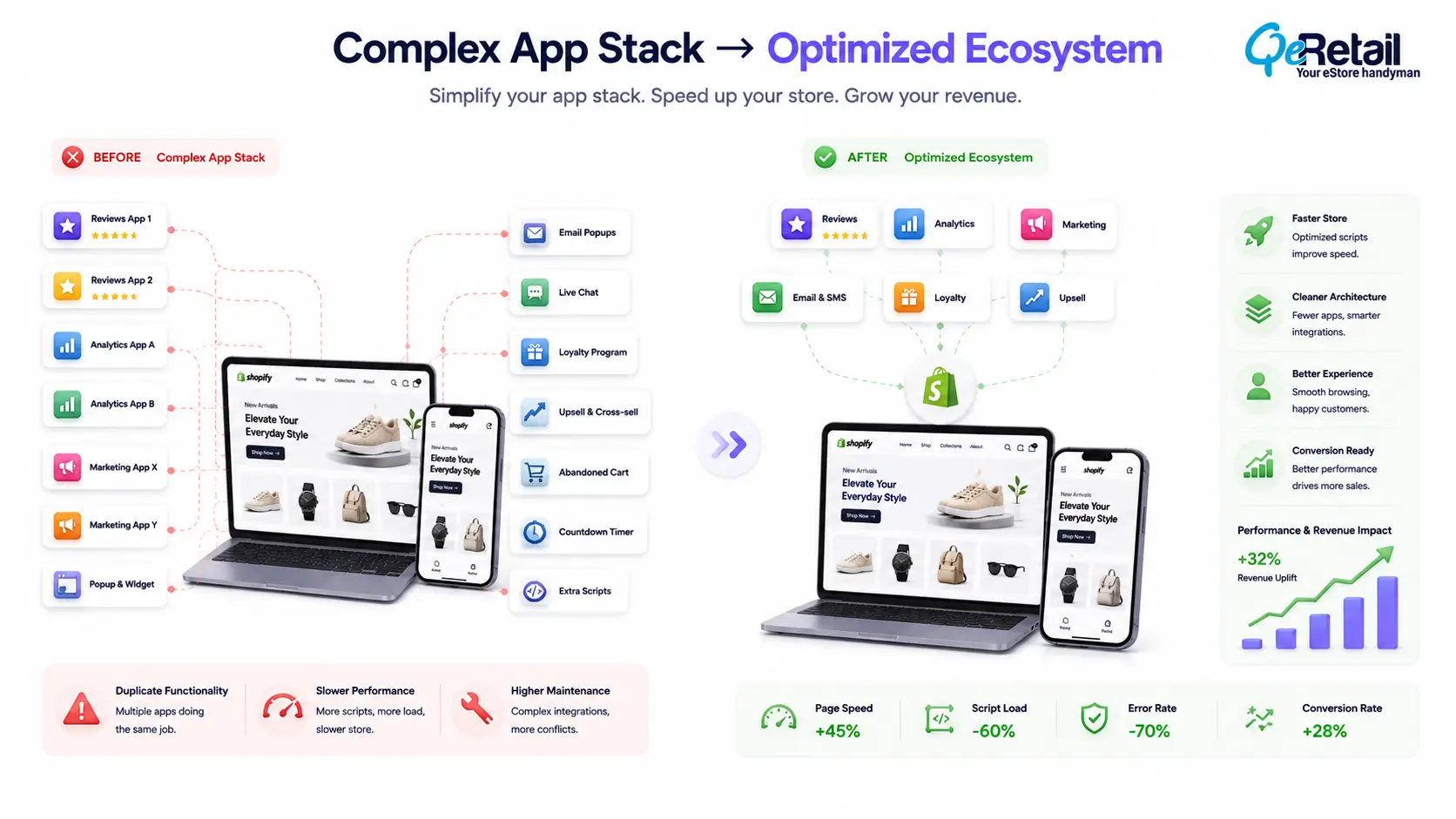
1. Duplicate Apps Creating Unnecessary Storefront Complexity
It is a common trait of store owners to add more apps, features, and tools to the store, aiming for a better customer experience as well as operational efficiency.
The problem begins when multiple applications start solving similar problems.
For example, a store may have separate tools for reviews, testimonials, customer photos, and social proof. While each tool provides value, maintaining several overlapping systems increases frontend complexity and makes future optimization more difficult.
In our Shopify optimization reviews, duplicate functionality is one of the most common patterns we observe in growing stores. Many merchants do not realize that feature expansion without technical cleanup can gradually increase storefront overhead.
What Should Shopify Stores Do To Improve?
- Review all apps with overlapping functionality
- Consolidate similar tools where possible
- Remove applications with limited business impact
- Document the purpose of every active integration
Quick Wins:
Create a simple app audit sheet with three columns: monthly cost, business purpose, and measurable impact. Any app without a clear contribution should be reviewed before renewal.
2. Third-Party Scripts Increasing Storefront Load
Many Shopify applications depend on JavaScript to display features and collect customer interactions.
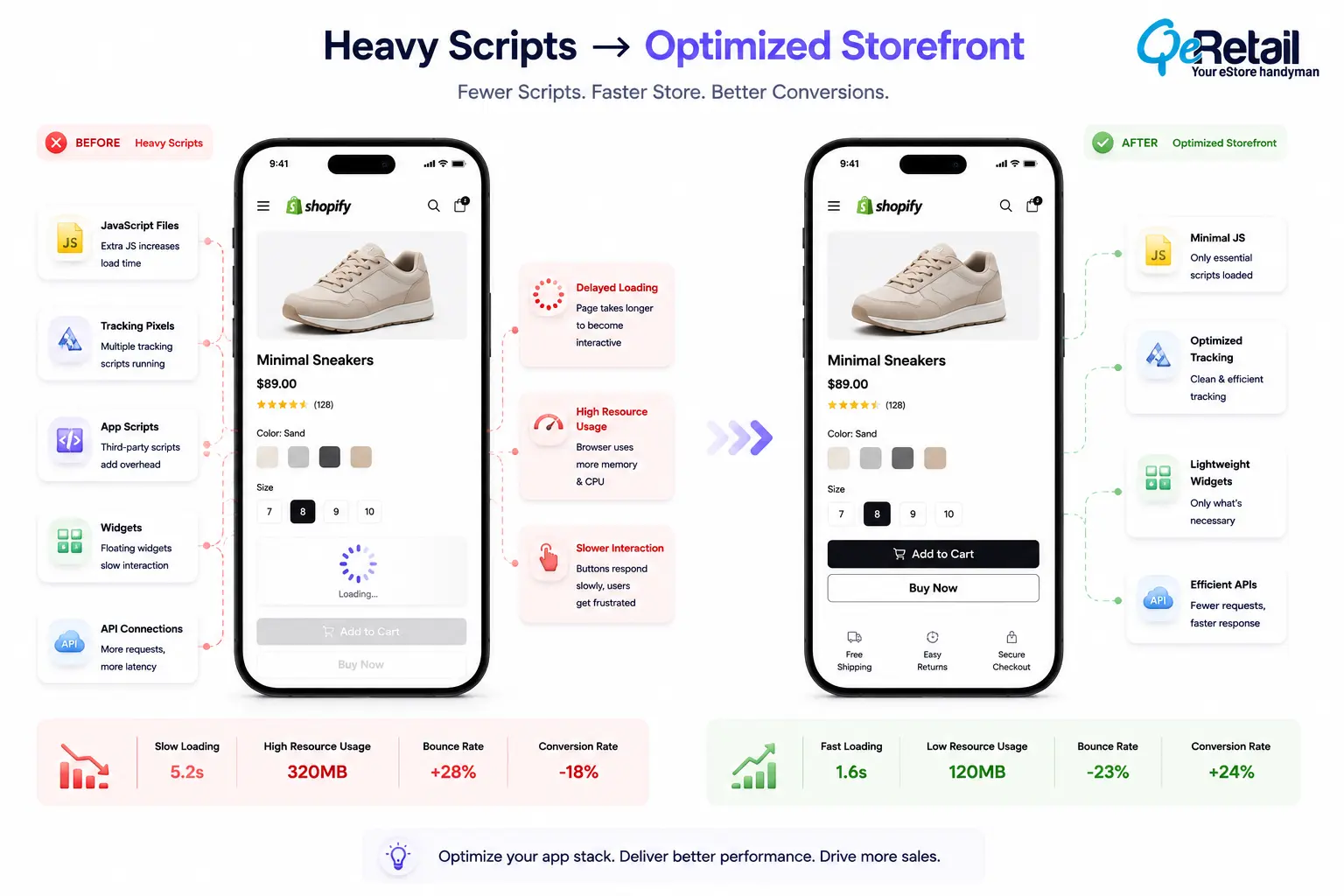
These scripts power important functionality, but they also consume browser resources. When multiple applications load scripts simultaneously, the storefront becomes heavier, and customer interactions may become slower.
Google’s web performance guidance highlights that excessive JavaScript execution can delay responsiveness and affect user experience metrics.
This becomes especially important for stores running multiple conversion-focused tools such as recommendations, pop-ups, tracking systems, and personalization features.
What Should Shopify Stores Do To Improve?
- Audit scripts added by installed apps
- Remove unnecessary app resources
- Limit scripts to relevant storefront pages
- Monitor performance after app changes
Quick Wins:
Disable one non-critical app embed and compare page behavior before and after the change. This helps identify whether an app is contributing unnecessary frontend load.
3. Duplicate Tracking Apps Creating Data and Performance Issues
Marketing growth often leads Shopify stores to add more tracking solutions.
Google Analytics, advertising platforms, email systems, and conversion tools all help merchants understand customer behavior.
However, when multiple platforms track the same actions independently, stores can experience two problems: inaccurate reporting and unnecessary script execution.
A merchant may see inconsistent conversion numbers while the storefront continues carrying additional tracking overhead.
What Should Shopify Stores Do To Improve?
- Review duplicate tracking events
- Centralize analytics management
- Remove unused marketing pixels
- Validate purchase tracking accuracy
Quick Wins:
Check your analytics events for repeated add-to-cart or purchase triggers. Removing duplicate events improves both reporting accuracy and technical efficiency.
4. Apps Affecting Checkout Reliability
Checkout is the most sensitive stage of the customer journey because shoppers have already shown purchase intent.
Many Shopify stores introduce additional tools around checkout, including upsell features, payment integrations, discount systems, and customer validation tools.
When these applications interact incorrectly, customers may experience unexpected delays, broken interactions, or inconsistent checkout behavior.
These problems are difficult because they often do not appear as obvious errors. Instead, they appear as lost conversions.
What Should Shopify Stores Do To Improve?
- Review checkout-related applications
- Test checkout after app updates
- Monitor payment flow behavior
- Remove unnecessary checkout extensions
Quick Wins:
Complete a test purchase after every major app installation. A tool that works correctly on product pages may still affect checkout performance.
5. Mobile Performance Declining Because of App Overhead
Mobile shoppers experience storefront issues differently from desktop users.
A page that appears acceptable on a large screen may feel slow when accessed through a mobile device with limited resources.
Heavy app scripts, floating widgets, animations, and recommendation engines can delay interactions that customers expect to happen immediately.
Google research has consistently shown that mobile experience quality influences user engagement and business outcomes.
For Shopify stores investing in paid mobile traffic, these performance issues can reduce the value of every acquisition channel.
What Should Shopify Stores Do To Improve?
- Test apps on real mobile devices
- Reduce unnecessary widgets
- Optimize frontend resources
- Prioritize customer-facing functionality
Quick Wins:
Open your Shopify store using mobile data instead of Wi-Fi. Real customer conditions often reveal performance problems hidden during normal testing.
6. Growing App Dependencies Making Store Updates Riskier
App complexity affects speed as well as how safely Shopify stores can evolve.
When themes, apps, and customizations become heavily connected, even small updates can create unexpected issues. A theme update may affect an app integration. A new feature may conflict with an existing script.
During technical reviews, we often find that merchants spend significant time managing existing integrations instead of improving customer experiences.
What Should Shopify Stores Do To Improve?
- Maintain integration documentation
- Review app dependencies regularly
- Remove outdated tools
- Plan major changes carefully
Quick Wins:
Schedule a quarterly app review. Shopify stores change frequently, and unused integrations often remain active longer than expected.
7. Adding Apps Without Measuring Business Contribution
The biggest app management mistake is focusing on features instead of outcomes.
An application may provide impressive functionality, but that does not automatically mean it improves business performance.
The right question is not:
“How many features does this app provide?”
The right question is:
“Is this app improving revenue, retention, efficiency, or customer experience?”
Without measurement, Shopify stores slowly accumulate technical complexity without knowing which tools actually create value.
What Should Shopify Stores Do To Improve?
- Define success metrics before installation
- Measure conversion impact
- Review app ROI regularly
- Remove tools without measurable contribution
Quick Wins:
Before installing your next Shopify app, define one expected outcome. If success cannot be measured, reconsider adding another dependency.
How QeRetail Helps Shopify Stores Optimize Their App Ecosystem?
A Shopify app audit is not simply about removing applications.
It requires understanding how every integration affects storefront performance, customer experience, and long-term scalability.
QeRetail helps Shopify brands evaluate their app ecosystem and identify technical inefficiencies that may affect growth.
Shopify App Performance Review
We analyze installed applications, scripts, integrations, and storefront dependencies that influence performance.
Theme and Integration Assessment
Our team reviews how applications interact with Shopify themes, frontend components, and customer-facing experiences.
App Stack Optimization
We identify unnecessary complexity, overlapping functionality, and opportunities to simplify the technical environment.
Conversion-Focused Improvements
Our recommendations focus on maintaining the features customers need while improving storefront reliability.
We work with a goal to create a Shopify ecosystem where technology supports growth instead of creating limitations.

Conclusion
A growing Shopify store will naturally require more tools and integrations over time.
The challenge is ensuring that growth does not create unnecessary technical complexity behind the storefront experience.
Regular app audits help merchants understand which tools are contributing value, which integrations require optimization, and where performance improvements can support better customer journeys.
QeRetail helps Shopify brands improve storefront architecture, app performance, and technical scalability through practical eCommerce solutions designed for long-term growth.
If your Shopify store has become difficult to optimize after adding multiple apps, contact us.
Frequently Asked Questions
How Do Shopify Apps Affect Store Speed?
How Often Should Shopify Stores Audit Their Apps?
Can Too Many Shopify Apps Affect Conversion Rates?
Should I Remove Unused Shopify Apps?
How Do I Know Which Shopify App Is Slowing My Store?
Table of Contents