Your legacy theme isn’t broken.
That’s exactly the problem.
Broken things get fixed. Slow leaks get ignored.
Since 2021, Shopify OS 2.0 themes have outpaced legacy builds by 35% in page load speed. Core Web Vitals scores keep diverging. Every quarter, that gap grows, a little more revenue drains out quietly.
Most merchants feel fine. Revenue is coming in. Nothing looks wrong on the surface.
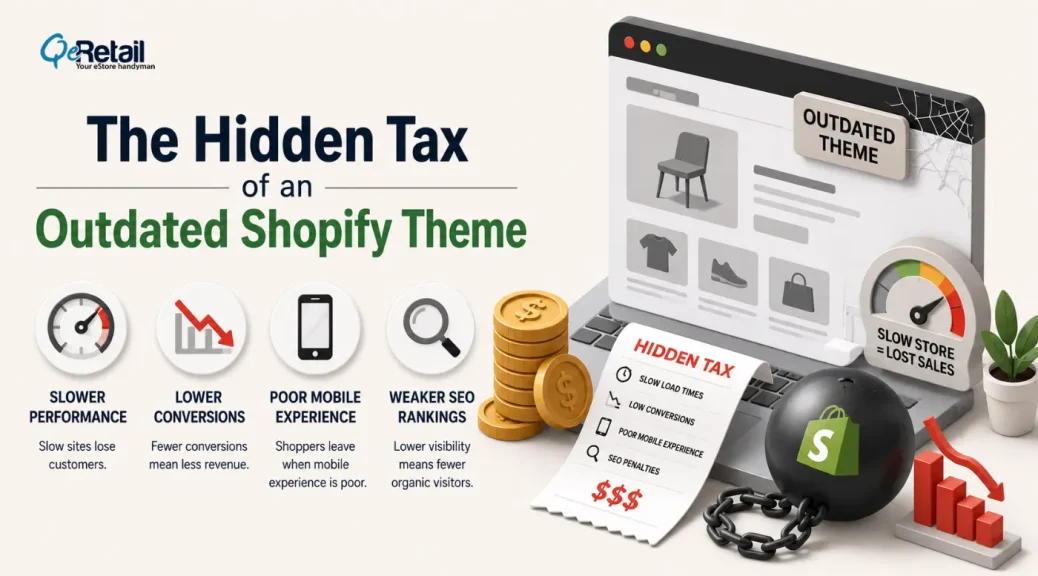
But legacy themes bleed margin through three channels: bloated JavaScript slowing every page load, UX patterns that create friction at checkout, and an architecture that AI-driven search engines simply cannot read.
No error messages. No obvious failures. Just a profit and loss that underperforms what it should.
Here’s what’s actually happening inside your store.
Key Action Points
- Benchmark your LCP score – anything above 2.5s is bleeding conversions right now.
- Calculate monthly dev spend on routine content edits – this number alone often justifies migration.
- Audit your app stack for legacy workarounds, injecting unnecessary JS and CSS.
- Check Core Web Vitals in Google Search Console – failing scores mean dropping organic rankings.
- Get a migration estimate before comparing it to your revenue leak – the math almost always favors moving now.

What Does a Legacy Shopify Theme Actually Mean in 2026?
Not all slow stores know they’re slow. That’s the first problem with legacy theme architecture.
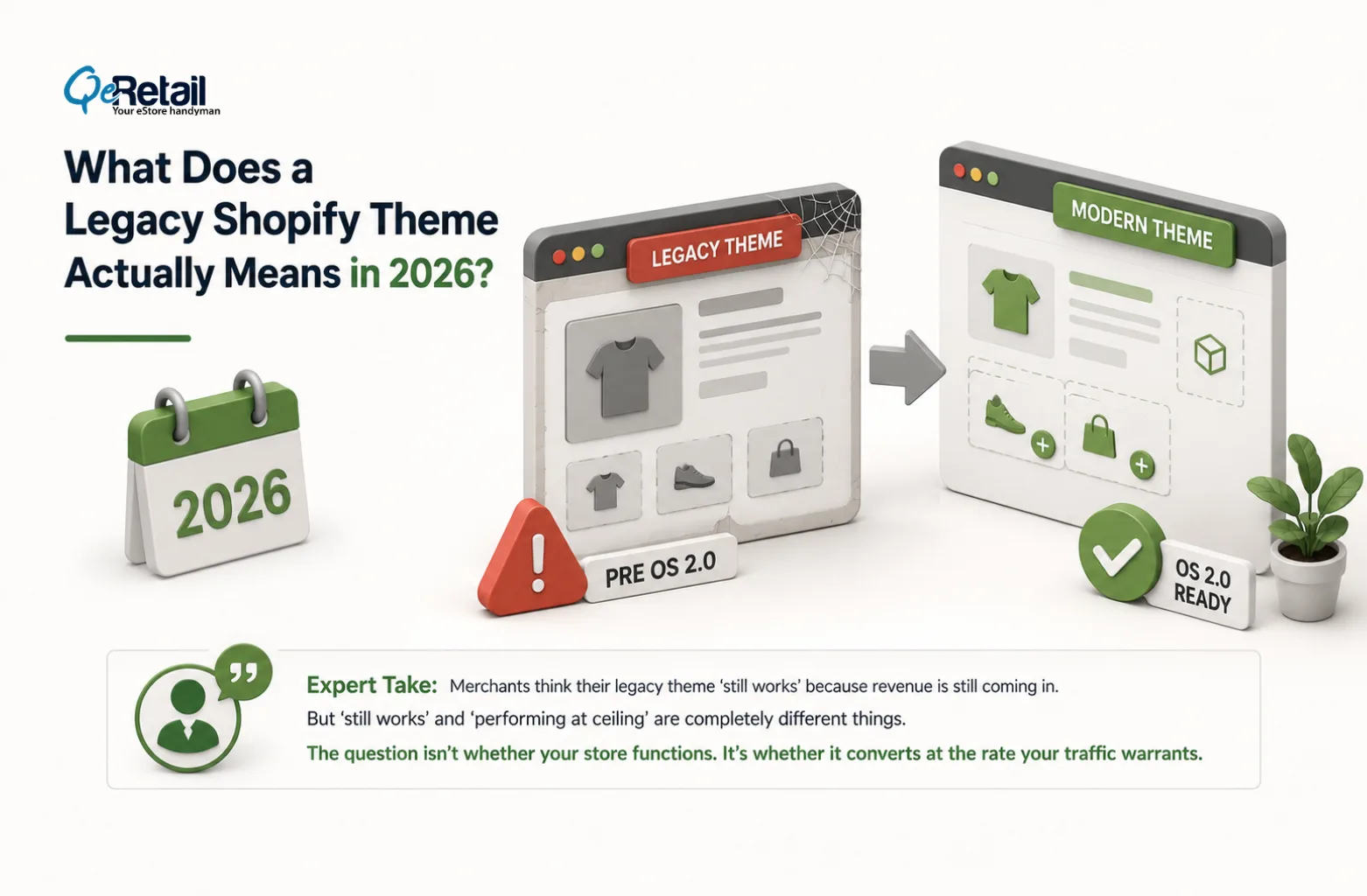
If you’re running a legacy theme, you’re on a pre-OS 2.0 theme. These were built before Shopify’s 2021 architecture overhaul. No native app blocks. No sections-everywhere.
Your homepage had drag-and-drop flexibility. Every other page – product pages, collection pages, cart – was hardcoded inside Liquid files.
That’s not a cosmetic limitation. It has direct revenue consequences; your analytics dashboard won’t surface automatically.
Expert Take:
Merchants think their legacy theme ‘still works’ because revenue is still coming in. But ‘still works’ and ‘performing at ceiling’ are completely different things. The question isn’t whether your store functions. It’s whether it converts at the rate your traffic warrants.
The Speed Tax You Pay Every Single Month
Speed isn’t a technical metric. It’s a revenue lever, and your legacy theme is pulling it in the wrong direction.
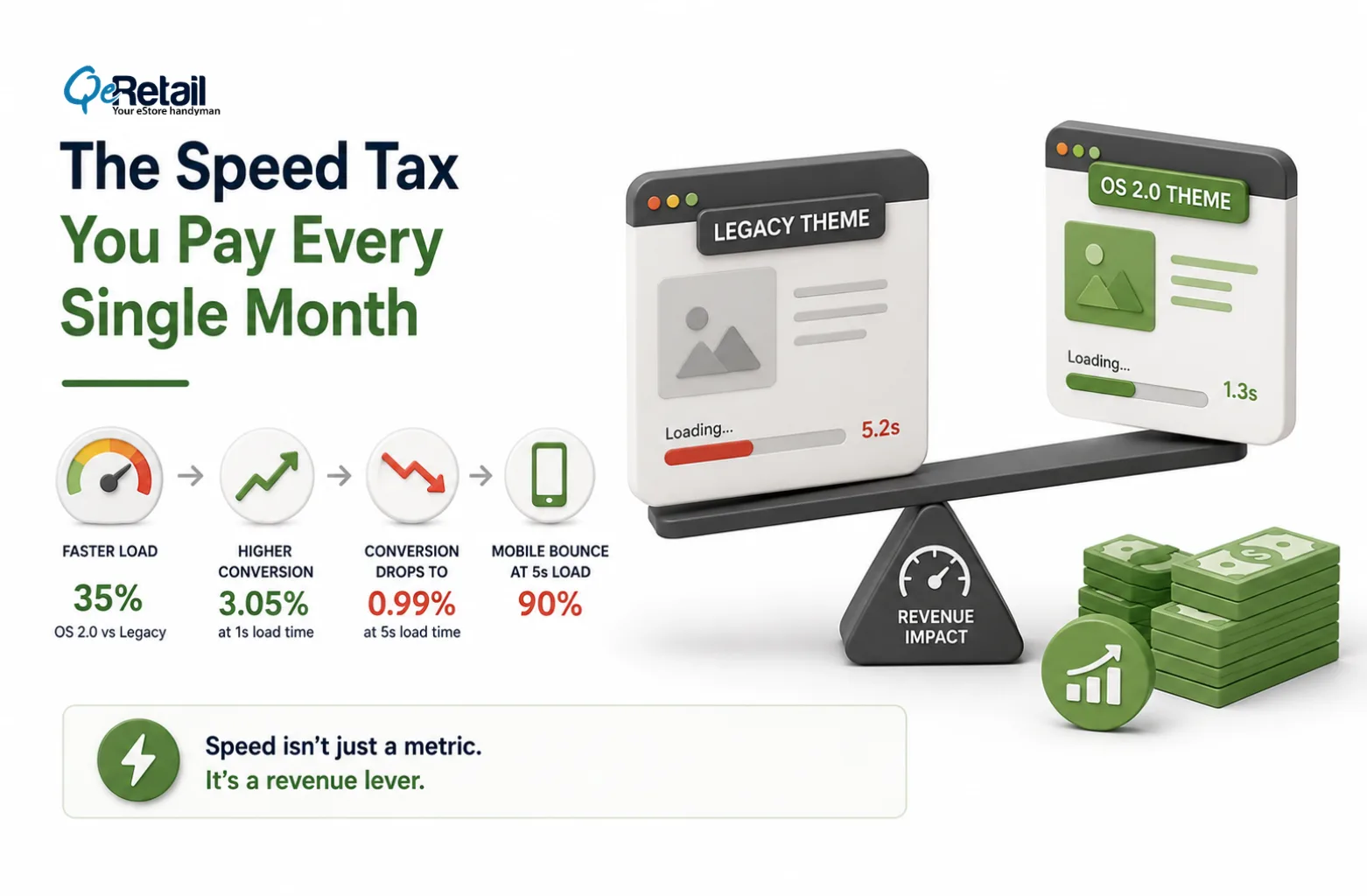
The numbers behind the leak are clear:
- OS 2.0 themes load 35% faster than legacy on equivalent configurations. (SANOMADS / Shopify data, 2026)
- A store loading at 1s converts at 3.05%. The same store at 5s: 0.99%. Same products. Same ads. Different theme.
- Every 100ms of additional load time reduces conversion rate by 1.1%. (Google/web.dev)
- A 1-second speed improvement drives 7% more conversions. (Deloitte, 2024)
- Mobile bounce rate at 3s load: 32%. At 5s: 90%. (Google)
- Vintage themes score 45–65 on PageSpeed. OS 2.0 themes score 85–95. (Shopify Theme Speed Comparison, 2026)
These aren’t isolated cases. They’re the predictable outcome of removing a 35-point speed deficit from your conversion funnel.

What Does This Mean in Actual Dollars?
A $500K/year store with a 2-second load time improvement can expect $40K or more in incremental annual revenue. A $200K store leaks $15K to $40K per year from speed alone.
Not from bad products. Not from poor ads. From a theme architecture that predates your customers’ mobile expectations.
The math is simple: take your monthly revenue, multiply it by 0.07 for every second you can shave off load time. Run that number against a $5,000 to $8,000 migration cost. The break-even point is usually weeks, not months.
Expert Take:
Merchants fixate on the migration price tag and never ask what they’re currently paying to stay. A $5K migration that stops a $30K per year leak is a 6x return in year one alone. The math isn’t complicated. The decision is.
The App Bloat Trap Nobody Talks About
Legacy themes can’t use app blocks natively. So merchants bolt on workarounds.
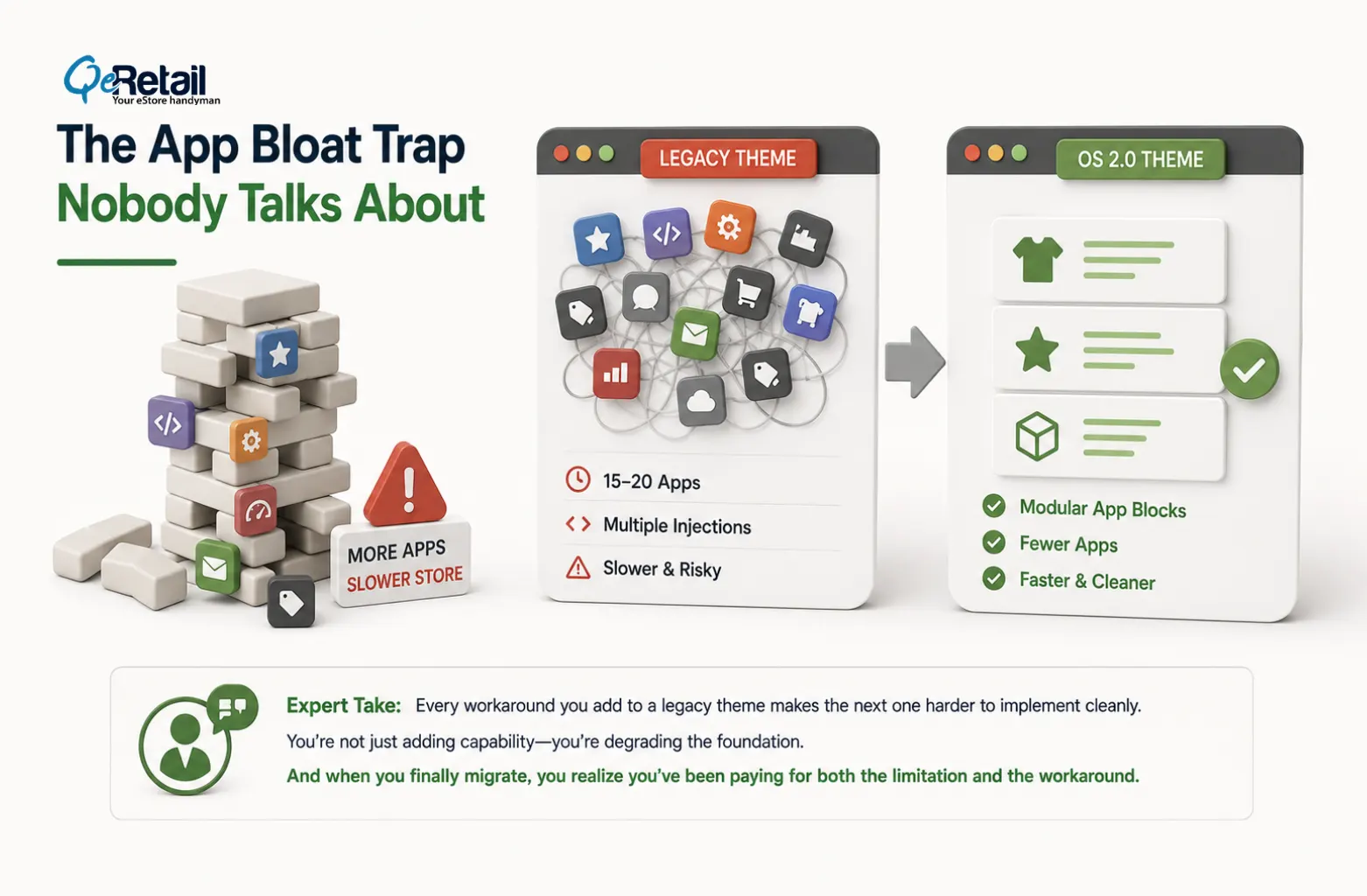
The typical legacy store accumulates 15 to 20 apps, force-injecting JavaScript and CSS to replicate functionality that OS 2.0 handles cleanly through modular app blocks.
Each injection adds load time. Each uninstalled app leaves orphaned code snippets in your theme file, which still runs on every page load even after the app is gone.
How Does the Gap Compound?
On OS 2.0, apps plug in as modular blocks that can be added or removed from the editor without touching code. Fewer conflicts. Cleaner JavaScript. Better performance.
On legacy, you’re building a Jenga tower; each new workaround makes the next one harder to implement cleanly.
There’s also a compatibility problem that’s getting worse. Newer Shopify apps, especially the best-performing ones for checkout optimization, mobile UX, and AI-driven product recommendations, are dropping legacy theme support.
The Shopify ecosystem is moving forward. Legacy stores are being left behind the feature wall, not just the speed wall.
Expert Take:
Every workaround you add to a legacy theme makes the next one harder to implement cleanly. Merchants think they’re adding capability. They’re degrading the foundation. And when they eventually migrate, they discover they’ve been paying for both the limitation and the workaround simultaneously.
The SEO Damage is Compounding
Core Web Vitals are Google ranking signals. They have been since 2021. Legacy themes consistently fail CWV benchmarks, specifically LCP (Largest Contentful Paint) and CLS (Cumulative Layout Shift).
Failing scores don’t just hurt user experience.
They push your pages down in organic rankings, which means more paid traffic to maintain the same visibility, which means higher Customer Acquisition Cost. Every month you stay on legacy architecture, competitors on OS 2.0 are compounding a speed advantage that translates directly into organic ranking advantage.
The Dev Dependency Cost Nobody Calculates
Every banner change. Every section reorder. Every promotional block on a legacy theme requires a developer ticket.
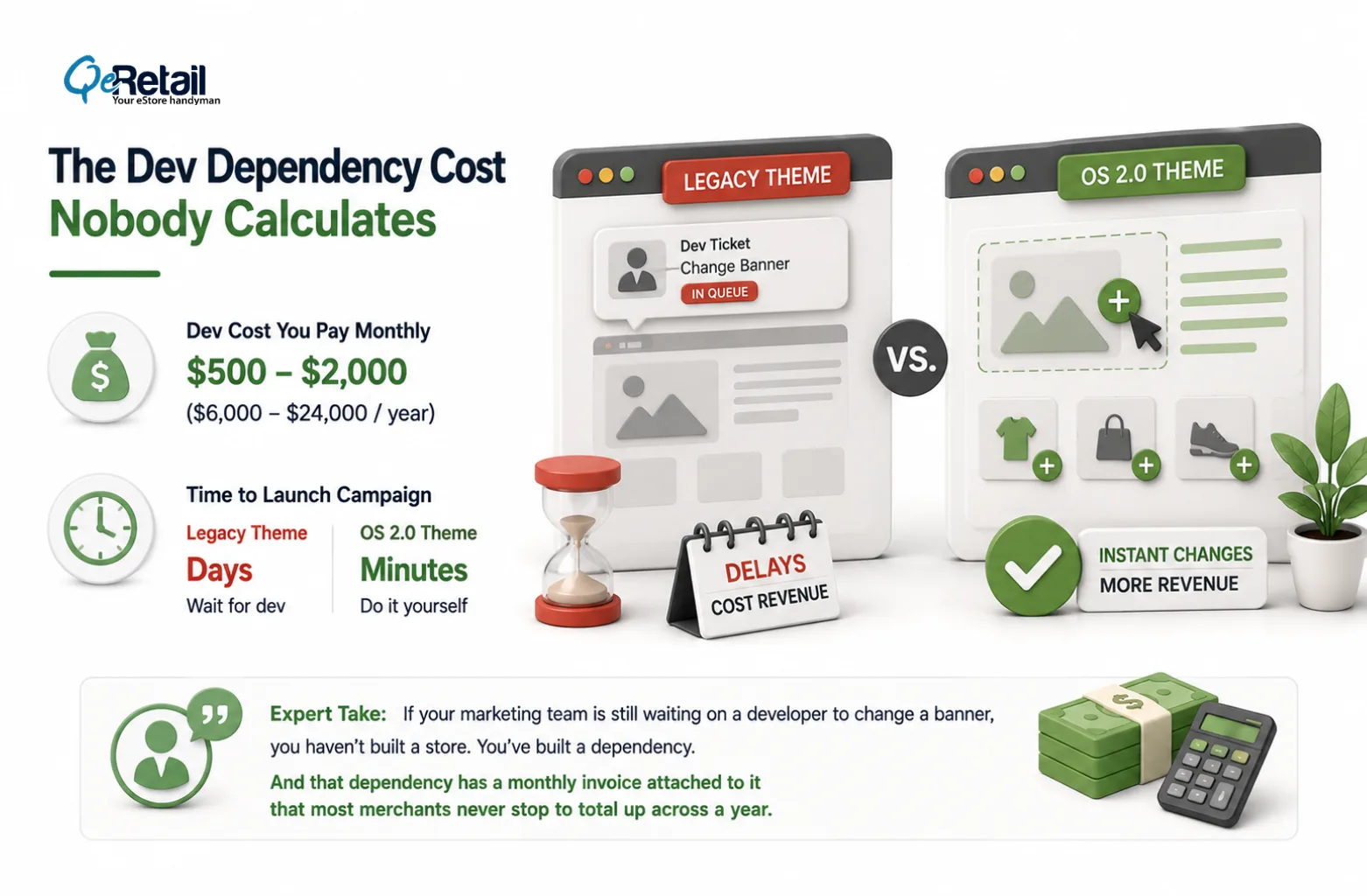
OS 2.0 means your marketing team handles it in the visual editor. No ticket. No wait. No dev cost.
What this looks like in monthly dollars
For a $100K to $500K Shopify store, recurring dev spend on routine content changes runs $500 to $2,000 per month. That’s $6,000 to $24,000 per year to change banners, move sections, and deploy seasonal promotions – work that your marketing team does in minutes on an OS 2.0 theme.
The compounding problem: merchants on legacy themes aren’t just paying the dev cost. They’re operating more slowly. A competitor on OS 2.0 can launch a campaign page the same day a trend breaks. A legacy store waits for a developer ticket to clear the queue. In ecommerce, timing is revenue.
Expert Take:
If your marketing team is still waiting on a developer to change a banner, you haven’t built a store. You’ve built a dependency. And that dependency has a monthly invoice attached to it that most merchants never stop to total up across a year.
The Actual Migration Cost Versus What You’re Already Losing
Here’s what migration actually costs – and what you’re already spending to stay.
Migration cost breakdown:
- OS 2.0 migration (full rebuild): $2,000 – $8,000 one-time
- Premium OS 2.0 theme (Prestige, Impulse): $200 – $350
- Free OS 2.0 option (Dawn): $0
What legacy is costing you annually:
- Revenue leak from speed alone ($200K store): $15,000 – $40,000/year
- Dev spend on routine content edits: $6,000 – $24,000/year
- App bloat overhead (redundant JS, conflict resolution): $1,500 – $5,000/year
Break-even On a Full Migration: Weeks, not Years.
Merchants who migrated to OS 2.0 in 2022 and 2023 have spent three years compounding speed advantages, Core Web Vitals improvements, and dev independence. Every quarter they stayed moved them further ahead. Every quarter, a legacy store didn’t move, widening that gap.
Expert Take:
The migration isn’t a cost. It’s the price of stopping a leak that’s been running since 2021. The question to ask isn’t ‘can we afford to migrate?’ It’s ‘how much have we already lost by not moving?’
Stop Bleeding Monthly Revenue. Start Building on Architecture That Compounds.
Most merchants staying on legacy themes aren’t making a deliberate choice. They’re avoiding one.
The migration looks like a cost. The monthly revenue leak feels like background noise. That’s exactly how compounding losses work; they’re invisible until you stop to total them up.
If your team is still waiting on a developer to change a banner, you didn’t decide to stay on legacy. You just never decided to move.
If you migrated to OS 2.0 but your conversion rate hasn’t moved, you didn’t migrate – you redecorated. A theme switch without a conversion strategy is just moving furniture.
QeRetail helps Shopify merchants at the $100K to $500K tier run theme audits, build migration roadmaps, and execute done-for-you OS 2.0 migrations without disrupting live revenue. The audit starts with your actual speed scores, your app stack, and your monthly dev spend – and ends with a number that tells you exactly what staying is costing you.
Frequently Asked Questions
What Counts As A Legacy Shopify Theme?
Will I Lose My Customizations If I Migrate?
How Long Does A Theme Migration Take?
Will A New Theme Alone Fix My Conversion Rate?
Is Dawn Good Enough, Or Should I Buy A Paid OS 2.0 Theme?
Table of Contents