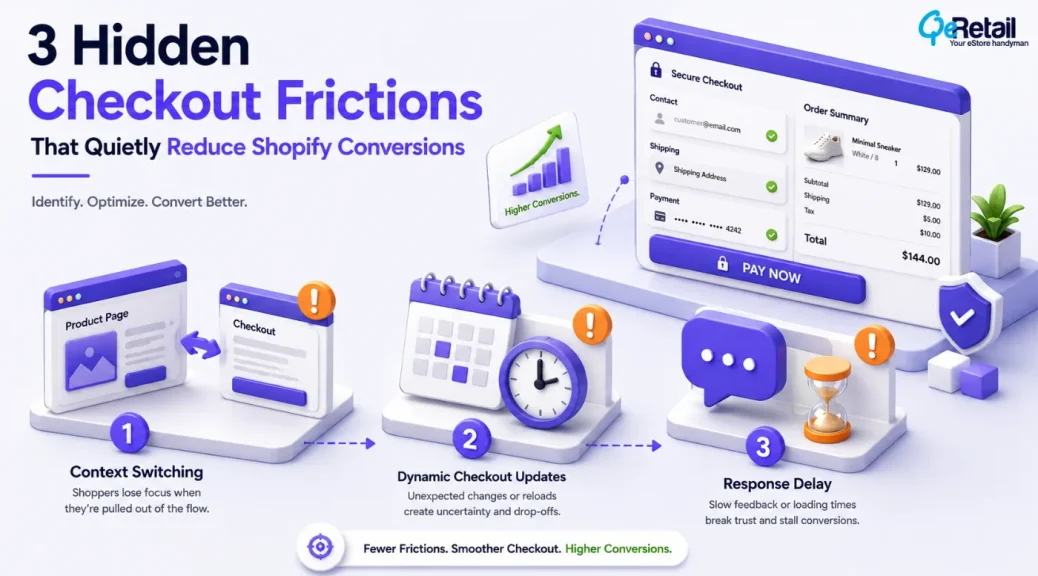
Your Shopify checkout may look clean, support multiple payment methods, and follow industry best practices, yet customers can still abandon their purchase during the final step.
For many growing Shopify stores, the problem is not an obvious checkout error. It is the small moments of friction that gradually appear as new apps, payment integrations, shipping rules, and customer engagement features are added over time.
These friction points rarely stop customers from completing a purchase immediately. Instead, they introduce hesitation at critical stages of the buying journey. A brief pause before payment methods appear, unexpected checkout updates, or unnecessary distractions can quietly influence purchasing decisions without generating technical errors.
Over time, merchants may notice increasing checkout abandonment or inconsistent conversion rates without realizing that their checkout experience has become less predictable for customers.
The report by Baymard Institute, published in 2025, conducted over checkout usability research, says the online shopping cart abandonment rate is 70.19%. While not every abandoned cart is preventable, many checkout-related drop-offs occur because of avoidable usability and friction issues.

Key Action Points
Before reviewing your Shopify checkout experience, focus on these areas:
- Identify unnecessary checkout distractions
- Review unexpected checkout updates
- Test payment response times
- Monitor third-party checkout integrations
- Validate shipping and pricing consistency
- Review discount and loyalty workflows
- Test checkout performance on mobile devices
- Monitor checkout after installing new apps
- Review checkout behaviour quarterly
- Reduce unnecessary customer interruptions
Quick Wins: Review Your Shopify Checkout Before Making Bigger Changes
Before making major checkout changes, start with these simple checks.
1. Complete a Purchase Without Leaving Checkout
Go through your own checkout as a customer.
Notice every point where you feel the need to open another page, search for information, or pause before continuing.
These small interruptions often indicate hidden friction.
2. Test Checkout After Installing New Apps
Many Shopify apps extend their functionality into checkout through scripts, validations, or integrations.
Complete a test purchase after every new installation to ensure the checkout experience remains consistent.
3. Review Checkout on a Mobile Device
Desktop testing does not always reflect the customer experience.
Complete your checkout using a mobile device and mobile data to identify delays or interactions that may feel less responsive under real browsing conditions.
3 Hidden Friction Points That Quietly Affect Shopify Checkout Performance
Most Shopify checkout issues are not caused by broken functionality or payment failures. Instead, they appear through small customer interactions that introduce hesitation during the final stage of the purchase journey.
These friction points often go unnoticed because checkout continues working as expected. However, as more apps, payment providers, and customer engagement tools become part of the checkout experience, even small interruptions can gradually influence conversion performance.
1. Checkout Context Switching Interrupts Purchase Momentum
Shopify merchants often include helpful resources such as return policies, shipping information, discount codes, loyalty programs, and customer support links throughout checkout.
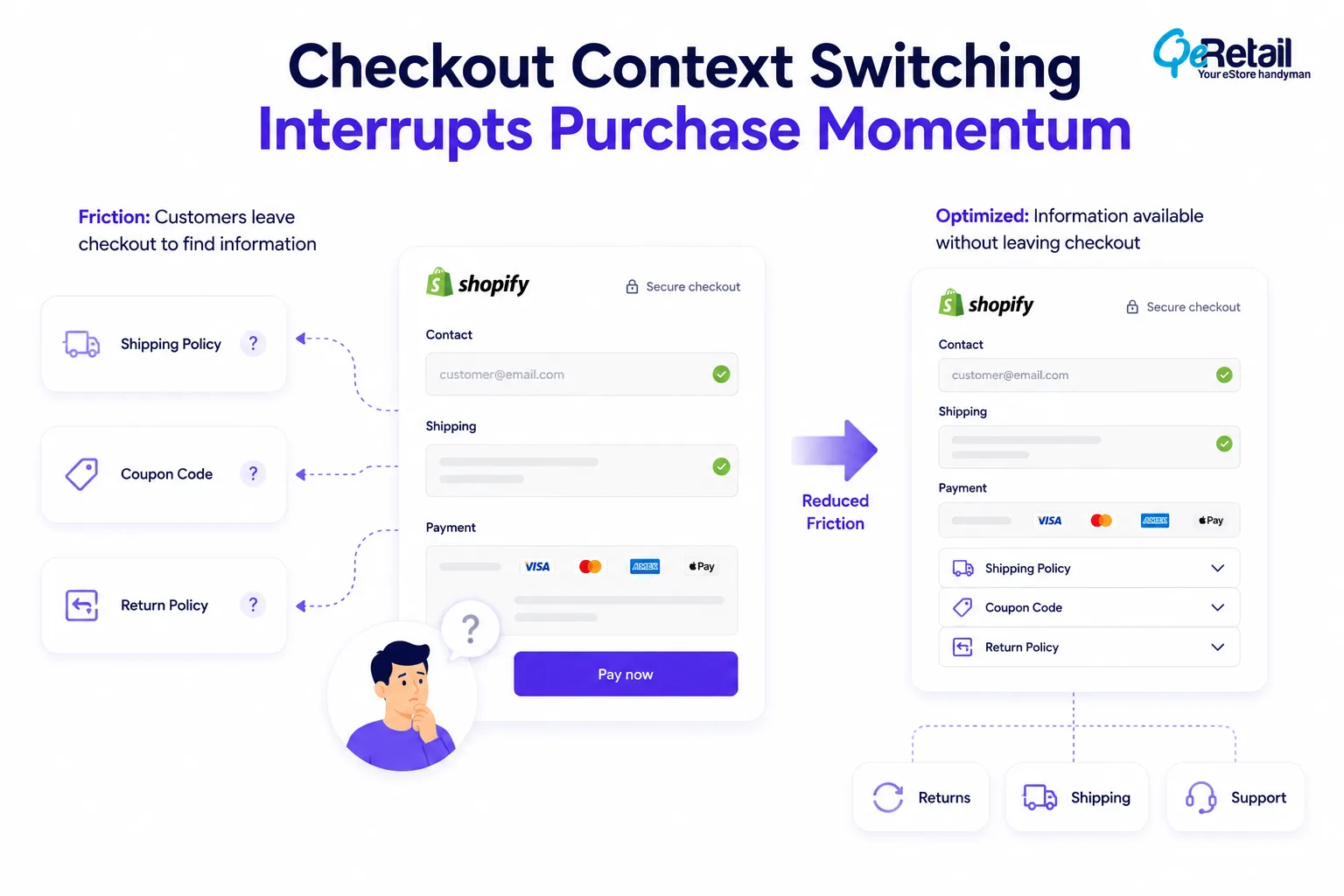
The problem begins when these resources encourage customers to leave the purchase flow before completing their order. Looking for a coupon code, reviewing delivery policies, or comparing prices elsewhere may seem like a small interruption, but each additional step reduces the likelihood of customers returning to finish their purchase.
A checkout research study found that 18% of shoppers have abandoned a purchase because the checkout process felt too long or complicated.
What Should Shopify Stores Do To Improve?
- Review links that take customers away from checkout
- Keep essential purchase information within the checkout experience
- Minimize promotional distractions during payment
- Answer common customer questions earlier in the buying journey
Quick Wins:
Complete your checkout as a customer instead of a merchant. If you leave the payment page to find information before placing an order, identify how that information can be made available earlier in the buying journey.
2. Dynamic Checkout Updates Creating Purchase Uncertainty
Customers expect checkout information to remain consistent once they begin reviewing their order. Unexpected changes to shipping costs, delivery estimates, available payment methods, or promotional pricing can interrupt that expectation.
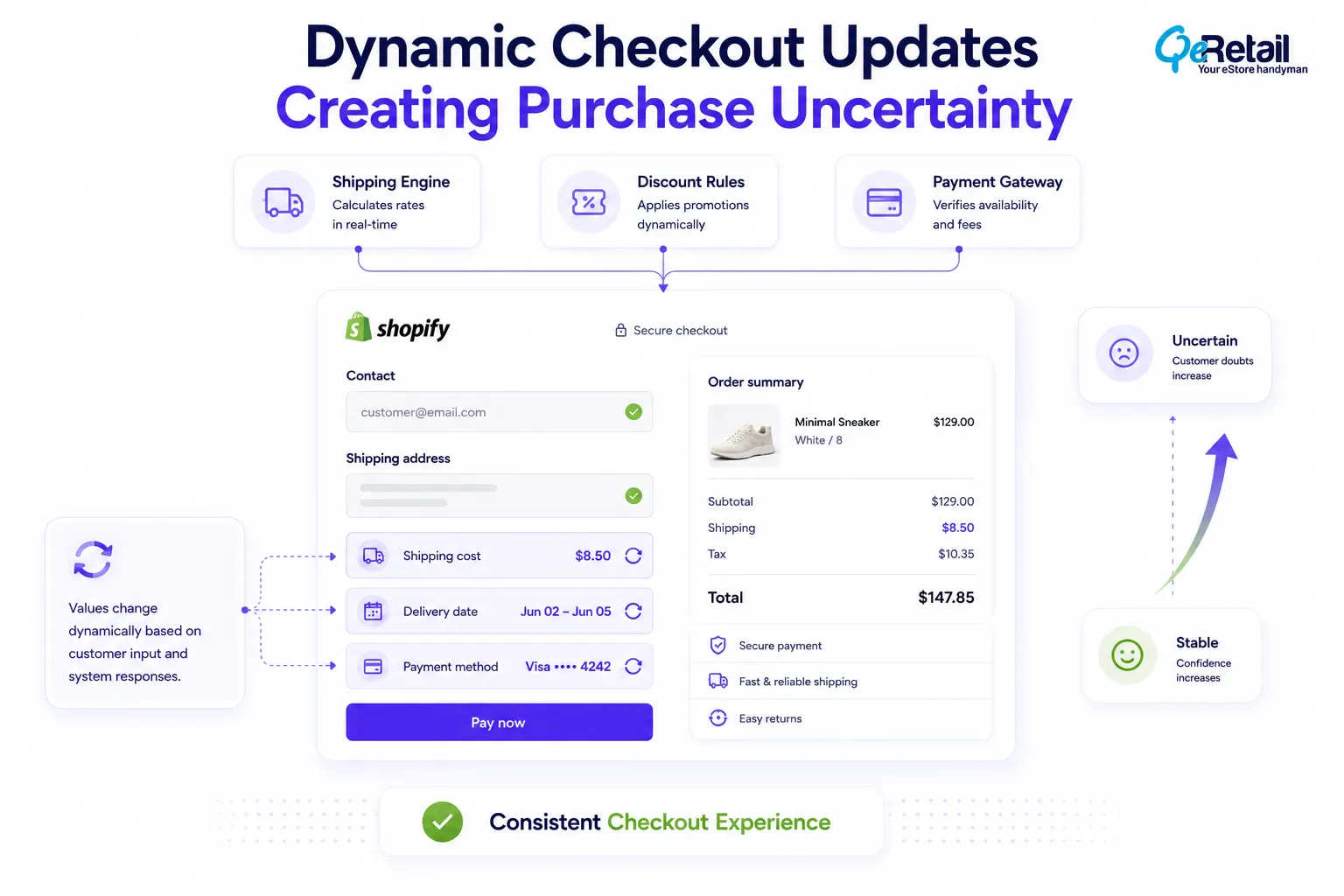
These updates usually occur because multiple checkout integrations respond to customer inputs in real time. While technically accurate, frequent changes can make the checkout experience feel less predictable and encourage customers to reconsider their purchase.
What Should Shopify Stores Do To Improve?
- Review checkout applications that update pricing or delivery information
- Test checkout using different shipping locations
- Validate payment methods after shipping calculations
- Keep pricing and promotional rules consistent throughout checkout
Quick Wins:
Test your checkout using multiple locations and products. If important information changes unexpectedly during checkout, review the integrations responsible for those updates.
3. Invisible Response Delays Making Checkout Feel Slower Than It Is
Most merchants focus on page speed, but customers notice how quickly the checkout responds after every action. Applying a discount, selecting a payment method, or continuing to the next step should feel immediate.
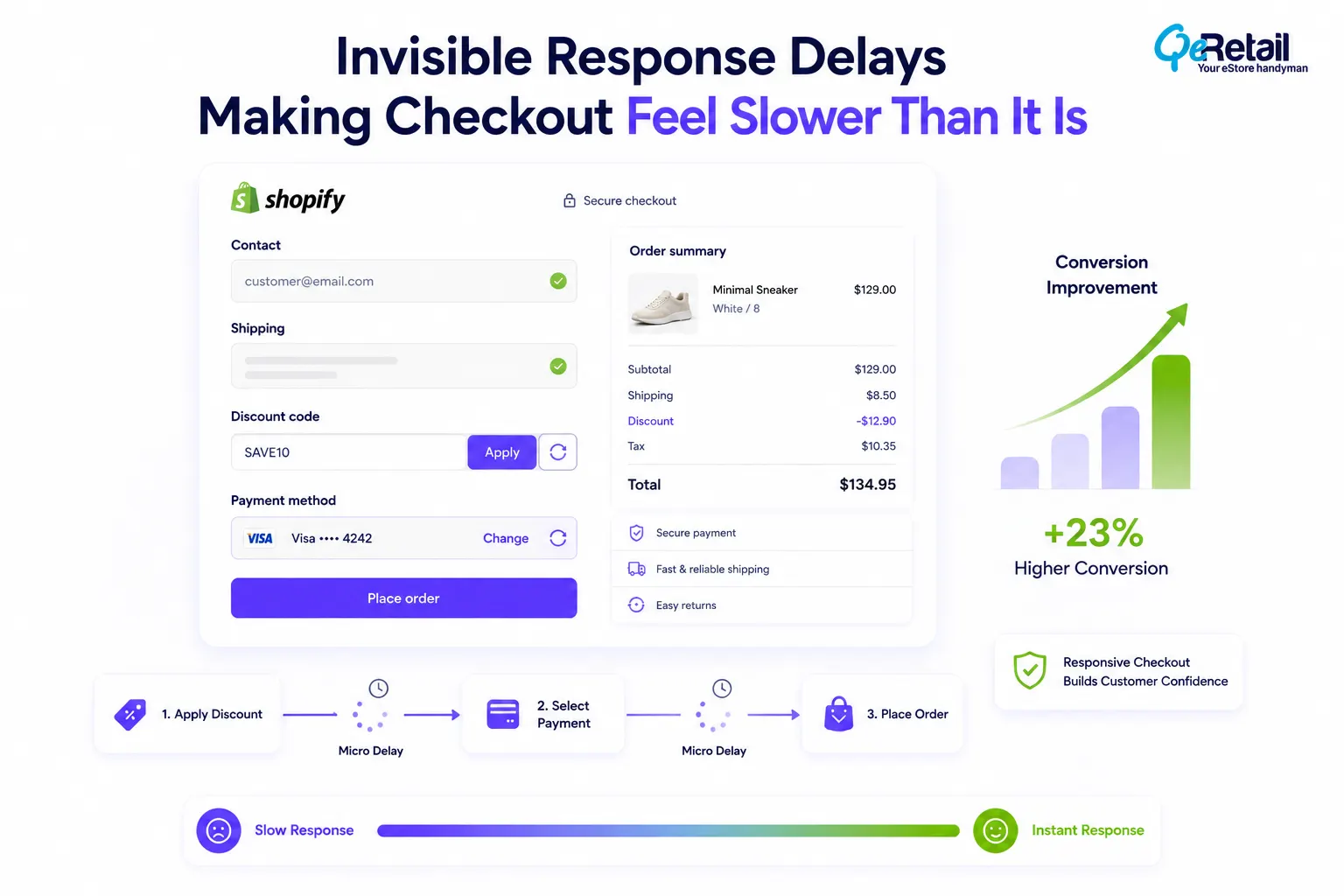
As Shopify stores introduce more checkout integrations, these interactions may take slightly longer to process. Individually, the delays appear minor, but together they create a checkout experience that feels less responsive, particularly for mobile shoppers.
What Should Shopify Stores Do To Improve?
- Review third-party checkout integrations regularly
- Test customer interactions instead of only measuring page speed
- Remove unnecessary checkout extensions
- Monitor checkout performance after adding new functionality
Quick Wins:
Record your checkout while completing a purchase. Small pauses between customer actions and system responses often reveal optimization opportunities that traditional performance reports do not identify.
How QeRetail Helps Shopify Stores Optimize Checkout Performance?
A Shopify checkout audit is not simply about improving the appearance of the checkout page.
It requires understanding how payment providers, shipping integrations, third-party applications, and checkout customizations work together to influence customer experience and conversion performance.
QeRetail helps Shopify brands evaluate their checkout ecosystem and identify hidden friction points that may be affecting completed purchases.
#1. Checkout Performance Assessment
We review every stage of the checkout experience to identify technical issues, interaction delays, and unnecessary customer interruptions that may reduce conversions.
#2. Payment and Checkout Integration Review
Our team analyzes payment gateways, checkout extensions, shipping applications, loyalty platforms, and third-party services to ensure they work together without introducing unnecessary complexity.
#3. Checkout Flow Optimization
We identify opportunities to simplify the purchase journey by reducing unnecessary decision points, improving checkout consistency, and eliminating technical bottlenecks.
#4. Conversion-Focused Recommendations
Our recommendations are designed to improve checkout performance while preserving the functionality customers expect throughout the buying journey.
We aim to create a Shopify checkout experience where every interaction supports faster, more confident purchase decisions.

Conclusion
Regular checkout audits help merchants identify subtle issues that may influence buying decisions without generating obvious technical errors. Reviewing checkout performance regularly also helps ensure every integration continues to support business goals while delivering a consistent customer experience.
QeRetail helps Shopify brands optimize checkout performance through practical technical assessments, conversion-focused improvements, and scalable eCommerce solutions designed for long-term growth.
If your Shopify checkout is attracting customers but not converting as efficiently as expected, contact us for a comprehensive checkout performance review.
Frequently Asked Questions
What Are Hidden Checkout Friction Points?
Why Do Customers Leave Checkout Even When Everything Appears To Be Working?
Can Shopify Apps Affect Checkout Performance?
How Often Should Shopify Stores Audit Their Checkout?
How Can I Identify Hidden Checkout Friction?
Table of Contents