Your Shopify store may have the right products, competitive pricing, and strong traffic, but customers can still take too long to decide what to buy.
A shopper may visit a product page, compare several options, check reviews, return to another product, and leave without purchasing even when the product meets their needs.
The problem is not always a lack of buying intent.
Sometimes, customers simply have too many decisions to make before they feel confident enough to purchase.
Unclear product differences, excessive choices, generic recommendations, missing delivery information, weak trust signals, and unnecessary steps between product discovery and checkout can all slow down the buying journey.
For growing Shopify stores, this becomes particularly important as catalogs, customer segments, product variants, and third-party integrations become more complex.
Shopify stores need to remove unnecessary decision-making friction so customers can confidently reach the right choice sooner in a market scenario where options are available at the fingertips.
Baymard Institute’s 2026 Product Page UX benchmark found that only 48% of desktop and 38% of mobile ecommerce sites achieved a better product-page UX performance. The research also found that product pages are often where users make their purchase decision, making their usability particularly important.

Key Action Points Summary
- Make product value immediately clear to shoppers
- Reduce unnecessary product choices and comparison effort
- Use smarter search, filtering, and recommendation experiences
- Surface relevant trust and delivery information at decision points
- Personalize shopping experiences based on customer behaviour
- Make product variants and purchasing options easier to understand
- Reduce unnecessary interactions between product discovery and checkout
- Use real-time product, inventory, and customer data where appropriate
- Review mobile shopping journeys for avoidable friction
- Connect technical improvements with actual customer and conversion behaviour
Quick Wins: Find Where Your Shopify Store Is Slowing Shopping Decisions
A few simple checks across your product pages, discovery experience, and checkout can reveal where customers may be pausing before taking the next step.
1. Review Your Top Product Pages
Open your highest-traffic product pages as a new customer. Check whether the product’s value, key differences, pricing, availability, delivery information, and primary CTA are immediately understandable.
2. Test Your Product Discovery Experience
Search for products using common customer terms. Test filters, collections, sorting, and search results to see whether customers can reach relevant products without repeatedly navigating between pages.
3. Compare Similar Products
Select three to five similar products and compare them side by side. Look for unclear differences in features, pricing, specifications, variants, benefits, or imagery that could make the choice harder.
4. Check Your Mobile Purchase Journey
Complete a purchase using a mobile device. Look for difficult variant selection, excessive scrolling, delayed interactions, confusing cart behaviour, or unnecessary steps before checkout.
5. Review Products With High Traffic But Low Conversion
Identify products that receive meaningful visits but generate relatively few purchases. Check whether customers are encountering information gaps, weak trust signals, poor recommendations, or technical friction.
5 Strategies To Make Users Take Quick Shopping Decisions
A fast purchase decision does not mean rushing the customer.
It means giving customers the right information, choices, reassurance, and purchasing functionality at the right stage of their journey.
These five strategies can help Shopify stores reduce decision friction while creating a more technically capable shopping experience.
1. Make Product Value Obvious Before Customers Start Comparing
Customers should not have to study multiple sections of a product page to understand why a product is relevant to them.
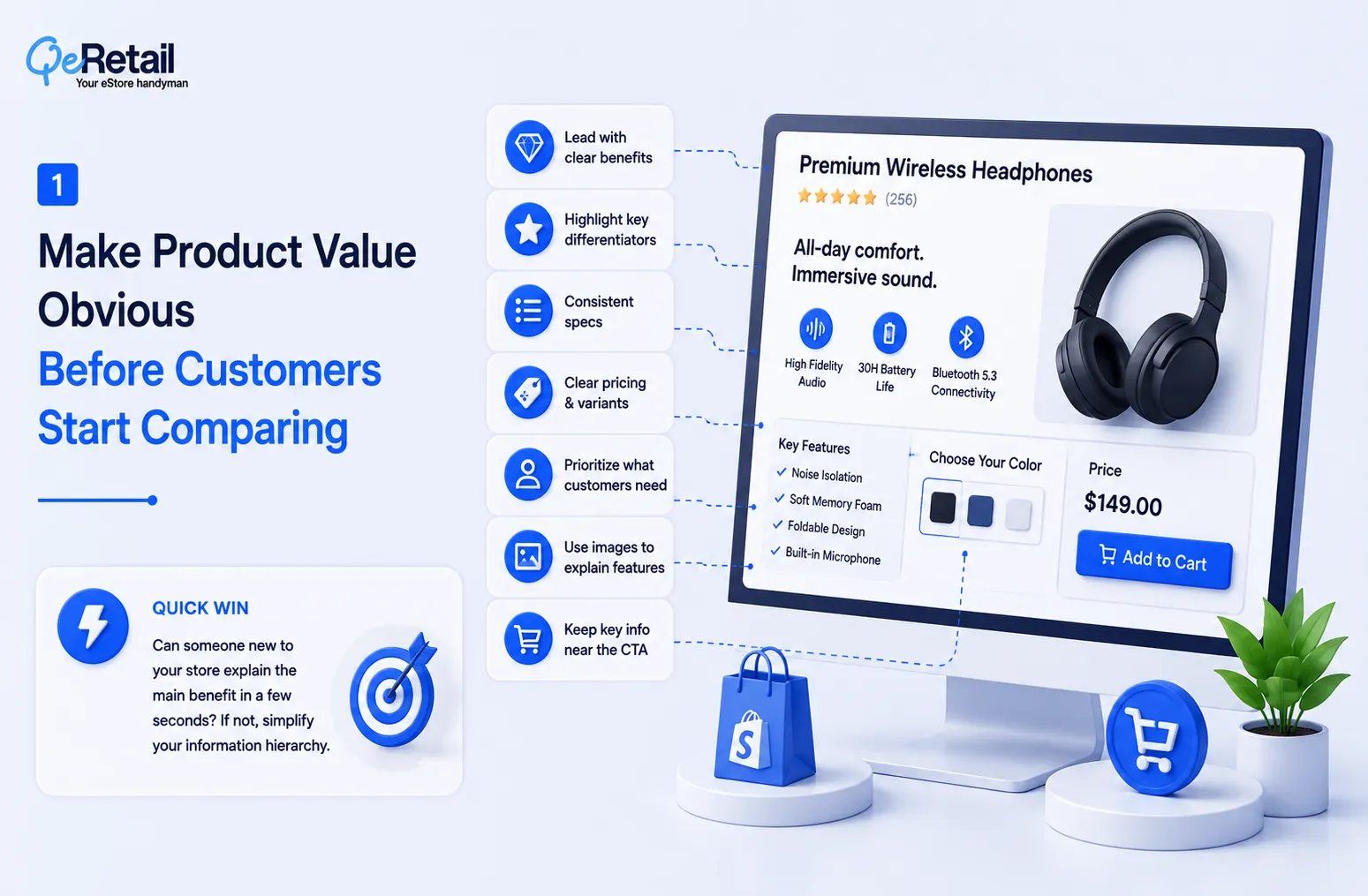
When the core value of a product is unclear, shoppers often compensate by opening other products, comparing specifications, or searching elsewhere for additional information.
What Should Shopify Stores Do To Improve?
- Lead with clear product benefits
- Highlight the most important differentiators
- Structure product specifications consistently
- Make pricing and variant differences easy to understand
- Prioritize information according to customer needs
- Use product imagery to explain important features
- Keep important purchase information close to the buying action
Quick Wins:
Choose your five highest-traffic products and ask someone unfamiliar with the store to explain the main benefit of each after viewing the page for a few seconds. If they cannot, review the information hierarchy.
2. Reduce Choice Overload With Smarter Product Discovery
A large product range can be an advantage until customers cannot determine which option is right for them.
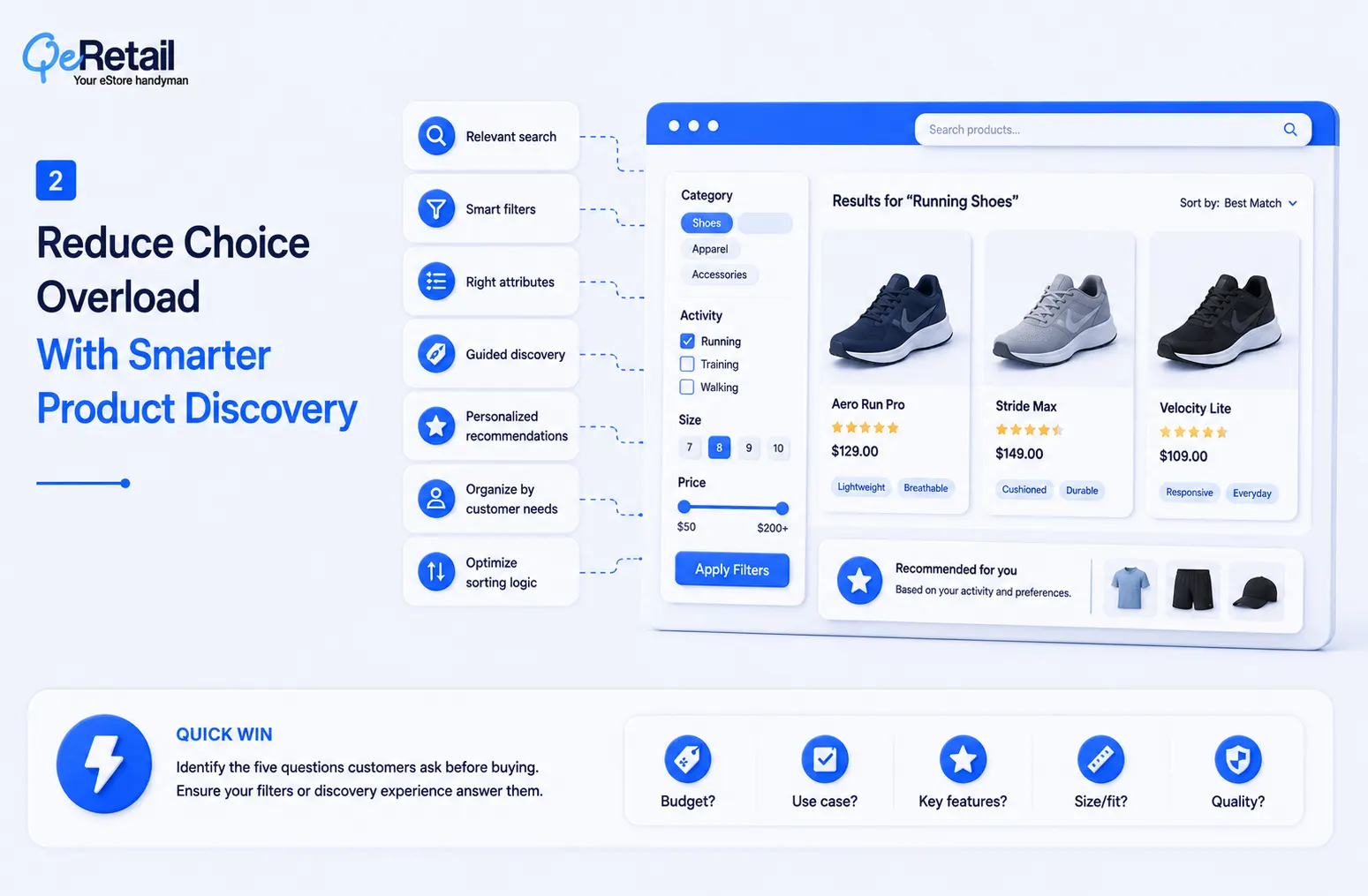
Showing more products does not necessarily improve product discovery. In many cases, shoppers need assistance narrowing the available choices according to their requirements.
What Should Shopify Stores Do To Improve?
- Improve internal search relevance
- Create meaningful product filters
- Use category-specific attributes
- Build guided product discovery experiences
- Recommend products based on relevant attributes
- Organize products around customer needs
- Review sorting logic for high-volume collections
Quick Wins:
Take your largest product collection and identify the five questions customers are most likely to ask before choosing a product. Check whether your current filters or product-discovery experience answer those questions.
3. Surface Real-Time Information That Removes Purchase Uncertainty
Customers often delay a purchase because they are unsure about something that could have been answered immediately.
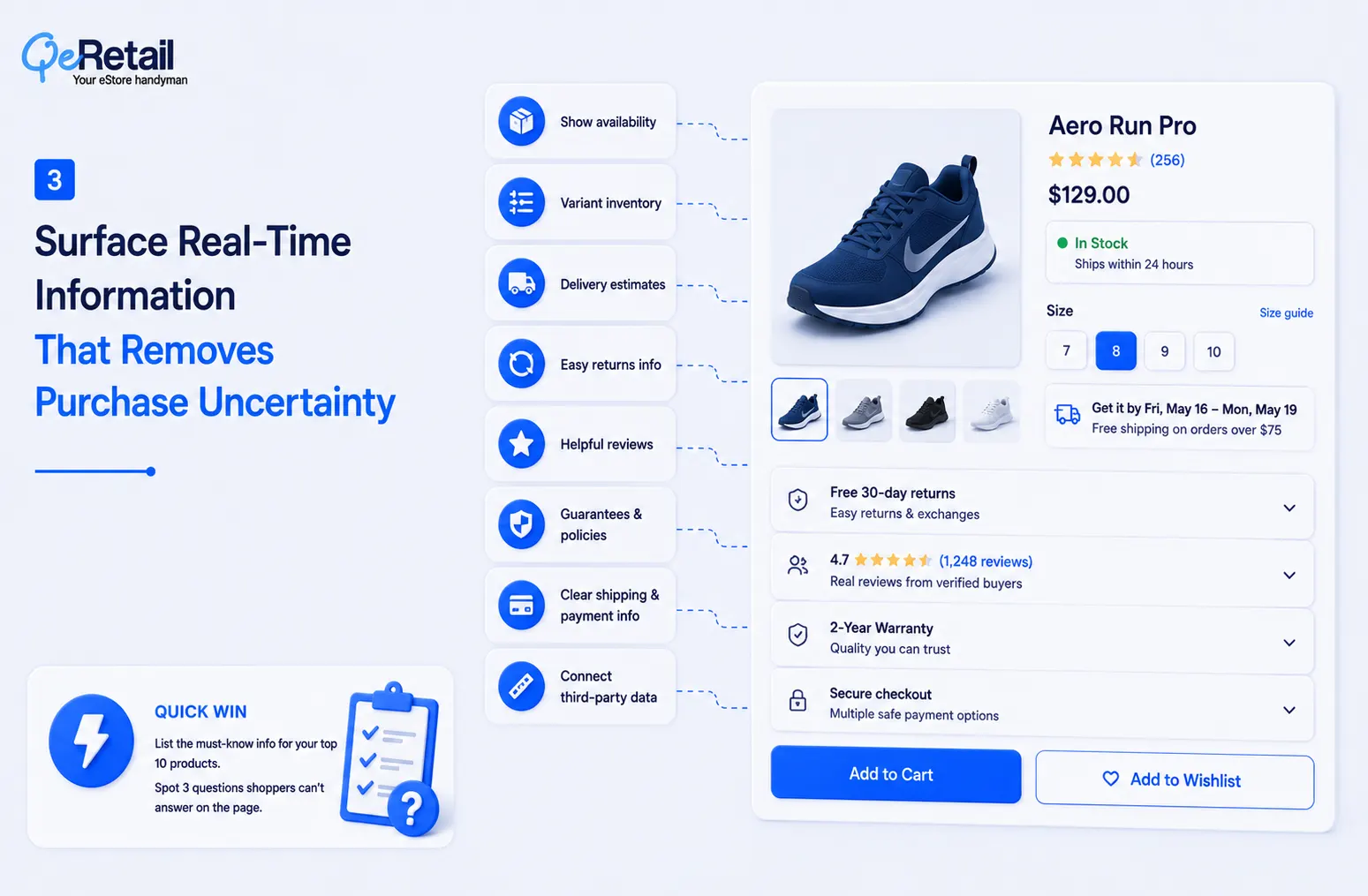
They may want to know whether a product is available, when it will arrive, whether a specific variant is in stock, or what happens if they need to return it.
Generic trust badges do not always address these concerns.
What Should Shopify Stores Do To Improve?
- Display accurate product availability
- Show variant-level inventory information where appropriate
- Provide relevant delivery estimates
- Make return information easy to access
- Surface useful customer reviews
- Display important product guarantees or policies
- Keep shipping and payment information clear
- Connect relevant third-party data with the storefront
Quick Wins:
Select your top ten products and list the information customers need before purchasing. Identify three questions that currently require shoppers to leave the product page or search elsewhere for an answer.
4. Shorten The Technical Path From Product Interest To Checkout
A customer can make a purchase decision quickly and still fail to complete the purchase because the store makes the next step unnecessarily difficult.
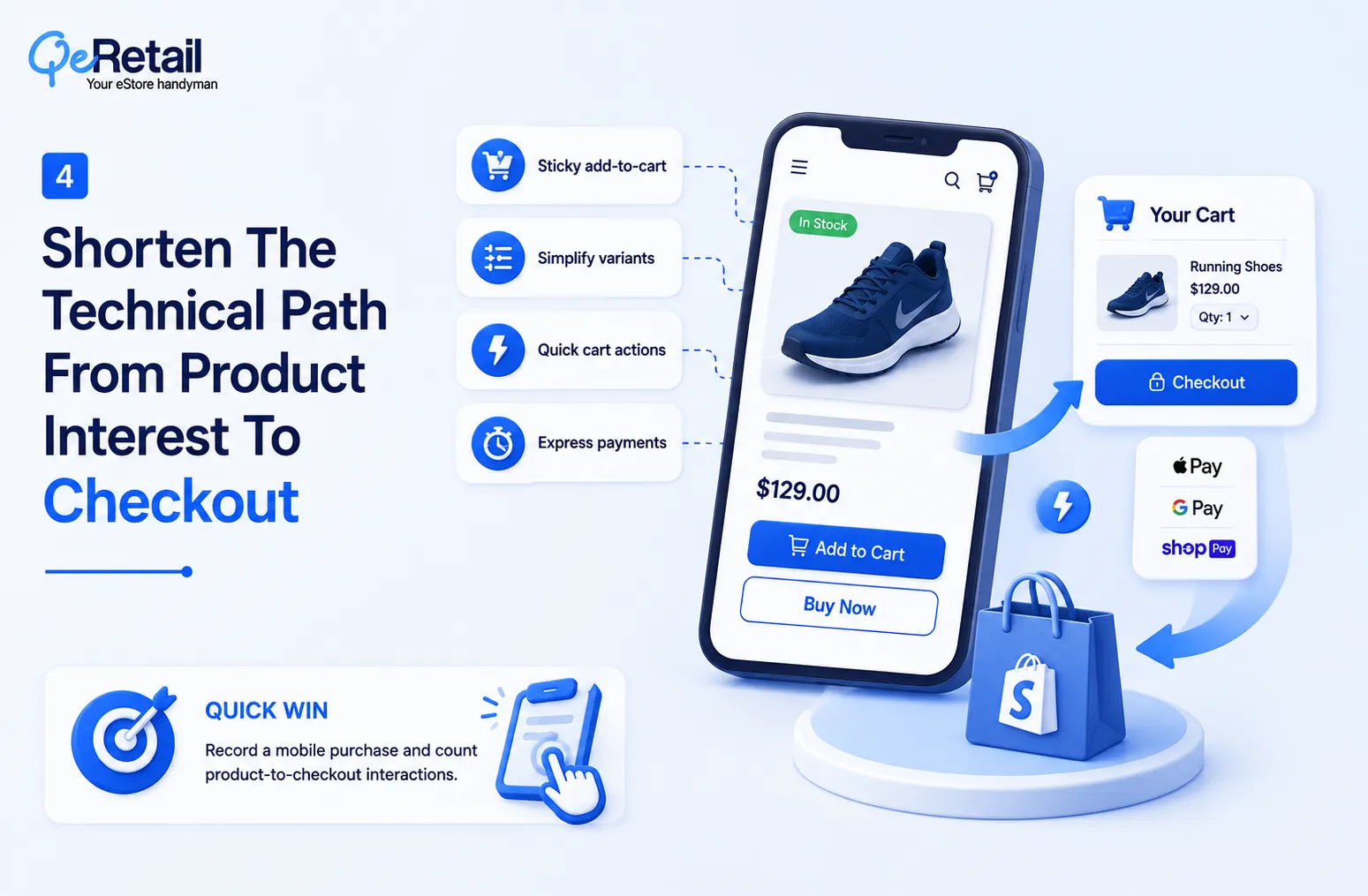
Every additional interaction between product interest and checkout can introduce another opportunity for distraction, confusion, or abandonment.
This is particularly important on mobile devices, where limited screen space and slower interactions can make complex purchasing flows more noticeable.
What Should Shopify Stores Do To Improve?
- Use sticky add-to-cart functionality where appropriate
- Simplify variant selection
- Optimize cart drawer interactions
- Provide quick-buy options for suitable products
- Support relevant express payment methods
- Reduce unnecessary checkout distractions
- Keep important purchase information visible
- Test cart and checkout interactions across devices
- Review Shopify checkout capabilities and extensibility options
Quick Wins:
Record yourself completing a purchase on your store from a mobile device. Count the interactions required from product selection to checkout and identify any step that does not directly contribute to completing the purchase.
5. Use Shopper Behaviour To Create More Relevant Experiences
Not every visitor has the same level of purchase intent. A first-time visitor browsing a category is different from a returning customer who has viewed the same product several times.
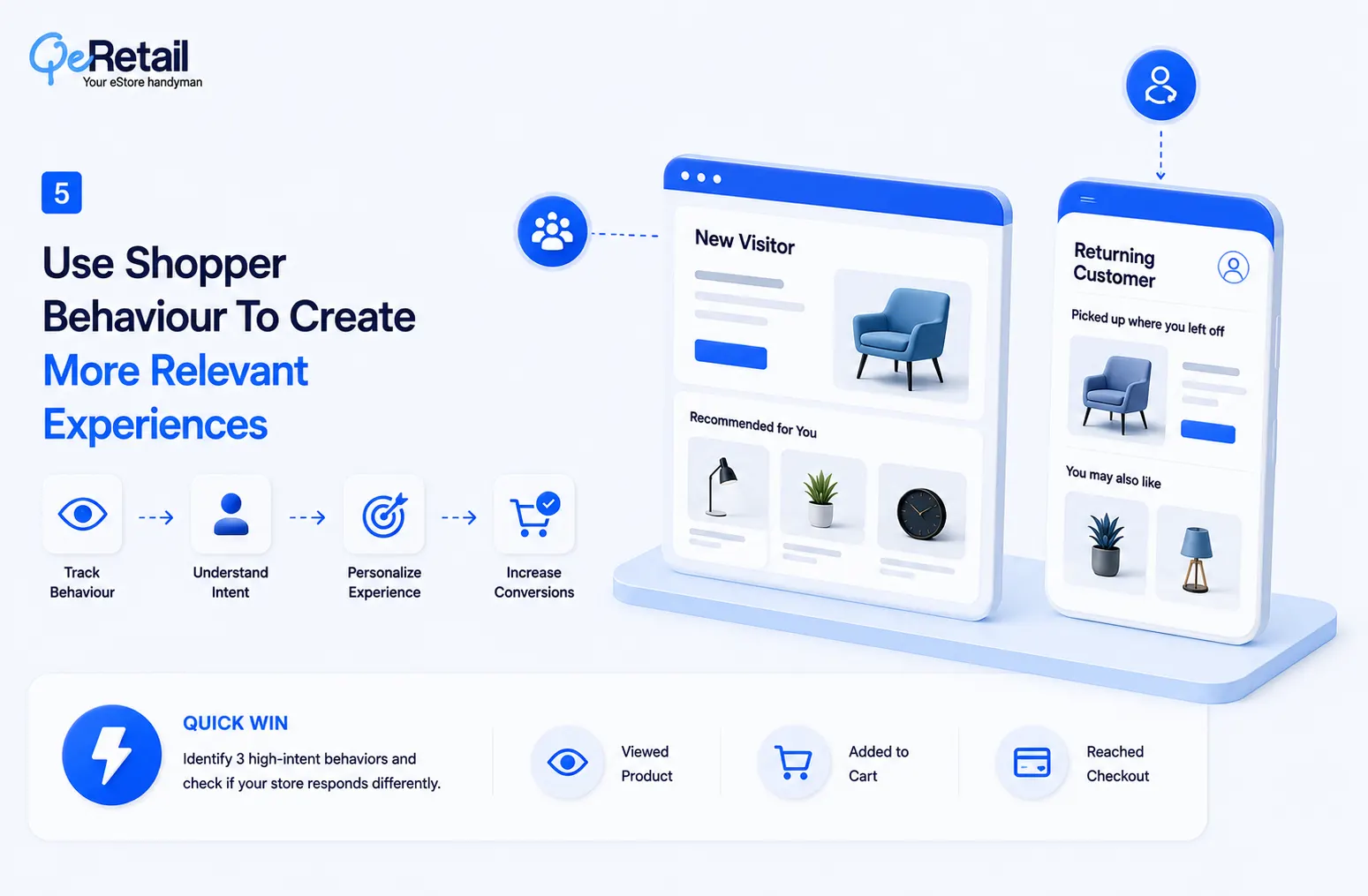
Treating both customers exactly the same can result in missed opportunities to provide more relevant information or recommendations.
McKinsey found that 71% of consumers expect personalized interactions, while 76% become frustrated when they do not receive them. Its research also found that companies achieving faster growth derive 40% more revenue from personalization than slower-growing companies.
What Should Shopify Stores Do To Improve?
- Track meaningful product interactions
- Monitor search and browsing behavior
- Identify repeated product views
- Analyze cart and checkout activity
- Segment new and returning customers
- Review product comparison behavior
- Personalize relevant recommendations
- Connect behavioral data with merchandising decisions
Quick Wins:
Identify three customer behaviors that could indicate strong purchase intent in your store. Check whether your current Shopify experience responds differently when those behaviors occur.
How QeRetail Helps Create Faster Shopify Shopping Experiences
QeRetail helps Shopify businesses identify and reduce decision-making friction across product discovery, storefront experience, customer interactions, and purchasing journeys.
1. Shopify UX And Conversion Optimization
We analyze shopping journeys to identify areas where navigation, product presentation, interactions, or purchasing flows may be making customers work harder than necessary.
2. Custom Shopify Storefront Development
Our team can build custom storefront experiences for product discovery, recommendations, interactive product selection, merchandising, and other requirements that standard themes may not fully support.
3. Product Discovery And Personalization
We help businesses improve search, filtering, recommendations, guided discovery, and customer experiences using relevant product and behavioral data.
4. Shopify API And Third-Party Integrations
We connect Shopify with inventory, shipping, reviews, analytics, customer-data platforms, and other business systems to create more connected shopping experiences.
5. Cart And Checkout Optimization
We improve the technical journey from product selection to purchase by reviewing cart interactions, mobile experiences, checkout friction, and relevant Shopify capabilities.
6. Performance And Technical Store Optimization
We identify technical issues that may affect storefront speed, interactions, usability, and the overall shopping experience across devices.

Conclusion
Customers do not always abandon a Shopify store because they are unwilling to buy.
Sometimes, the store simply asks them to do too much before they feel ready to make the decision.
Improving product information, discovery, personalization, trust signals, cart interactions, and checkout can reduce that unnecessary effort and help customers move through the buying journey more confidently.
QeRetail helps Shopify businesses identify these gaps and turn them into practical improvements through Shopify customization, UX optimization, integrations, and conversion-focused digital solutions.
Contact us to identify where your Shopify store may be slowing down customer decisions.
Frequently Asked Questions
How Can I Make Customers Decide Faster On My Shopify Store?
Does Personalization Help Customers Make Faster Purchase Decisions?
What Shopify Features Can Help Reduce Shopping Friction?
How Can I Identify Where Customers Are Hesitating On My Shopify Store?
Can Custom Shopify Development Help Customers Make Faster Purchase Decisions?
Table of Contents