Most Shopify stores convert very few of their visitors into buyers. They spend money on ads, customers land on the product page, and then leave. And this is not just about bad product photos and the description being copied straight from a competitor. There are many deeper issues that a Shopify store owner must fix to improve conversions.
In fact, the average Shopify store converts just 1.4% of product page visitors into buyers. And most owners blame the algorithm. All the while, the real problem is the page itself.
This guide shows you what is quietly costing you sales on your product pages, and the simple fixes that close the gap.
Key Action Points
- Mobile test: Check that your title, image, and Add to Cart button load instantly.
- Ditch supplier copy. Answer one question: “Why buy this now?”
- Expand visual proof. Mix studio photos with close-ups and lifestyle shots.
- Elevate trust signals. Move your review count and return policy above the fold.
- Use real urgency. Authentic stock limits and shipping cutoffs always beat fake countdowns.

What Is Shopify Product Page CRO?
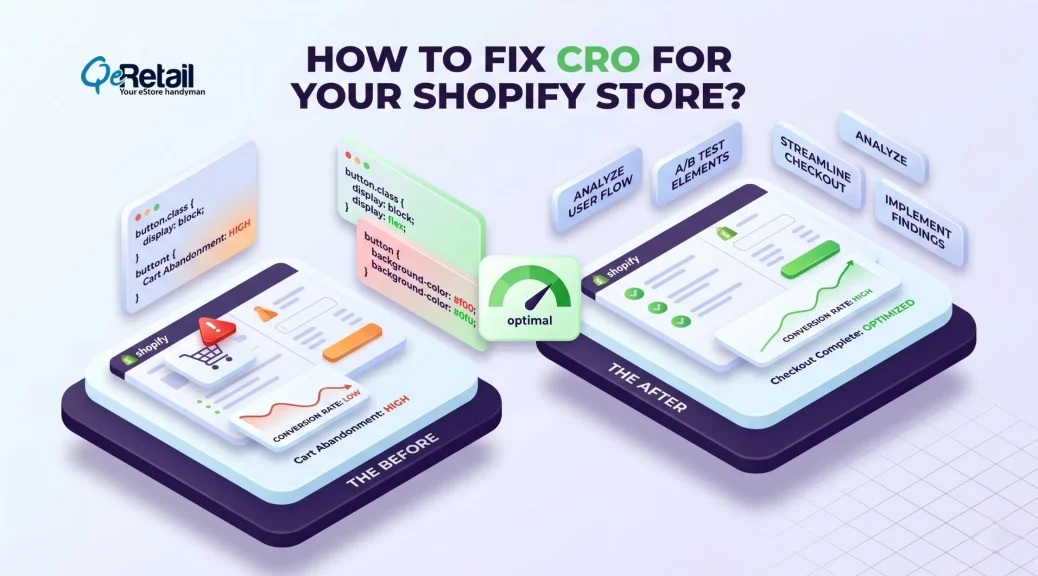
Shopify product page CRO is the process of improving every part of a product page. It helps increase conversions without spending more on ads. This process does not require a full redesign of your store. Rather, it focused on removing the small things that cause friction for customers while navigating to the cart or making purchases.
Why Most Shopify Stores Lose Sales on Product Pages?
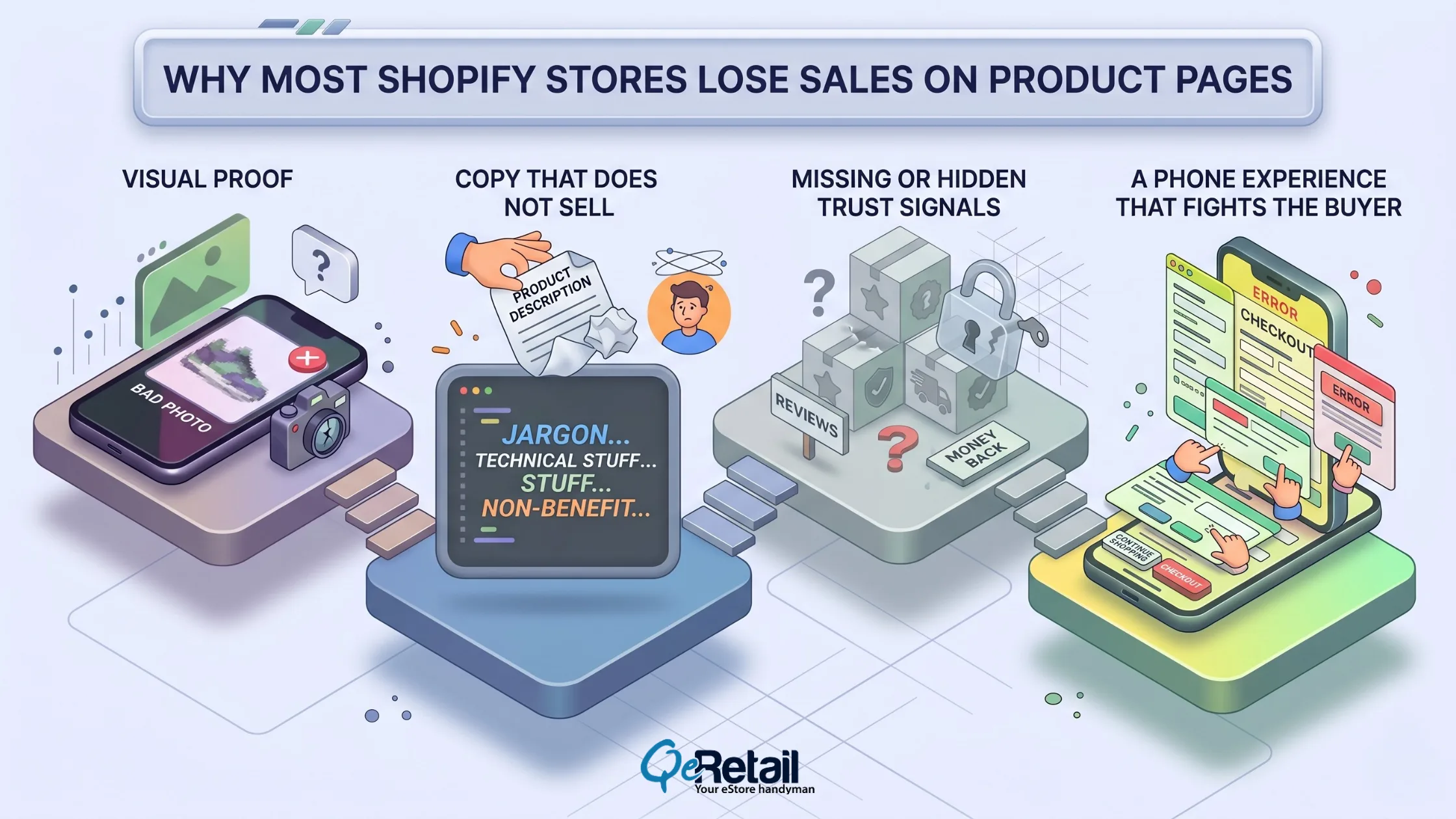
Most product pages fail at the same four spots. They suffer from weak visual proof, dull copy, zero trust signals, and a phone experience that makes buying feel like a chore.
1. Visual Proof
People buy with their eyes. For an expensive item, one flat photo is not enough. Show it from the front, the back, up close, and on a real person.
Expert Take: Video is worth adding once your store is doing real volume. A short clip lets a shopper see how the product moves and fits in ways static photos cannot duplicate.
2. Copy That Does Not Sell
Most Shopify descriptions are either a supplier spec sheet or a few lines of vague adjectives. Neither sells. “Moisture-wicking fabric” is a baseline fact. “Stays dry through a long run without rubbing your skin raw” is a compelling reason to buy.
Expert Take: Write for the shopper who is almost ready to buy. They do not need a hard sell. They need the one detail that clears up their last worry. Find that worry and answer it in the first line.
3. Missing or Hidden Trust Signals
A first-time buyer needs proof that your store is safe and your product is real. Reviews are the strongest proof you have. Yet most stores hide their reviews, returns, and security badges below the fold, where nobody sees them. According to the Baymard Institute (2023), hidden trust signals account for a massive percentage of mobile cart abandonment.
Expert Take: For first-time buyers, the number of reviews often matters more than the star rating. A product with a slightly lower rating but many reviews can beat one with a perfect rating but only a handful of reviews. People trust the crowd. Never hide your review count.
4. A Phone Experience That Fights the Buyer
Most of your shoppers are on their phones, but phones almost always convert worse than desktops. Your mobile product page has exactly one job. Show the title, price, main photo, a trust signal, and the Add to Cart button before the shopper scrolls.
Expert Take: The single biggest mobile fix most stores skip is the Add to Cart button. On a phone, it should be full-width, easy to see, and stuck to the bottom of the screen as they scroll. If a shopper has to hunt for it, they will not find it.
The 4-Layer Product Page Framework
High-converting Shopify product pages all share four layers. Drop one layer and your sales dip. Stack all four, and the page does the selling of your ad budget already paid for.
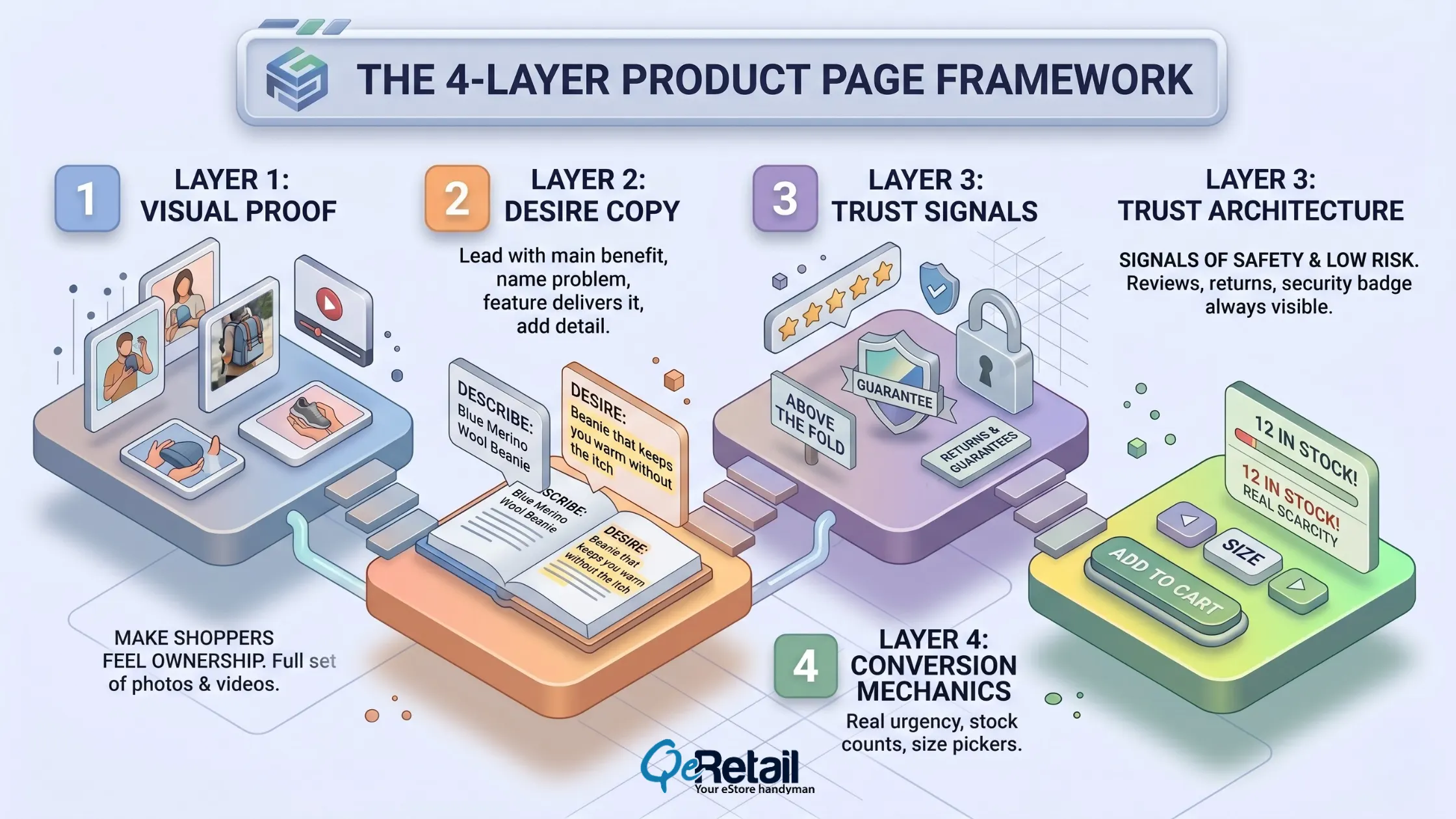
Layer 1: Visual Proof
Visual proof is the full set of photos and videos that makes a shopper feel as if they already own the product. The more your shopper can picture it in their hands, the closer they get to buying.
Expert Take: Customer photos build more trust than studio shots because they are obviously real. Put your best customer photo second or third in the gallery, not buried inside the reviews.
Layer 2: Desire Copy
Good copy does four things. It leads with the main benefit, names the problem it solves, points to the feature that delivers it, and adds one specific detail. “Blue Merino Wool Beanie” just describes. “The beanie that keeps you warm without the itch” makes someone want it.
Expert Take: Your product title should make someone want the product, not just file it in a category. Keep it short and lead with the benefit word.
Layer 3: Trust Architecture
Trust is the set of signals that tells a first-time buyer your store is safe and the risk is low. Reviews, returns, and a security badge should never be hidden below the fold.
Expert Take: Wishy-washy trust signals kill trust. Your return policy line should be clear and unconditional. “30-day free returns. No questions.” Put the fine print in a pop-up. The headline stays clean.
Layer 4: Conversion Mechanics
Conversion mechanics are the parts that nudge a shopper from “maybe” to “buy now.” This includes real urgency, stock counts, size pickers, and a strong Add to Cart button. Real scarcity helps. Fake urgency makes you look untrustworthy.
Expert Take: “Only a few left” beats “Sale ends Sunday” because a shopper can actually believe it. No low stock? Use a real shipping deadline instead, like “Order in the next 3 hours for delivery by Thursday.” Keep it honest.
Quick Wins: Fixes You Can Ship This Week
Execute these five fixes without a developer. Run all five on your top products and check your Add to Cart rate after a week.
1. Fix the top of your mobile page. Make sure the title, photo, price, review count, and Add to Cart button are all visible before scrolling.
2. Add a short “Why this” box between the price and the Add to Cart button using lines pulled from a real 5-star review.
3. Shrink every image on your top products so the page loads fast on a phone.
4. Add a one-line return promise right next to the Add to Cart button. “30-day free returns. No questions.”
5. Move your review count directly under the product title, above the price.
Stop Patching. Start Converting.
Most stores treat product page CRO like a quick coat of paint. That is simply patching. It gives a small bump that fades the moment a competitor makes a real change.
The stores that pull ahead do not have better products or better traffic. They have a system. They deploy photos that remove doubt, copy that creates want, trust that lowers risk, and mechanics that speed up the decision. Even a small lift in your conversion rate means more buyers every month from traffic you already pay for.

Frequently Asked Questions
What Is a Good Shopify Product Page Conversion Rate?
A good rate depends heavily on what you sell. Apparel, beauty, and home goods all behave differently. The honest answer is to benchmark against your own past performance and aim for steady improvement rather than chase a single industry number.
How Many Product Images Does a Shopify Product Page Need?
Use a full set rather than one or two. A strong set covers a main photo, a real-life shot, a close-up detail, a size reference, the packaging, and at least one customer photo. More angles help a shopper picture owning it.
Does Page Speed Affect Shopify Product Page Conversions?
Yes. A slow page loses sales because shoppers leave before the page even loads. The most common causes are oversized images, too many third-party apps, and heavy video files. Compress your images first.
How Do I Add Urgency to a Shopify Product Page Without Hurting Trust?
Only use urgency that you can back up. Real stock counts are shown when stock is genuinely low, or real shipping deadlines tied to your actual cut-off times work best. Fake timers like “12 people are viewing this” actively hurt your credibility.
How Long Does It Take to See Results from Shopify Product Page Cro?
The quick wins (mobile layout, smaller images, a trust bar, a return promise, review placement) usually show results within a week or two. Bigger A/B tests take several weeks to yield reliable numbers.
Table of Contents