If your Shopify store gets most of its traffic from mobile, that number is not abstract. It is sitting inside your product pages, cart drawer, coupon field, shipping message, payment options, and slow-loading image stack.
Most store owners respond by changing the homepage, buying a new theme, or adding another app. That feels productive, but it often misses the real mobile drop-off points. Mobile shoppers do not abandon because the site is ugly. They abandon because the next step feels slow, unclear, risky, or too much work.
This guide shows how to run a mobile site audit that can pay for itself in 30 days by finding the revenue leaks closest to purchase.
Key Action Points:
- Check mobile speed on product, collection, cart, and checkout paths.
- Track tap depth from the landing page to the add-to-cart.
- Fix the five trust gaps that appear before checkout.
- Prioritize checkout friction before homepage redesigns.
- Score audit findings by revenue impact, not visual preference.
- Retest the same mobile journey after 30 days.

What is a Mobile Site Audit?
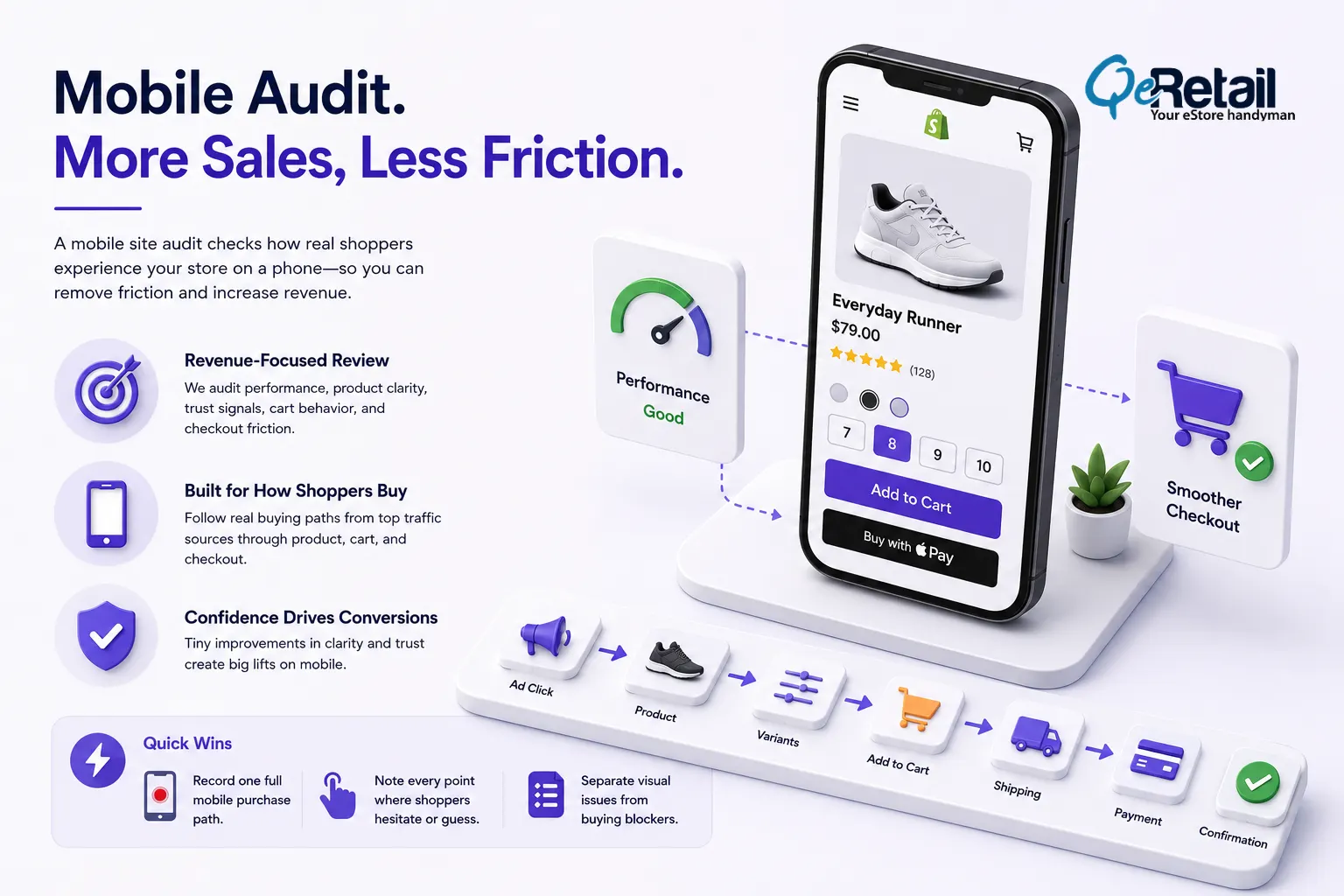
A mobile site audit is a revenue-focused review of how shoppers move through your store on a phone. It checks performance, navigation, product clarity, trust signals, cart behavior, checkout friction, and recovery paths.
For Shopify stores, this matters because mobile is usually where discovery happens first. Paid social, email, SMS, influencer links, Google Shopping, and organic search all send shoppers into a tiny screen with limited patience.
It is not a theme review.
A theme review asks, “Does this look good?” A mobile site audit asks, “Can a shopper buy without friction?” Those are different questions.
For Shopify stores, the audit should follow live buying paths. Start from your top traffic sources, then test the product page, variant selection, add-to-cart action, cart drawer, shipping estimate, discount field, payment selection, and confirmation confidence.
Expert Take:
A prettier mobile page can still lose sales if the size selector is hard to tap or the delivery promise appears too late. Mobile conversion is usually won through tiny gains in confidence, not by a single dramatic redesign.
Quick Wins:
- Record one full mobile purchase path from ad click to payment step.
- Note every point where a shopper must pinch, scroll back, wait, retype, or guess.
- Separate visual issues from buying-blocker issues.
Why Most Shopify Stores Miss Mobile Revenue Leaks?
Most Shopify stores miss mobile revenue leaks because the audit starts from the wrong place. Teams look at the homepage first, then the brand colors, then app popups. Meanwhile, shoppers are dropping inside product selection, cart review, shipping cost reveal, and payment confidence.
Large ecommerce sites could increase their conversion rate by 35.26% through better checkout design focused solely on solvable usability issues.
They confuse traffic quality with mobile friction.
It is easy to blame paid social traffic. Sometimes that is fair. But if users are reaching product pages, opening variant selectors, adding items, or starting checkout, intent exists. The store is creating resistance somewhere after the click.
If you are trying to reduce Shopify customer acquisition cost, you do not only need cheaper clicks. You need fewer wasted clicks after they arrive.
Expert Take:
CAC does not rise solely because ads become more expensive. CAC rises when mobile sessions fail to convert after you have already paid for them. A mobile audit is a CAC control system.
Quick Wins:
- Review paid mobile landing pages separately from organic mobile pages.
- Compare the add-to-cart rate by campaign, not just conversion rate.
- Pause creative judgment until the post-click path has been tested.
The 5-Step 30-Day Mobile Audit Framework
A 30-day audit works because it forces prioritization. You are not rebuilding the entire store. You are finding the highest-value leaks, fixing the easiest revenue blockers, and measuring whether those fixes changed behavior.
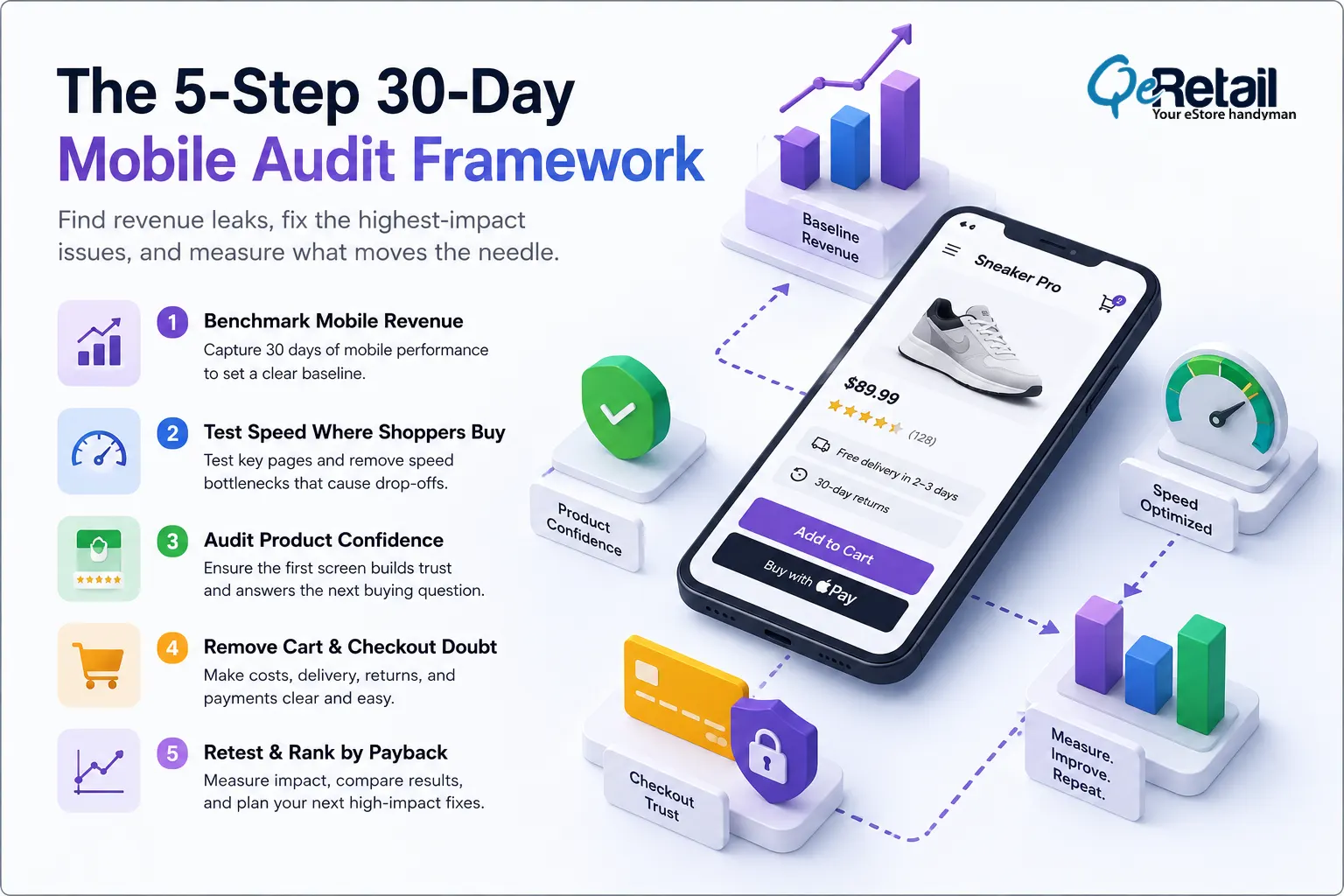
Step 1: Benchmark mobile revenue before touching the site
Spend the first two days pulling a clean baseline. Track mobile sessions, conversion rate, add-to-cart rate, checkout reached rate, checkout completed rate, AOV, and revenue per mobile session.
If mobile produces $12,000 per month and the audit lifts mobile revenue by 10%, that is $1,200 in monthly recovered revenue. The audit does not need a miracle to pay for itself.
Expert Take:
The biggest mistake is starting with fixes before a baseline. Without the baseline, every change becomes a debate. With it, the numbers make the argument for you.
Quick Wins:
- Pull 30 days of mobile performance data.
- Document the current mobile conversion rate and revenue per session.
- Pick one primary metric before changing anything.
Step 2: Test speed where shoppers actually buy
Google has reported that 53% of mobile site visits are abandoned if pages take longer than 3 seconds to load.
Do not test only the homepage. Test the product page, best-selling collection, cart, and any landing page used in paid campaigns. Heavy images, review scripts, quiz tools, bundles, loyalty widgets, and popups often create mobile drag where revenue is closest.
A fast homepage with a slow product page is not a fast store. The product page is where mobile shoppers decide whether the wait was worth it.
Quick Wins:
- Run PageSpeed Insights on the top product and collection URLs.
- Compress oversized product images before changing layout.
- Remove unused app scripts from high-value mobile pages.
Step 3: Audit product confidence above the fold
On mobile, the first screen has one job: make the shopper confident enough to continue. It should show the product, price, primary benefit, proof of reviews, variant clarity, delivery promise, and the add-to-cart path without making the shopper work.
Weak product confidence often comes from missing size guidance, unclear images, no delivery timeline, buried returns policy, vague descriptions, or reviews that load too far below the CTA.
Expert Take:
Above the fold does not mean cramming everything into the first screen. It means the first screen must answer the next buying question.
Quick Wins:
- Put the core product promise near the title.
- Move reviews, delivery, and returns cues closer to the CTA.
- Test variant selection with one thumb on a real phone.
Step 4: Remove cart and checkout doubt
The cart is where interest becomes risk. Shoppers start by checking shipping costs, delivery times, return policies, discount eligibility, payment options, and total costs. If any of those feel unclear, the shopper slows down.
Baymard found that 18% of US online shoppers have abandoned an order because checkout was too long or complicated. Shopify gives you a strong checkout base, but the surrounding cart experience still matters.
Expert Take:
The cart is not just a holding area. It is a trust checkpoint. If the cart drawer hides costs or next steps, checkout inherits the doubt.
Quick Wins:
- Show shipping threshold, returns, and delivery timing in the cart.
- Test Shop Pay, Apple Pay, Google Pay, and card flows on mobile.
- Remove discount-code anxiety if codes are not central to your offer.
Step 5: Retest and rank fixes by payback
In the final week, retest the same mobile journeys. Compare the before and after numbers for the pages you changed. Do not judge the audit by how many issues were found. Judge it by how quickly the highest-impact issues moved.
Expert Take:
The 30-day payback comes from sequencing. Fix the leaks closest to checkout first, then work backward into product discovery and funnel content.
Quick Wins:
- Re-run the original audit path after fixes go live.
- Compare 7-day and 30-day mobile performance.
- Build the next sprint from unfixed high-impact issues.

Stop Guessing at Mobile UX. Start Fixing Revenue Leaks.
Most Shopify stores treat mobile audits like design feedback. That is why they end up with better-looking pages but the same conversion problem.
A useful mobile site audit starts with the money path. It asks where shoppers hesitate, where they lose confidence, where the page slows down, and where the next step feels harder than it should. Then it fixes those moments in the order most likely to recover revenue within 30 days.
QeRetail helps Shopify store owners audit mobile buying paths, prioritize conversion fixes, and turn traffic into cleaner revenue.
Book a free consultation, and we will review the mobile journey most likely to pay back first.
Frequently Asked Questions
What Is Included in a Mobile Site Audit for Shopify?
A mobile site audit usually reviews 6 areas: speed, navigation, product page clarity, cart behavior, checkout path, and analytics tracking. For Shopify stores, the audit should include at least 3 live buying journeys, not just screenshots.
How Much Revenue Can a Mobile Audit Recover?
The answer depends on traffic and the current conversion rate. If mobile revenue is $20,000 per month, a 5% lift creates $1,000 in extra monthly revenue. Smaller stores should plan around small, fast wins first.
How Long Does a Mobile Site Audit Take?
A focused Shopify mobile audit can be completed in 7-10 days, but the payback window should be measured over 30 days. Use the first week for baseline and testing, the next two weeks for fixes, and the fourth week for retesting.
Which Shopify Pages Should Be Audited First?
Start with the pages closest to revenue: top product pages, best-selling collection pages, cart, and checkout path. If you run paid campaigns, audit the top 3 mobile landing pages by spend.
Can a Small Shopify Team Run This Audit?
Yes. A small team can run a useful audit with Shopify analytics, GA4, PageSpeed Insights, screen recordings, and real-phone testing. Keep the first sprint to 10-15 findings, then fix the top 3.
Table of Contents