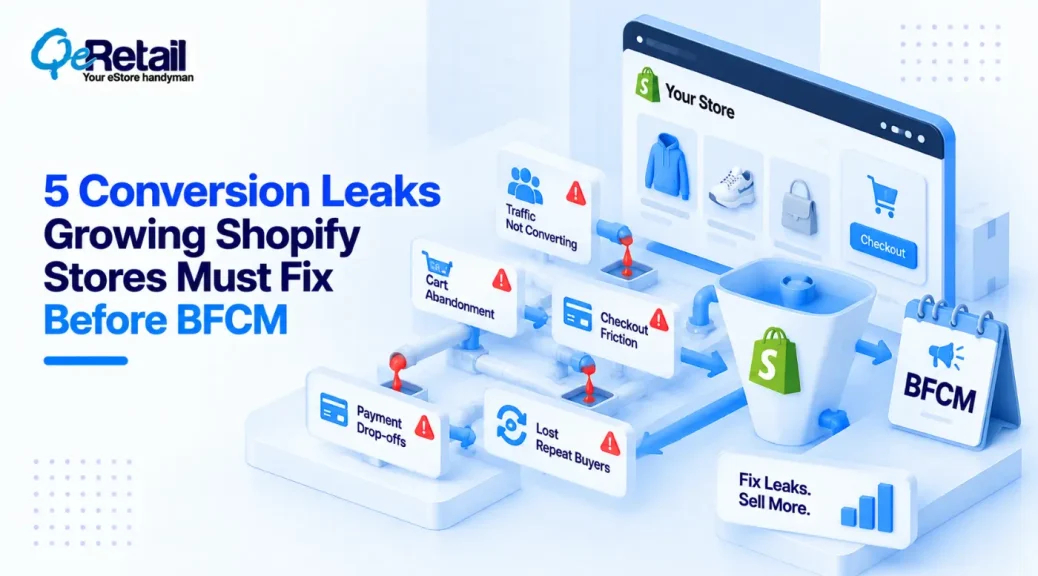
For a Shopify store approaching or exceeding $100K in revenue, BFCM creates a very different challenge from simply generating more traffic.
The store may already have products that sell, campaigns that attract customers, and enough demand to produce meaningful revenue. The bigger question is whether the existing storefront, checkout, merchandising, and operational setup can convert additional BFCM traffic efficiently.
This becomes particularly important when paid acquisition is already a significant part of the growth strategy.
For a growing Shopify store, simply increasing ad spend can therefore amplify existing weaknesses.
A slow product page, unclear promotion, poor mobile experience, weak search, complicated cart logic, or checkout issues do not become less important when more people arrive. It becomes more expensive.
Shopify merchants generated $14.6 billion during BFCM 2025, up 27% from the previous year, with more than 81 million customers purchasing from Shopify-powered businesses.

Key Action Points Summary
- Audit conversion leakage before increasing BFCM advertising spend
- Identify product, cart, checkout, and mobile friction before peak traffic arrives
- Make promotional pricing and discount logic predictable across the customer journey
- Improve product discovery so paid visitors reach relevant products faster
- Review mobile performance separately from desktop performance
- Test cart and checkout behaviour under realistic BFCM conditions
- Check inventory, product data, shipping, and fulfillment dependencies before campaigns launch
- Measure landing-page and product-level performance instead of relying only on store-wide conversion rate
- Remove unnecessary apps, scripts, and storefront functionality that can create performance or compatibility issues
- Use technical Shopify improvements to increase the value of traffic before buying more of it
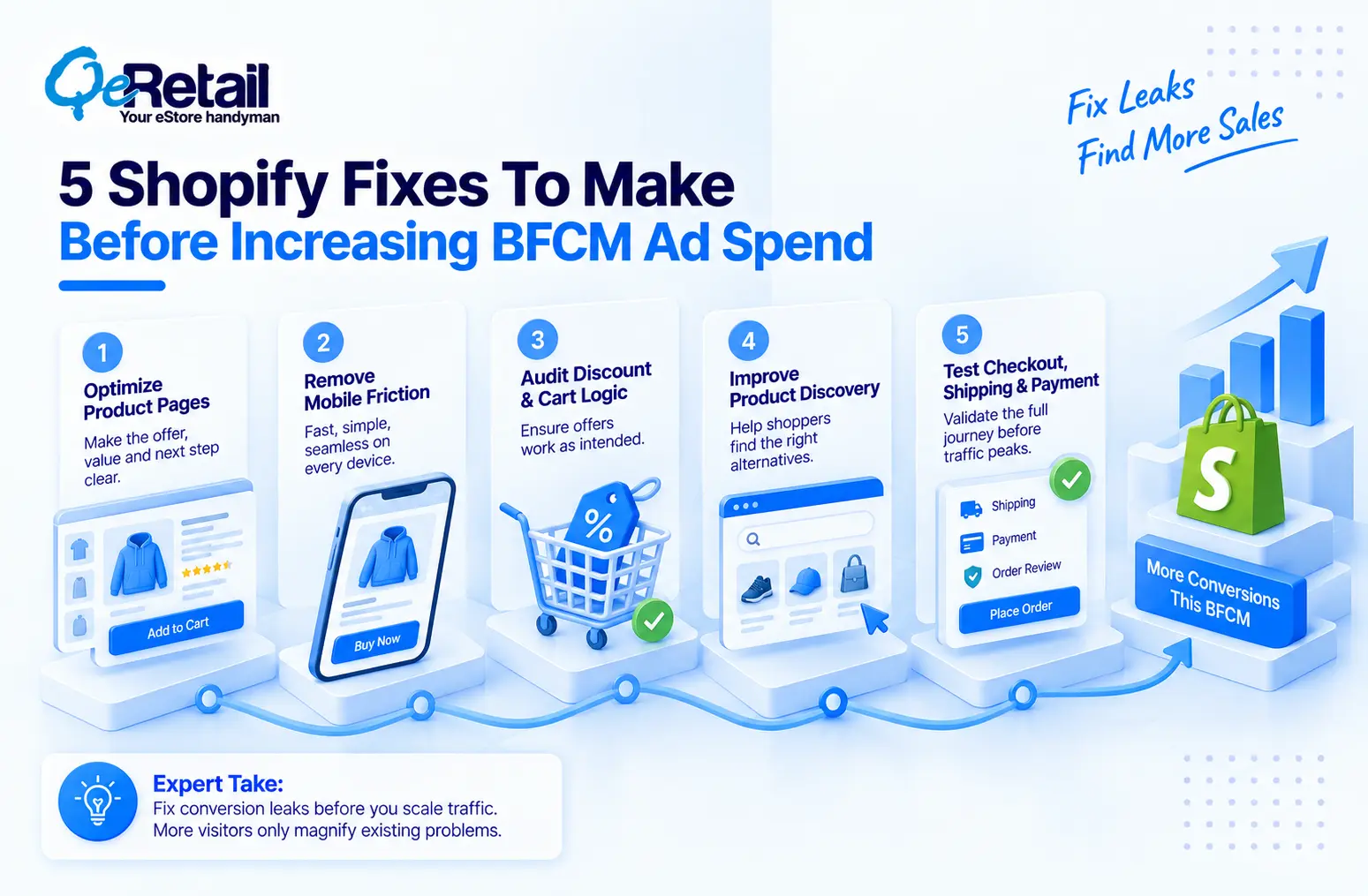
5 Shopify Fixes To Make Before Increasing BFCM Ad Spend
BFCM traffic can expose problems that remain hidden during ordinary trading periods.
A store might perform adequately with its usual traffic volume but struggle when more shoppers arrive through paid campaigns, land on different product pages, use mobile devices, apply discounts, or move through unfamiliar checkout paths.
The following five fixes focus on revenue leakage before acquisition scale.
1. Fix Product Pages Before Sending More Paid Traffic
Paid campaigns often send customers directly to product or collection pages rather than the homepage.
That means a product page can become the first and most important conversion environment for a BFCM shopper.
If product information is incomplete, promotional messaging is unclear, variant selection is difficult, or important buying information is buried, additional ad traffic may simply increase the number of visitors who leave without purchasing.
What Should Shopify Stores Do To Improve?
- Review the landing pages used by BFCM campaigns
- Make pricing and promotional benefits immediately understandable
- Improve product information above and below the fold
- Make variant selection clear on mobile devices
- Connect product-page messaging with the corresponding ad promise
Quick Win:
Take the ten product URLs receiving the highest planned BFCM ad traffic and evaluate them as landing pages rather than ordinary product pages. Check whether a new visitor can understand the product, offer, price, availability, and next action without navigating elsewhere.
2. Remove Mobile Friction Before Traffic Peaks
A BFCM campaign can generate significant mobile traffic, making mobile performance a commercial issue rather than simply a design consideration.
For Shopify stores, mobile friction can appear through oversized media, excessive app scripts, difficult variant selectors, intrusive promotional elements, slow collection pages, or checkout interactions that are harder to complete on smaller screens.
What Should Shopify Stores Do To Improve?
- Test BFCM landing pages on real mobile devices
- Review image and script loading behaviour
- Remove unnecessary storefront elements
- Test product and variant selection on smaller screens
- Check cart and checkout interactions from mobile traffic
Quick Win:
Run the complete path from a BFCM advertisement to purchase on three different mobile devices. Record every unnecessary tap, delay, layout shift, or interaction that makes the purchase harder than it needs to be.
3. Audit Discount And Cart Logic Before The Promotion Goes Live
BFCM promotions often introduce more complexity into the cart than ordinary sales.
Automatic discounts, discount codes, bundles, free-shipping thresholds, volume offers, product exclusions, and multiple promotional conditions can interact in unexpected ways.
The risk is not only an incorrect discount. Conflicting rules can create unexpected prices, unavailable offers, margin leakage, or a customer experience that does not match the campaign promise.
What Should Shopify Stores Do To Improve?
- Document every active BFCM promotion
- Test discount combinations before launch
- Define product and collection exclusions clearly
- Test minimum-spend and free-shipping thresholds
- Verify cart behaviour across mixed-product orders
Quick Win:
Create a BFCM test matrix containing your five most important promotional scenarios. Include single-product carts, mixed carts, discounted products, excluded products, and threshold-based offers, then verify the expected outcome before campaigns begin.
4. Make Product Discovery Work Harder For Paid Visitors
Not every customer arriving from a BFCM advertisement will purchase the exact product shown in the campaign.
Some shoppers will browse alternatives, compare products, look for different sizes or variants, or explore related categories before making a decision.
If search, filtering, collection structure, recommendations, or merchandising are weak, paid traffic can become trapped on the original landing page instead of progressing toward another relevant product.
What Should Shopify Stores Do To Improve?
- Review internal search performance before BFCM
- Improve collection filters and sorting
- Surface relevant alternatives for unavailable products
- Create logical cross-sell and complementary-product paths
- Merchandise high-priority products according to campaign demand
Quick Win:
For each major BFCM campaign, define three alternative products a customer should see if the advertised product is unavailable, unsuitable, or not purchased. Make sure those alternatives are reachable without forcing the customer back through the main navigation.
5. Test Checkout, Shipping, And Payment Under BFCM Conditions
A store can have an effective ad campaign and a strong product page yet still lose revenue during checkout.
BFCM changes the conditions under which checkout operates. Higher order volumes, promotional rules, shipping thresholds, inventory changes, payment-method conditions, and mixed carts can create scenarios that ordinary testing may not reveal.
The important question for an individual store is not whether Shopify can handle BFCM traffic. It is whether the store’s own configuration, apps, integrations, and checkout logic have been tested for the conditions BFCM creates.
What Should Shopify Stores Do To Improve?
- Test checkout with active BFCM discounts
- Verify shipping rates across important destinations
- Test multiple payment methods
- Check inventory behaviour for low-stock products
- Test mixed carts and threshold-based offers
Quick Win:
Create complete test orders covering your highest-value BFCM scenarios. Test discount application, shipping, payment, inventory, confirmation, and fulfillment data from beginning to end rather than validating each component separately.
Technical BFCM Checks For Growing Shopify Stores
At the $100K revenue level, BFCM preparation should move beyond changing banners and increasing ad budgets.
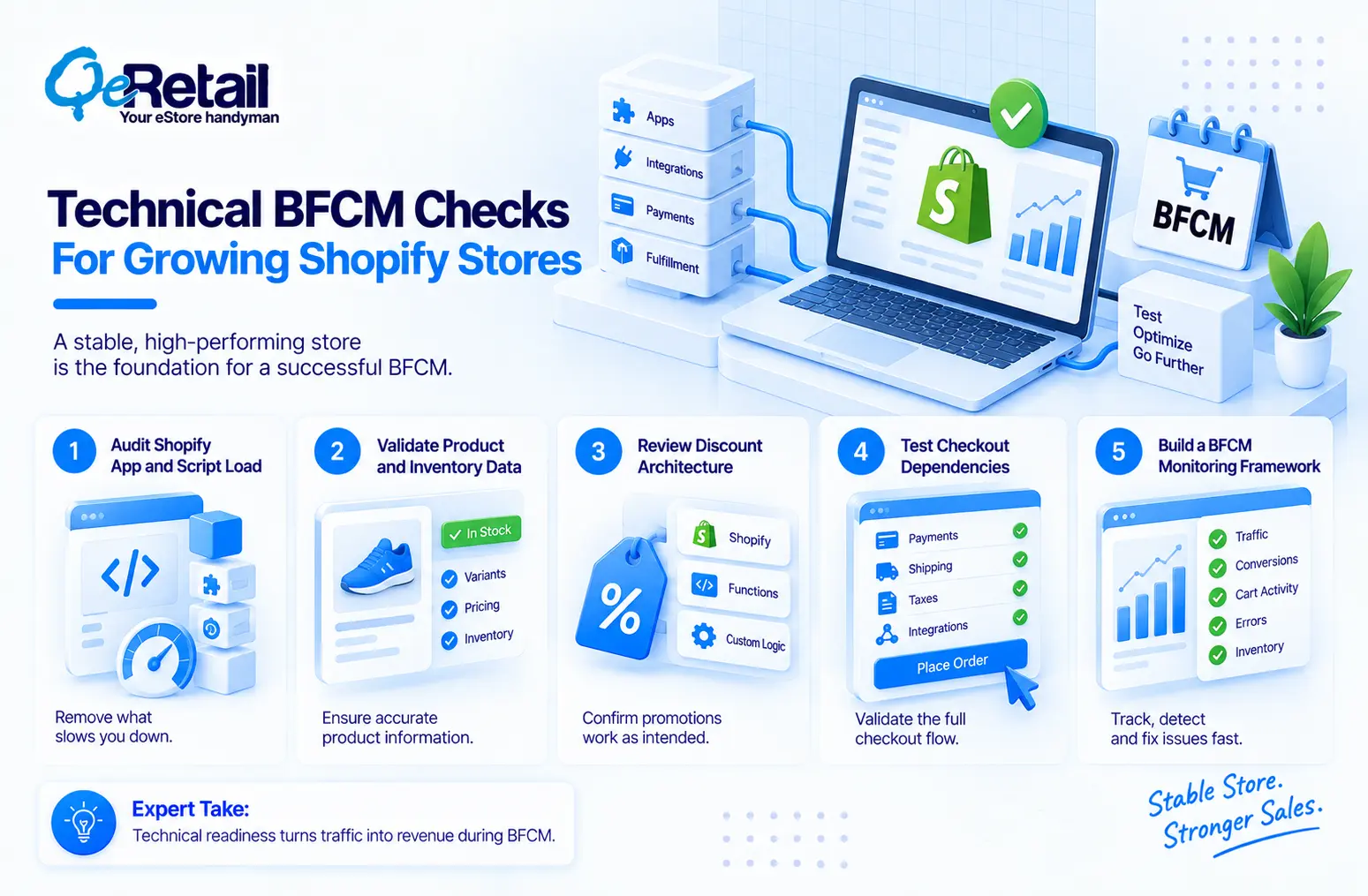
The storefront is often connected to multiple apps, analytics platforms, payment systems, inventory sources, fulfillment tools, and marketing integrations.
Each additional dependency can introduce another point that deserves testing.
#1. Audit Shopify App And Script Load
Review unnecessary apps, third-party scripts, tracking tools, and storefront dependencies that can affect page performance or create conflicts during promotional periods.
#2. Validate Product And Inventory Data
Check product availability, variants, pricing, inventory quantities, product feeds, and merchandising data before advertising campaigns send additional traffic.
#3. Review Discount Architecture
Determine whether promotions can be handled through standard Shopify functionality or whether Shopify Functions, custom logic, or application integrations are required for more complex conditions.
#4. Test Checkout Dependencies
Review payment methods, shipping rates, tax behaviour, checkout extensions, and external integrations under the actual conditions expected during BFCM.
#5. Build A BFCM Monitoring Framework
Track landing-page performance, conversion rates, cart behaviour, checkout errors, inventory conditions, and campaign traffic so technical problems can be identified while the event is active.
How QeRetail Helps Shopify Stores Prepare For BFCM?
QeRetail helps growing Shopify businesses identify and address technical, storefront, and conversion issues before high-demand sales periods.
#1. Shopify Store Performance Optimization
We analyze storefront performance, scripts, applications, and technical dependencies that may affect page speed and customer experience during high-traffic campaigns.
#2. Shopify Conversion Optimization
We identify friction across product pages, collections, carts, and checkout journeys and implement improvements based on actual customer behaviour.
#3. Custom Shopify Development
We build custom storefront functionality, business rules, and Shopify extensions when standard configurations cannot support the required BFCM experience.
#4. Discount And Promotion Logic
We help implement and test complex promotional requirements involving products, collections, customer conditions, cart values, and other business rules.
#5. Shopify API And Third-Party Integrations
We connect Shopify with marketing, inventory, payment, fulfillment, analytics, and other external systems where campaign performance depends on synchronized data.
#6. BFCM Testing And Technical Audits
We test critical customer journeys and technical dependencies before launch to identify issues that could affect conversion, checkout, inventory, or campaign performance.

Conclusion
For a Shopify store approaching the $100K revenue mark, BFCM can create an important opportunity to scale demand. But the decision to increase advertising spend should come after examining whether the existing store can convert that additional traffic efficiently.
The right approach is therefore to treat BFCM preparation as a revenue-leakage exercise, not only a marketing exercise. Fix the customer journey first, then determine where additional acquisition investment can create incremental value.
QeRetail helps Shopify businesses prepare for high-demand periods through storefront optimization, custom development, integrations, technical audits, and conversion-focused Shopify solutions.
Contact us to identify the technical and conversion improvements your Shopify store should address before increasing BFCM ad spend.
Frequently Asked Questions
Should A $100K Shopify Store Increase Ad Spend During BFCM?
What Should Shopify Stores Fix Before BFCM Ads Start?
How Can I Tell If My Shopify Store Is Ready For More BFCM Traffic?
Can Shopify Apps Affect BFCM Store Performance?
Can Custom Shopify Development Improve BFCM Performance?
Table of Contents