
Shopify BFCM Margin Calculator [Part 2]: How to Set Your Final Discount
Many Shopify store owners take the top discount from a margin calculator and put it straight on their sale banner. But that number only holds if three costs stay the same: what you pay to win a new customer, how many orders get returned, and what shipping costs you.
In Part 1 of this margin calculator series, a $100 product made $28.96 profit per order and could take a discount of up to 34%. That 34% is the product’s safe discount: the biggest cut you can give before an order stops making money. Raise those three costs a little, and the safe discount on the same product drops to about 11%. At that point, a 20% off code loses money on every order.
This guide covers five things that change your safe discount before Black Friday on Nov 27: ad costs, returns, shipping, product cost, and repeat buyers. You also get a simple countdown to follow.
Key Action Points:
- Track what you pay to win a new customer, not your average across all orders.
- Check every product on its own and give each one its own discount limit.
- Factor in returns and free shipping before you pick a discount.
- Try gifts, spend tiers, and bundles before you cut prices deeper.
- Set a stop point for each discount and check it daily from Nov 27.

Why Can the Same $100 Product Have a 34% or an 11% Safe Discount?
Same price. Same product cost. The difference is what it costs your store to sell it. Each cost on its own takes a few points off your safe discount. Together, they add up fast.
| What changed | Safe discount |
| Part 1 numbers | 34.0% |
| Cost to win a new customer rises to $25 | 22.3% |
| Returns rise to 20% | 29.1% |
| Shipping rises to $9 | 29.3% |
| All three at once | 10.9% |
None of these looks scary alone. Together, they leave you about 11 points of room.
How Do Rising Ad Costs During BFCM Change Your Safe Discount?
Ad prices climb every BFCM, so each new customer costs more to win. Most dashboards hide this.
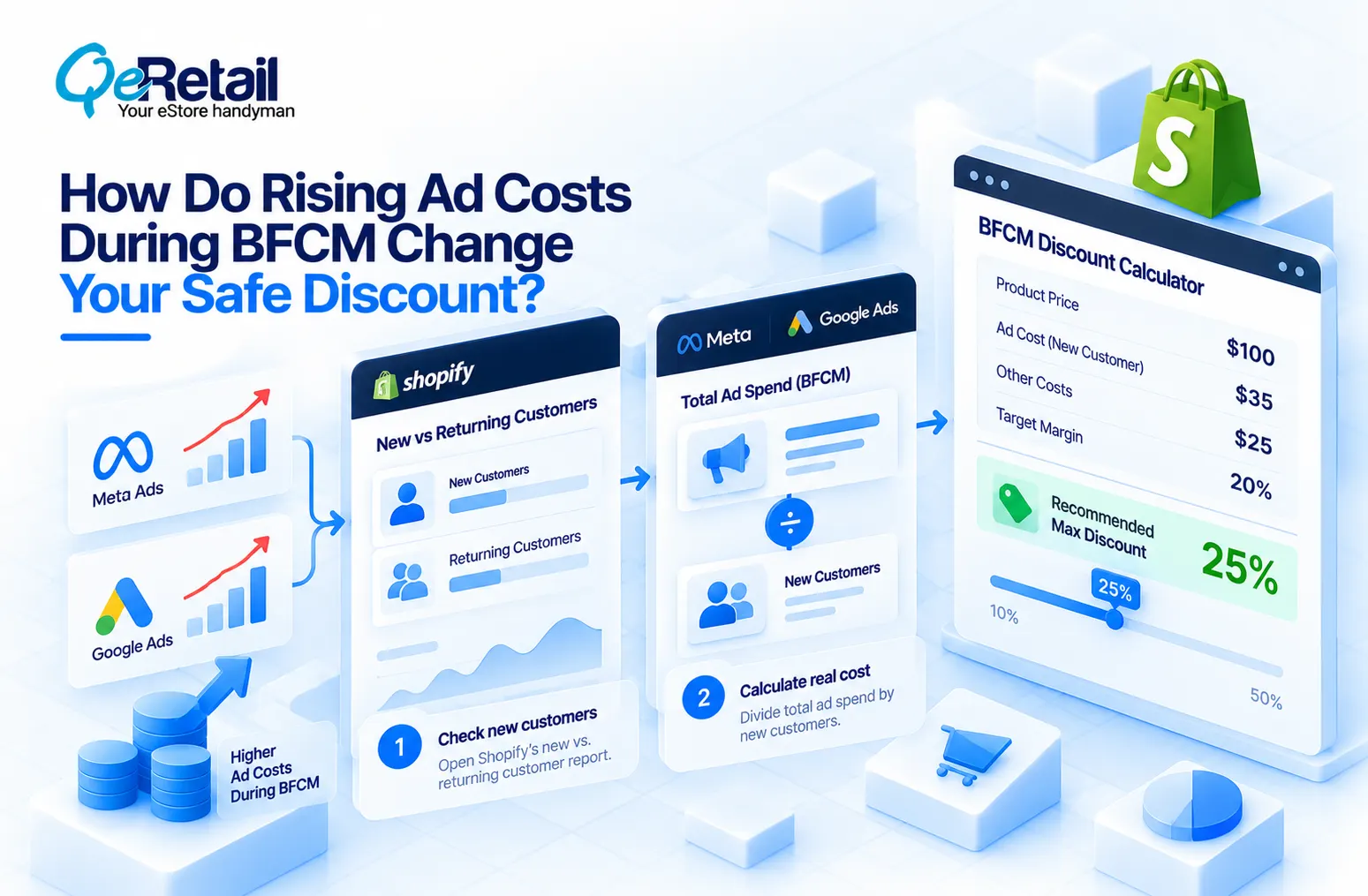
Here’s why. Your dashboard usually shows one average cost across all orders, including returning customers you didn’t pay to bring back. That average can look fine while every new customer loses you money.
Fix it in two steps:
- Open Shopify’s new vs. returning customer sales report and note how many new customers bought in your date range.
- Divide your Meta and Google ad spend for the same dates by that number. That is your real cost per new customer.
Then compare it to the most you can afford to pay at each discount level, using the Part 1 numbers:
| Discount | Most you can pay per new customer |
| 10% off | $35.45 |
| 20% off | $26.94 |
| 30% off | $18.43 |
This is your pause line. If your real cost per new customer goes above it, that offer is losing money. Pause or change it.
What Do Returns and Shipping Do to a Discounted Order?
Two costs show up after checkout.
Returns
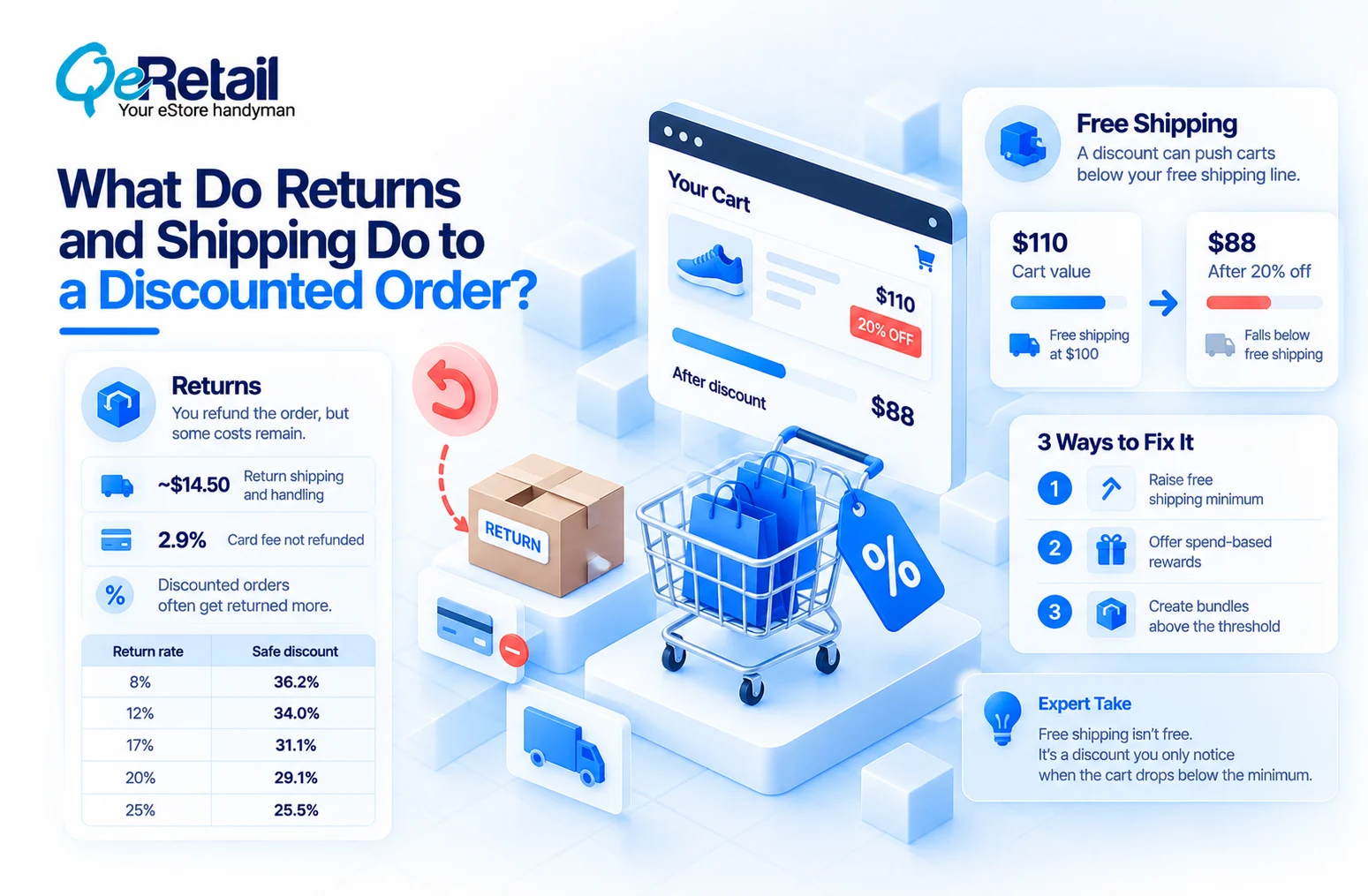
When an order comes back, you refund the sale and put the product back on the shelf. But you still pay about $14.50 for return shipping and handling, and the 2.9% card fee never comes back. Part 1 assumed 12% of orders get returned.
Discounted orders often get returned more. If that’s true for your store, add 5 points to your usual return rate and read that row.
| Return rate | Safe discount |
| 8% | 36.2% |
| 12% | 34.0% |
| 17% | 31.1% |
| 20% | 29.1% |
| 25% | 25.5% |
Free Shipping
Say free shipping starts at $100. A $110 cart at 20% off becomes $88, which falls below the line. Now the shopper either adds more items, pays for shipping, or leaves.
Three fixes work:
- Raise the free shipping minimum for the sale.
- Offer rewards that unlock at set spend levels.
- Build bundles priced above the free shipping line.
Expert Take:
Free shipping isn’t free. It’s a discount you only notice when the cart drops below the minimum.
Which Products Deserve a Bigger Discount?
Not all of them. Here are four $100 products, each with a different product cost:
| What the product costs you | Safe discount |
| $20 | 47.5% |
| $33 | 34.0% |
| $50 | 16.4% |
| $60 | 6.1% |
Sort your products into four groups:
- Bestsellers: they sell anyway. Stay at or below their safe discount, often lower.
- First-buy products: entry items that bring in new customers. Pick a discount where your cost per new customer stays under the pause line.
- High-margin products: like the $20 item above. Your biggest discounts belong here.
- Old stock: different rules. You just want your cash back, so price against what you paid and keep it out of the main sale.
When Does a Discount Above the Safe Limit Make Sense?
Only when enough buyers come back and buy again at full price. You can check this.
At 40% off, each order loses $5.08. A full-price order makes $28.96. Divide $5.08 by $28.96, and you get 17.5%. So at least 17.5% of these buyers must come back and buy at full price just to break even.
Now check your own store. Of your first-time buyers, how many bought again at full price within 90 days? If it’s under 17.5%, the bigger discount loses money.
Expert Take:
A deep discount is a loan your future customers have to pay back. Sale shoppers often come back less than full-price shoppers, so compare against your past sale buyers, not your best customers.
One more check: some BFCM buyers would have bought in December at full price anyway. That’s not a new sale. It’s profit you gave away. Look at last December’s orders from returning customers before you count a BFCM sale as extra.
What Can You Offer Instead of a Percentage Off?
Percent off is one option out of four:
- Free gift with purchase: you know exactly what it costs, and prices stay the same.
- Spend tiers: the discount kicks in only after the cart passes a set amount.
- Bundles: bigger orders, while your regular prices stay visible.
- Early access: email subscribers shop first, and it costs you no margin.
Example: A free gift that costs you $5 leaves $23.96 profit per order. A 10% discount leaves $20.45. Add your packing costs before you compare.
How Do You Set Your Final BFCM Discount?
Follow four steps, in order:
- Find the limit: get each product’s safe discount from the calculator.
- Test: compare each offer with how your past sales performed.
- Cap: set budget and unit limits so a popular code can’t overspend.
- Set a stop point: decide the cost per new customer at which you pause the offer.
Your countdown:
- Oct 12: download your last 90 days of orders.
- Oct 19: find the safe discount for each product.
- Oct 26: test offers against past sale results.
- Nov 9: lock offers and budgets.
- Nov 16: test every discount code and free shipping minimum.
- Nov 23: set your pause lines.
- Nov 27 to Nov 30: check numbers daily. Cyber Monday is Nov 30.
Daily check: orders per discount code, number of new customers, and ad spend divided by new customers. If that last number goes above the pause line for your active discount, pause the offer.

Run Your Numbers Before Black Friday
If your discount came from a guess in a meeting, you don’t have a plan. You have a guess everyone can see. Run your own numbers through the Shopify BFCM margin calculator before the sale season.
Not sure your BFCM discounts will make money? Get a free margin review from our experts. Book a free consultation now.
Frequently Asked Questions
What is the Most I Can Pay per New Customer at 20% Off?
Should I Give Every Product the Same Discount?
How Many Repeat Buyers Do I Need for a Bigger Discount?
Is Free Shipping Worth Keeping During BFCM?
Does This Work for Bundles and Free Gifts?
Table of Contents