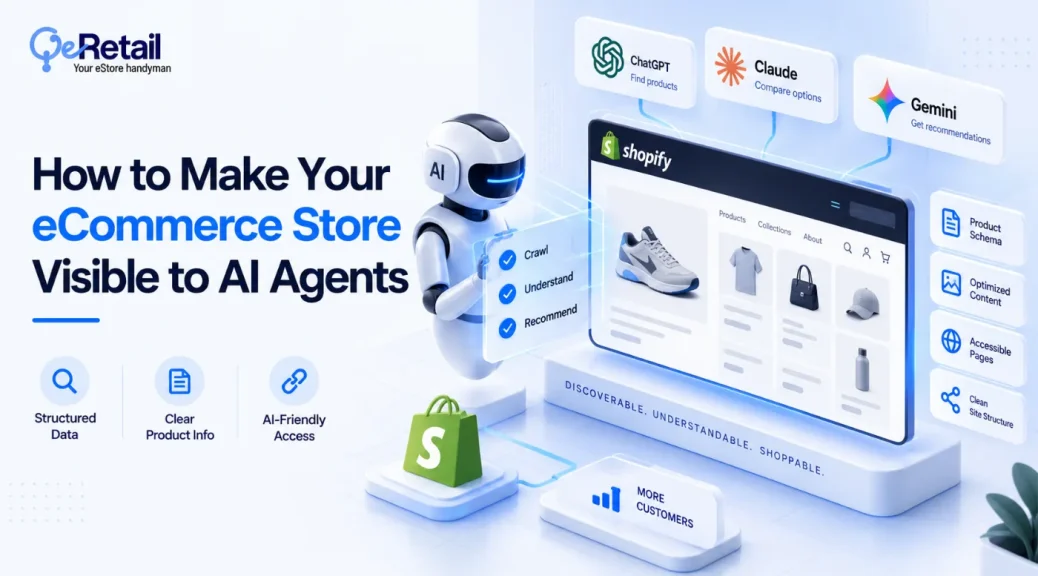
Your eCommerce product page is currently invisible to AI search engines, and it is costing you highly profitable sales. Even if you have a website that is technically sound, AI bots simply cannot find the product pages where you actually sell.
One of the core issues that many eCommerce shop owners face is the complexity of web pages, creating an issue for AI to read them. An Adobe study shows that product pages are the hardest part of a website for AI to read, scoring at 66 out of 100. At the same time, AI can easily read FAQ and return pages.
Your development team may indicate that your website’s underlying code is perfectly healthy. However, if you aren’t showing up in AI-generated answers, it does not matter whether your website is working fine or not, because your product lacks relevance to the buyer and it is almost invisible to AI.
So why are you still absent from the answers your customers are getting?
This guide gives you five layers in build order, three key reasons affecting revenue tier, and key actions required to improve AI visibility across generative AI answers.
This Guide Covers:
- What an AI-readable product knowledge base is, and what it is not
- The three ways product pages go unreadable
- The five layers, in the order they should be built
- What changed for a store that did this work
- Where to start at your revenue tier, and a 30-day rollout
Key Action Points
- Check ten fields on your top 20 revenue products before you plan anything else.
- Fix the gaps in your source data, never in the markup layer
- Ship product markup and your merchant feed together, because Google uses both
- Move fit, compatibility, and returns answers onto the product page itself
- Reuse the answers your support team already writes instead of commissioning new ones
- Track machine readability by page template, not page by page

What is an AI-Readable Product Knowledge Base?
The phrase “AI-readable product knowledge base” is not an industry standard, but it describes the product information layer that connects your source data to the AI systems for easy retrieval.
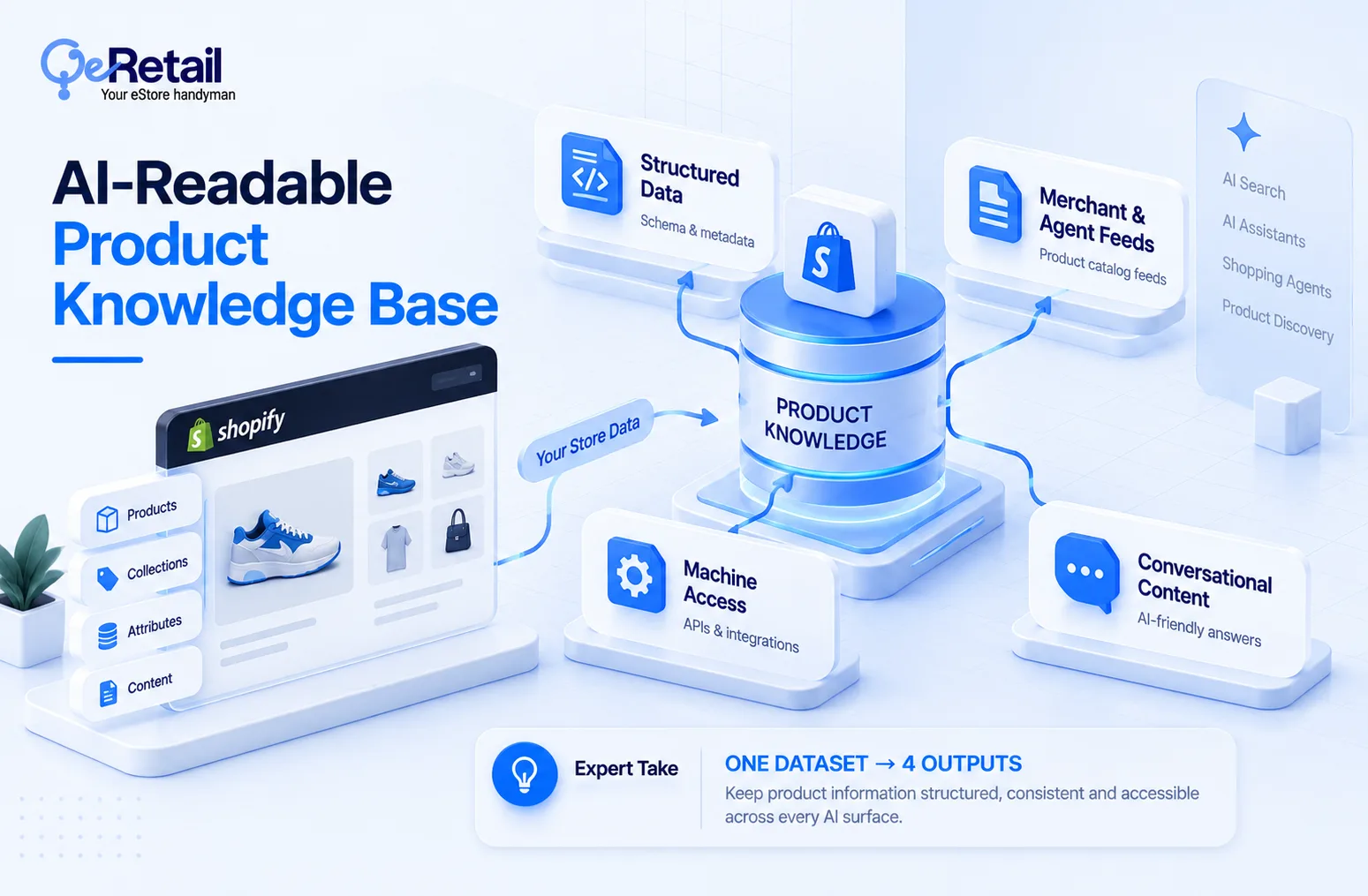
What this means is you are not spending massive money on four projects, but you are running one dataset in four different ways, and the hard part sits underneath all four.
The four surfaces product knowledge base publishes to are
- On-page structured data, the markup a crawler reads on your product detail page
- Merchant and agent feeds, the file carrying price, availability, and variant relationships
- Machine access, documented ways for approved systems to query your catalog instead of only scraping the page
- Conversational content, the fit, compatibility, and returns answers written in plain language.
Expert Take:
Most stores scope this as four separate tickets. Three get deprioritized, and the one that survives is usually the markup, which is the single layer that can least afford to run on incomplete data. Scope it as one dataset with four output formats, and the sequencing decides itself.
How Does it Differ From Your PIM and Your Help Center?
A product information management store stores attributes and a faceted taxonomy, which is different from your product knowledge base. At the same time, the help center is written for a person to browse and search for specific answers to their problems.
Customers can retrieve answers to specific products at one time from the help center, while the product knowledge base offers comprehensive data on all the products that you sell, providing much more information to customers and AI crawlers.
Why Are Your Product Pages Invisible to AI Agents?
When it comes to the reasons why your product pages are invisible to AI agents, there are three key reasons. If any of them go wrong, everything on your product page is invisible to AI.
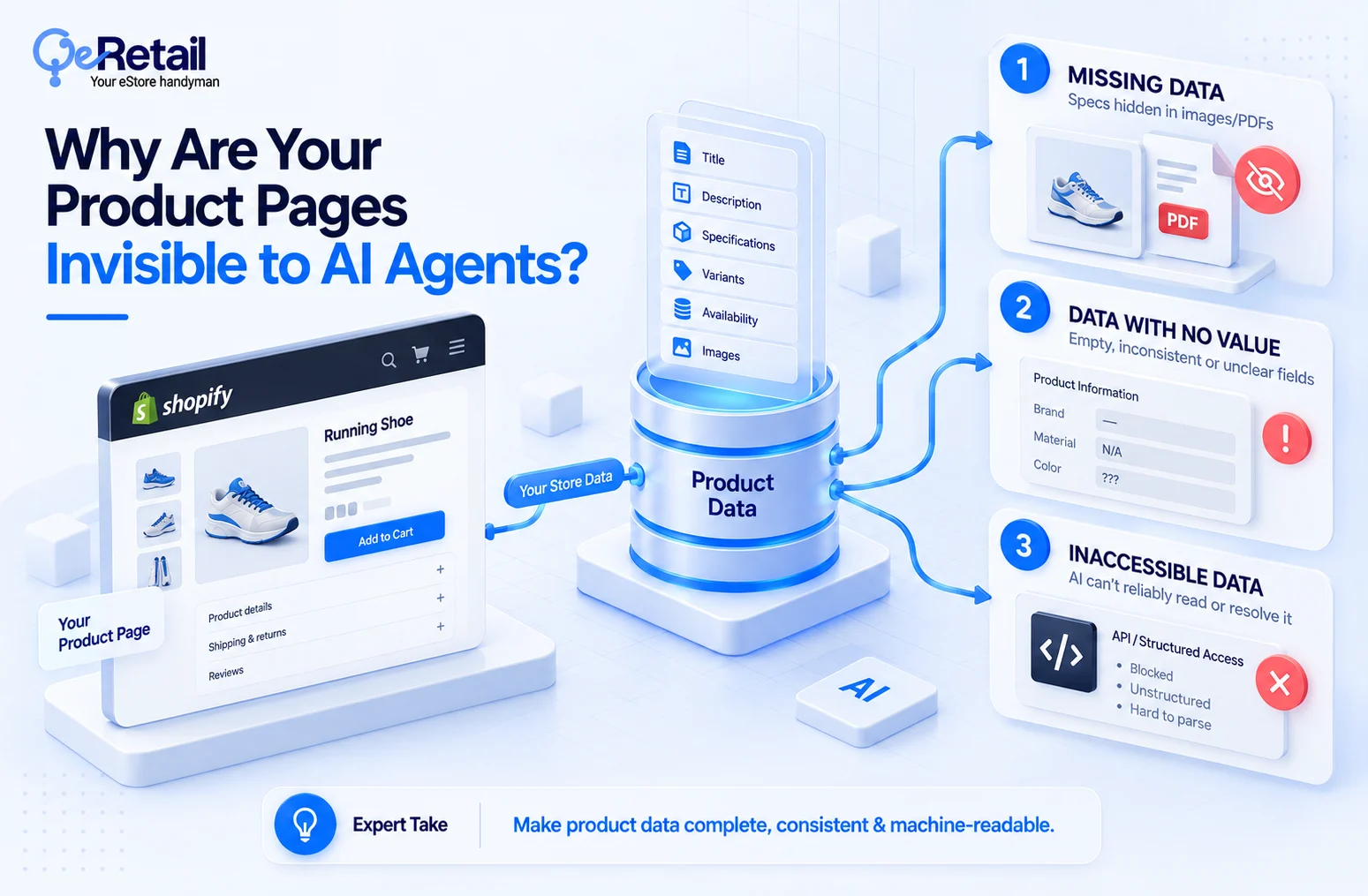
1. Missing Data
You add the specification PDF to the product page, an image of a size chart, or in the middle of the paragraph of the brand copy. If you miss something, a key detail of the product, your markup will not be able to generate it, and this is where it breaks the entire flow of information that AI crawlers can read on your product page.
Quick Wins:
- Open the ten best sellers and list every spec that appears only in copy or an image.
- Add those as real attributes in the PIM before touching anything else.
2. Data With No Value
This is a different issue from the data missing. Here, your product page does have data, but is largely not offering any value to either customers or AI crawlers. The field exists but has no value. There are multiple variants sharing one title.
A color is written in three ways across a single category, and a title that reads “Pro Kit” does not identify anything. These are the expensive issues that may cause your page to be invisible, and nobody audits it. A system that cannot resolve a value confidently is more likely to leave your product out of the comparison.
Quick Wins:
- Standardize units and size systems across one category, then roll the pattern outward.
- Rewrite titles so each one identifies the product without the collection name.
3. Inaccessible Data
The third reason is obvious. You do have the data on the product page, but it is inaccessible to Shopify’s AI. According to Shopify, what is inaccessible is inferred by Shopify’s AI as guesswork, and guesswork does not help your page become visible to AI.
Quick Wins:
- Pull specs, warnings, features out of images/PDFs into text fields. AI reads text, not pixels.
- Fill every variant (size, color, spec) in Shopify Catalog. Missing option = doesn’t exist to the agent; no guess made.
- Publish return/shipping/delivery policy as plain machine-readable text on page, not buried in T&C doc.
- Match product data across site, marketplace, feed. Mismatch = AI can’t resolve, drops you.
- Use Shopify Catalog Mapping for metafields/metaobjects/tag prefixes so the parser reads structure right, not a raw string.
What are the 5 Layers of an AI-Readable Product Knowledge Base?
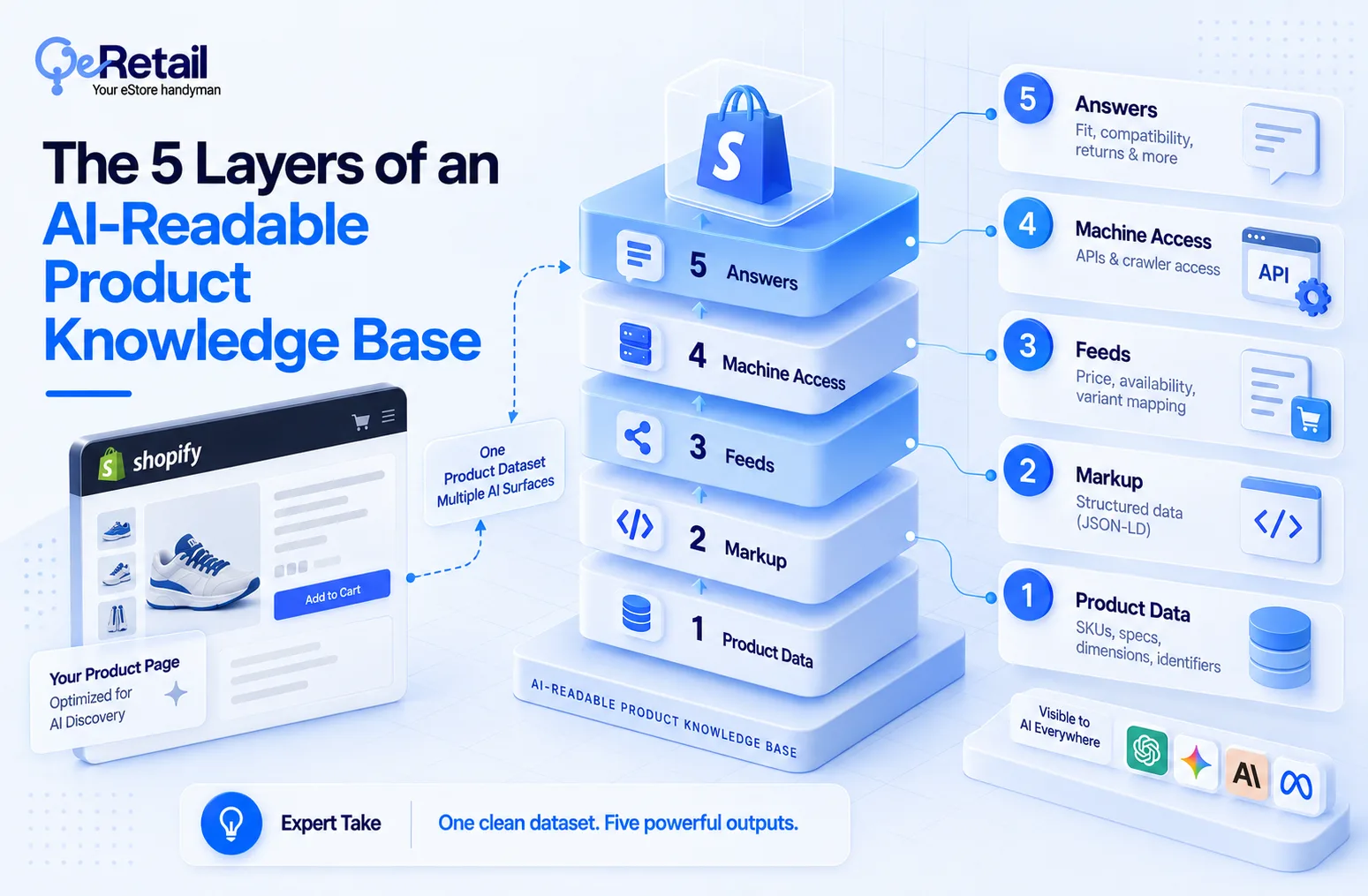
Here is the whole stack before the details.
| Layer | What it holds | Who owns it |
|---|---|---|
| 1. Product data | Stable IDs, specs, dimensions, identifiers | Merchandising |
| 2. Markup | Product structured data on the PDP | Dev and SEO |
| 3. Feeds | Price, availability, variant mapping | Ecommerce ops |
| 4. Machine access | Documented ways for systems to query the catalog | Platform and engineering |
| 5. Answers | Fit, compatibility, comparison, returns | Content and support |
Layer 1: The Source of Truth
This layer includes permanent facts about what products you sell. It includes unique model numbers like SKUs or barcodes, exact dimensions, materials, and weight. Think of it like building furniture with the spec sheet in the box.
Expert Take:
AI models cannot infer missing facts accurately. If critical attributes like measurements or materials are left blank or buried inside a generic marketing paragraph, AI models will either skip the product or guess incorrectly (hallucinate).
Quick Win:
- Pick your top 10 revenue-driving products and verify that basic identifiers like SKU, GTIN/barcode, dimensions, weight, and color live in dedicated database fields.
Layer 2: Markup (The Subtitles for Robots)
This layer consists of standard web pages designed for human eyes. It includes markup, specifically structured code like JSON-LD, and it acts like closed caption subtitles on your product page. It helps your e-commerce store by signaling to the web crawlers that this specific number is the price, this text is the brand, and these stars are the customer ratings.
Expert Take:
Structured data is the primary bridge between your raw store and AI answer engines. Product pages with verified schema markup are cited up to 3.1 times more frequently in AI-generated shopping results than pages without it.
Quick Win:
- Paste 3 to 5 of your top product URLs into a free validation tool (such as Google’s Rich Results Test) to ensure your Product, Offer, and AggregateRating tags have zero missing fields or fatal errors.
Layer 3: Feeds (The Real-Time Shelf Tag)
This layer handles the details that change constantly, such as whether an item is currently in stock, which sizes are left, and what today’s sale price is.
Expert Take:
Dynamic accuracy makes or breaks AI-assisted sales. Modern shopping AI platforms check real-time availability before suggesting a checkout. If an AI sends a shopper to your site only for them to find an item out of stock, the algorithm marks your store as unreliable and stops recommending your links.
Quick Win:
- Check your synchronization schedule in platforms like Google Merchant Center to ensure inventory and price changes update in real time (or via API) rather than relying on a slow, once-a-day file upload.
Layer 4: Machine Access (The Unlocked Front Door)
This layer is all about giving AI systems a documented, permissioned doorway like public APIs or open crawler permissions to inspect your digital shelves without breaking your website or getting blocked by security firewalls.
Expert Take:
Many store owners spend heavily on SEO, only to discover their technical security settings or robots.txt files are accidentally blocking the specific crawlers (such as OpenAI’s GPTBot) that read data for modern AI tools.
Quick Win:
- Open your site’s robots.txt file and confirm that major search and AI crawlers are not set to Disallow, ensuring your catalog is actually visible to these new engines.
Layer 5: Answers (The In-Store Sales Associate)
This layer holds the context-rich explanations that solve real customer problems, such as fit, compatibility, or return policies. It moves beyond raw specs to answer questions like “Is this charger compatible with a 2024 MacBook?”
Expert Take:
Shoppers increasingly search using conversational dilemmas rather than exact product names. This layer transforms static feature lists into outcome-focused answers, giving AI assistants the exact context they need to confidently match your product to a user’s specific scenario.
Quick Win:
- Add a concise 3-to-4 question FAQ block to your top product pages addressing sizing, compatibility, and returns using direct, unambiguous bullet points.

Conclusion
Something changed about who arrives first. A machine reads your product page before a shopper ever sees it, and it does not scroll, it does not infer generously, and it does not fill a blank field on your behalf.
And when it gets your product wrong, 58% of shoppers say they blame you, while only 5% come to your site to check.
You are being described to buyers by a system that only knows what you published.
So if you added markup to a catalog with empty attributes, you did not become readable. You published your gaps in a cleaner format.
The decision is not whether AI systems will read your catalog. That decision has been made for you. The decision is whether they read what you wrote or what they inferred.
Not sure whether your catalog is machine-readable? Book a free audit, and we will check your top revenue SKUs for attribute gaps, markup coverage, and feed readiness, and hand you the list in priority order.
Frequently Asked Questions
What Is an AI-Readable Product Knowledge Base?
What Product Data Does ChatGPT Shopping Require?
Does Schema Markup Actually Help With AI Search?
Can A Small Team Do This Without A Developer?
Table of Contents